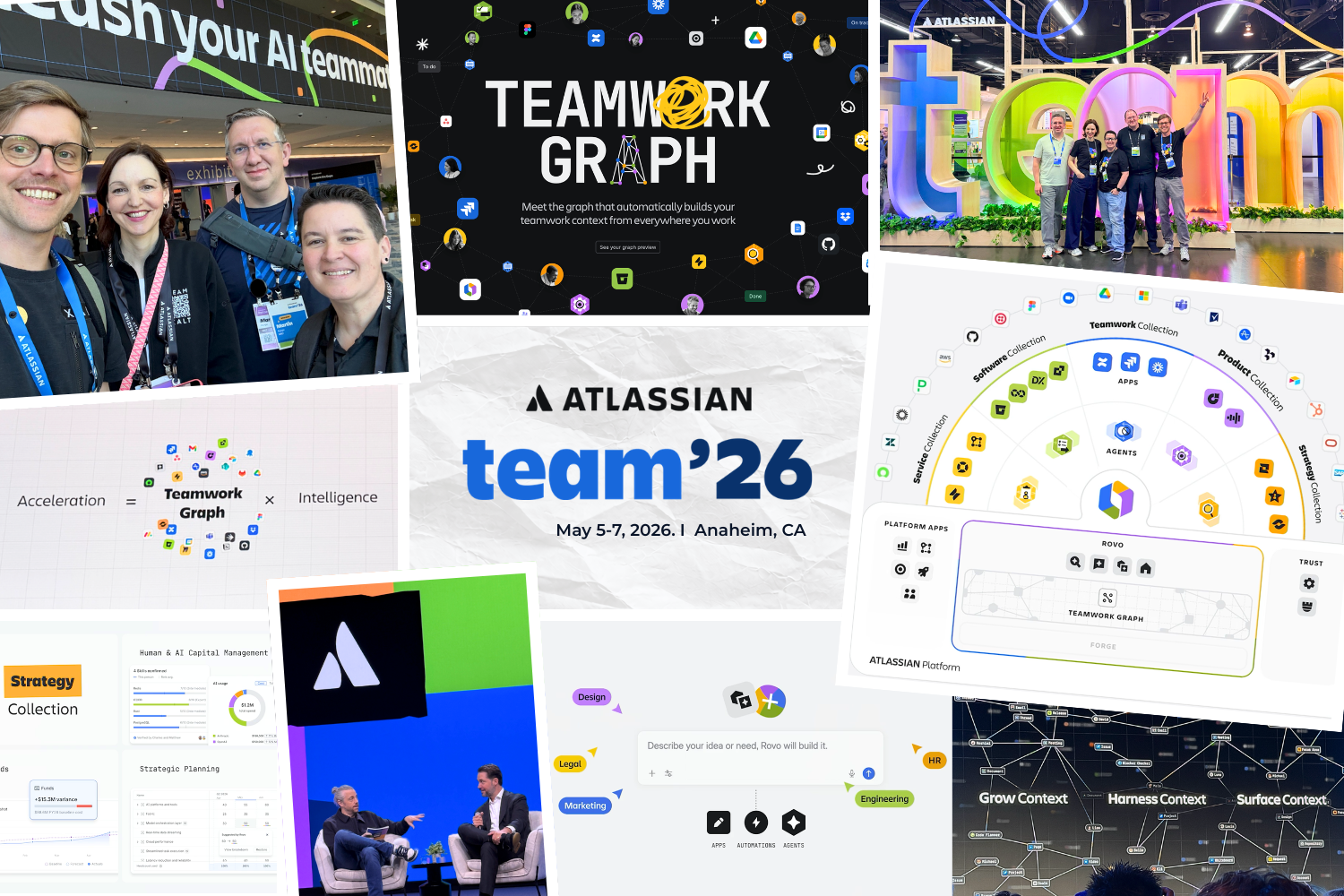
Imagine your company had a perfect memory. Every decision, every code snippet and every piece of customer feedback would be immediately available to every employee (and every AI). At Atlassian Team ’26 in Anaheim, it became clear that this is no longer a dream of the future. Atlassian is ushering in the era of the „AI-native organization“.
XALT was on site to sort through the flood of innovations for you. The most important insight: pure AI intelligence is now a standard commodity. The real competitive advantage lies in Context.
The success formula of Team ’26: Acceleration = Context x Intelligence
In the following, we will go into these changes in detail and show you what they mean for your company.
The Teamwork Graph: Context is everything
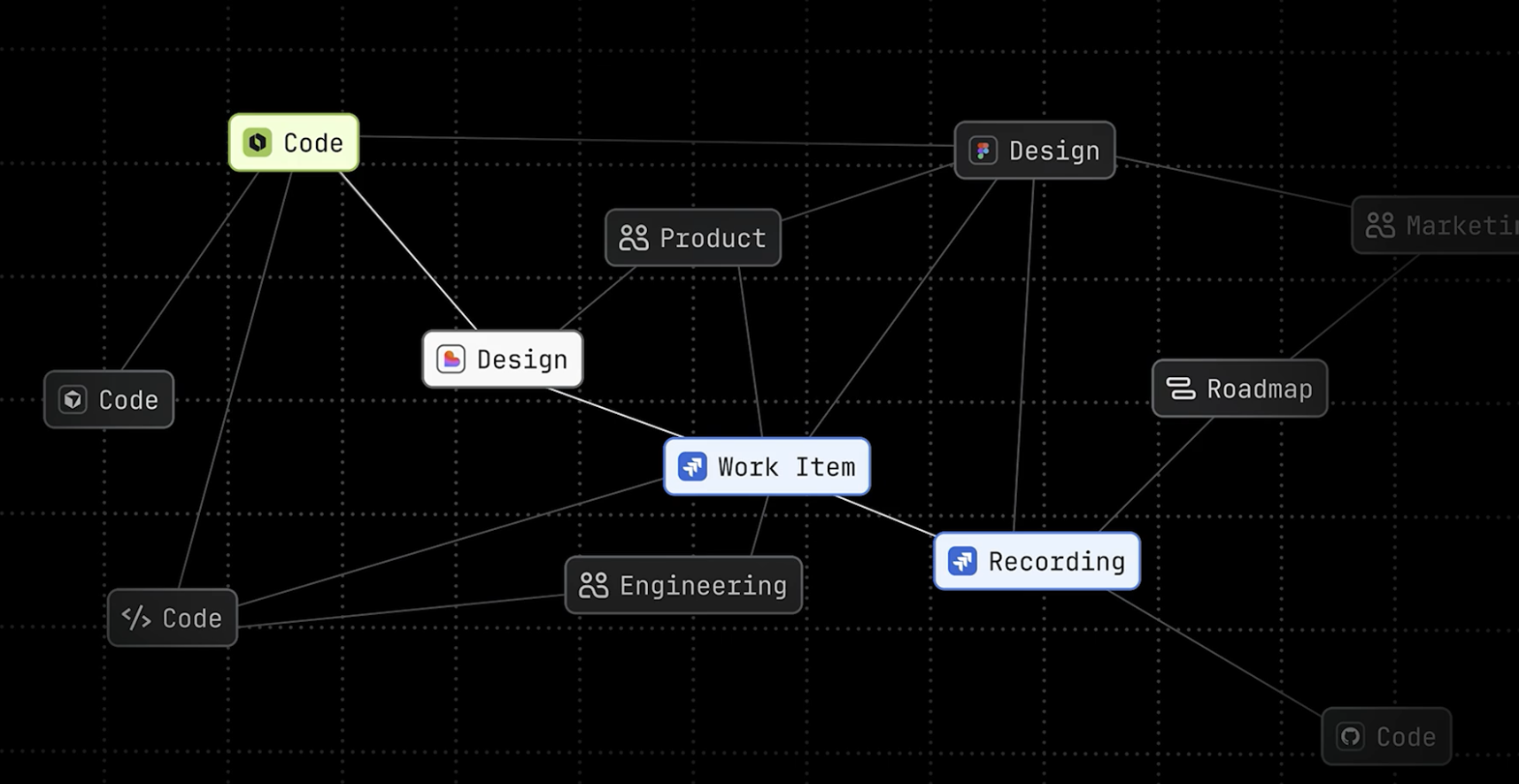
AI agents are only as good as what they know. The problem: information is often trapped in silos. The Teamwork Graph, solves this by creating over 150 billion connections between people, destinations, code and content.
The new formula for success for companies is: acceleration = context x intelligence. Those who have their data under control in Teamwork Graph will win the AI race.
Mike Cannon-Brookes, Atlassian CEO & Co-founder
Tests show: With this context, agents deliver 44 % more precise answers with 48 % less token consumption.
News about the Teamwork Graph:
- Teamwork Graph CLI (available as beta version): Developers can now pull the graph context directly into their terminals and CI/CD pipelines. With over 300 commands, coding agents such as Claude Code or Cursor can make complex queries (e.g. „Who is the real owner of this decision?“) without having to query APIs individually.
- Rovo MCP Server (available as beta version): The Model Context Protocol (MCP) is used to create the Teamwork Graph for each compatible agents (e.g. ChatGPT or Claude). Agents can not only read the graph, but also actively update it.
- Integrate your own data (Forge Connectors generally available): Using Atlassian's developer platform Forge, companies can now build their own connectors for proprietary legacy systems. Mercedes-Benz is already using this to link specialized automotive systems (defect management, requirements). The result: 90 % better quality for defect detection and a 10 times faster software delivery.
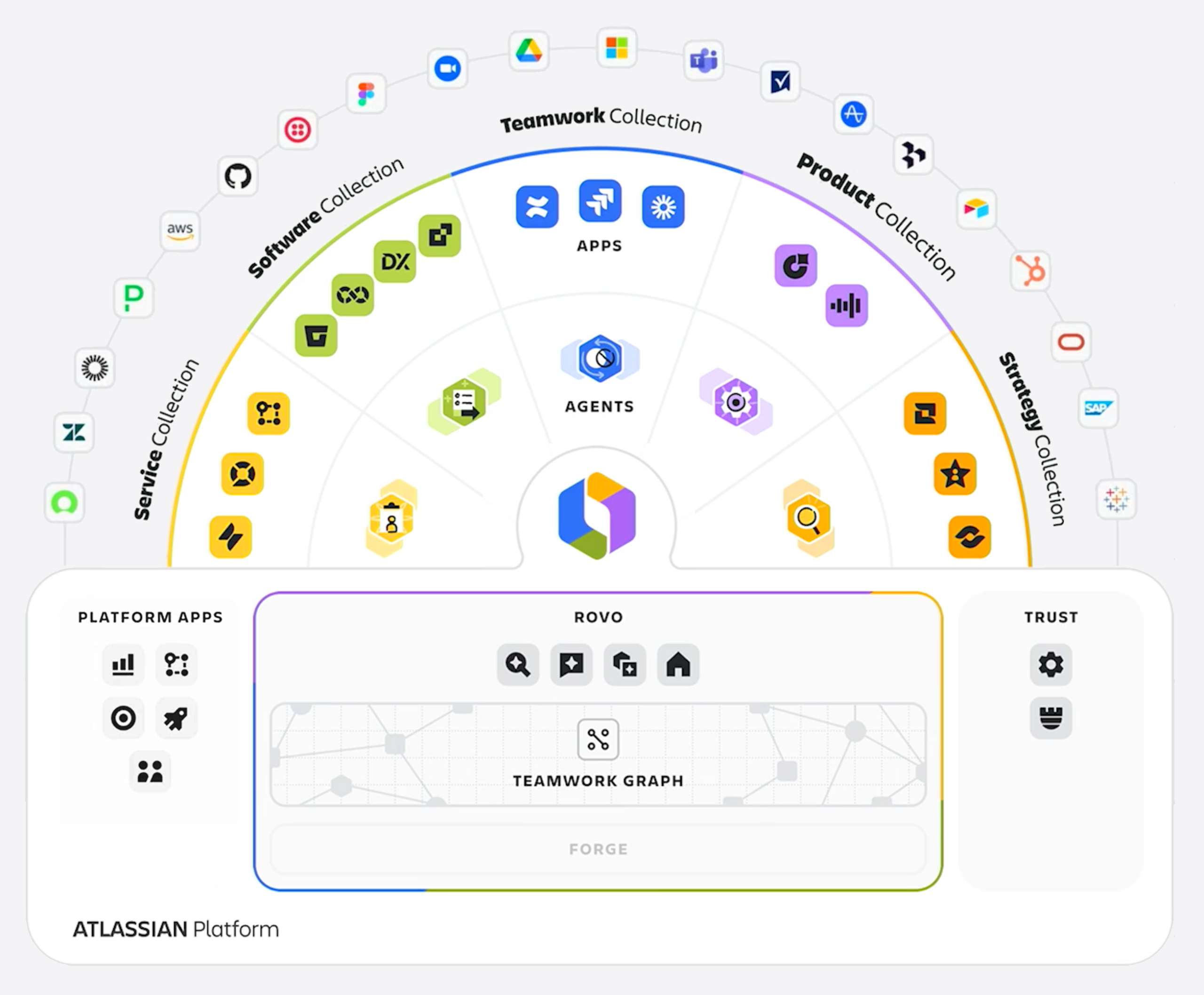
The converging information creates the valuable corporate context on the basis of which AI helps companies to drastically accelerate their processes.
Rovo: From AI assistant to autonomous teammate
Rovo is the link that brings the Teamwork Graph to life in everyday working life. With over 14 million Rovo actions In the last month alone, the tool has become firmly established. The next stage has now been ignited at Team ’26:
1. Rovo Studio (generally available)
From now on, anyone (not just developers) can create their own AI agents, automations and apps. Without writing a single line of code, you can design workflows that react to events (e.g. „A new employee starts“ or „A Prio 1 ticket is opened“) and coordinate tasks across Jira, Confluence and third-party systems.
2. Rovo Chat „Max“ (available soon)
The new „Max“ reasoning mode not only answers questions, but also creates a multi-stage action plan. It breaks down complex requests, pulls status info from Jira, decisions from Confluence and signals from support. It drafts documents, creates slides, updates Jira tickets and even finds dates in the calendar while you focus on the final decisions.
3. Enterprise governance & control
Rovo now offers comprehensive admin controls. There are central lists of all active agents in the company, detailed audit logs and granular authorizations as to who can build or run agents. About Atlassian Guard also ensures that sensitive data remains protected.
4. Rovo everywhere
Whether in the browser, on the desktop, mobile or directly in your favorite apps via MCP (Model Context Protocol): Rovo brings organizational memory exactly where you need it.
Teamwork Collection: AI orchestration directly in the workflow
In the Teamwork Collection is about bringing AI agents to where the actual work takes place. Away from separate chat windows and towards direct collaboration in the ticket or on the page.
1. Agents in Jira (generally available)
AI agents are now fully-fledged team members in Jira. You can assign Jira tasks directly to an agent. It appears as an assignee on your board so that you can always see which tasks are currently being processed by an AI and how they fit into your sprint or release plan.
- Collaboration via @-Mention: Instead of copying context into separate tools, use @-Mention to bring the agent directly into the comments of a ticket. It can summarize long comment threads, carry out research or suggest solutions. The entire history remains documented for everyone in the ticket.
- Automation in the workflow: You can permanently integrate agents into your Jira workflows. For example, an agent can automatically become active as soon as a ticket reaches the „In Design“ status, create an initial draft and make it available for human review.
- Open ecosystem (MCP): Thanks to the open standard (Model Context Protocol), you can not only use Rovo agents, but also integrate specialized agents from third-party providers such as GitHub Copilot, Figma, Canva or HubSpot. Jira respects all existing authorizations and ensures a seamless audit trail.
2. AI Planner in Jira (available soon)
The Atlassian AI Planner supports teams with automated sprint and capacity planning. Based on historical data, team availability and task priorities, it creates optimized project plans and suggests the best distribution of tickets. This saves valuable time in weekly planning and helps teams to identify bottlenecks early on and set more realistic deadlines.
3. Third-party agents in Confluence (available as beta version)
You can simply @-mention AI agents (e.g. from Lovable or Replit) on a Confluence page just like a human colleague. The agent reads the context of the page and performs actions in your connected tools without you having to leave the page.
4. Remix with Rovo (available as beta version)
Long texts can be visualized in seconds with Remix. Simply select a section of text in Confluence and Rovo automatically creates diagrams, timelines, infographics or org charts. As visual content has been proven to be read twice as often, you can massively increase the reach of your documentation.
5. Confluence Slides (available as beta version)
Create presentation-ready slides directly from your Confluence content. Rovo uses the Teamwork Graph to define the structure, write content and even build visualizations. You can even present the slides directly in Confluence without switching tools.
6. Create with Rovo in Jira (available as beta version)
Rovo automatically converts meeting notes, emails or Confluence docs into structured Jira tasks (e.g. Rovo creates work items in Jira, writes status messages and splits large tasks into smaller subtasks).
7. Loom integrations
- Agent Briefings in Loom (soon available as a beta version): Instead of writing complex prompts, you simply record a Loom video. What you say and show is translated into a structured action plan and can be transferred directly into Jira.
- Bug Reporting (generally available): Instead of laboriously typing bug reports, you record a short video. Loom automatically recognizes the technical background (logs, environment variables) and creates a ready-made action plan for the developer in Jira.
Service Collection: Proactive IT and service management
Atlassian is burying the concept of the classic service desk with its endless queues and static forms. In the AI era, service is no longer an isolated process, but a living system that solves problems before they arise.
Service now happens invisibly in the background. AI agents detect incidents in real time (e.g. through code deploys or system metrics) and automatically route them to the right place - often before a user even has to seek help.
1. Optimize in Customer Service Management (available as beta version)
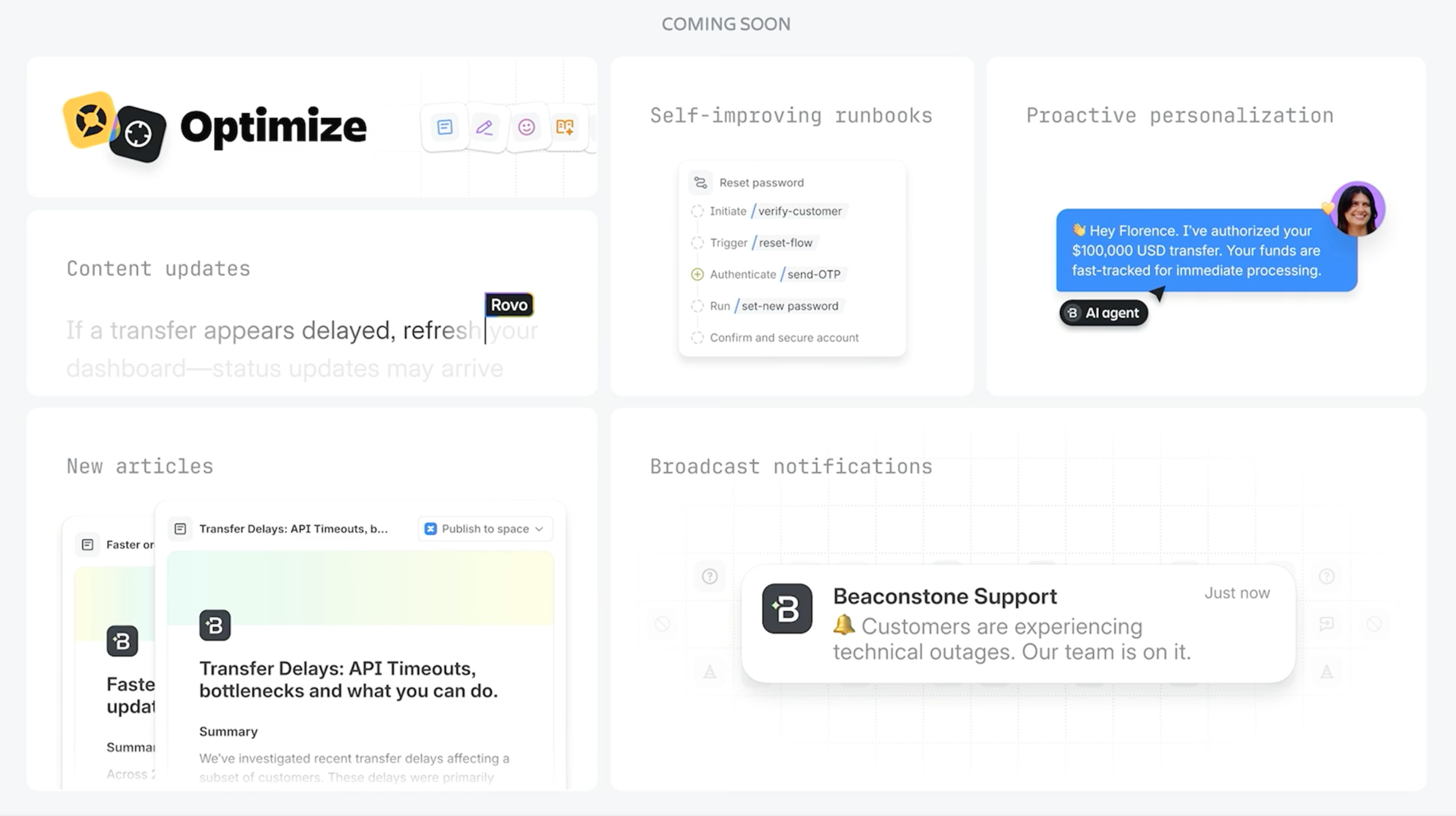
This feature closes the gap between what teams know but the AI does not yet know. It identifies the gaps by finding tickets that the team has solved themselves and uses the information to automatically create new articles for the knowledge base. When the team approves the article, the AI has the basis to process similar requests itself in the future.
2. Incident Command Center in Jira Service Management (available as beta version)
Every second counts in the event of an IT failure. This new hub bundles alerts from tools such as Datadog, visually shows which systems are affected („blast radius“) and immediately suggests solutions. After an incident Rovo Ops writing the Post-Incident Review (PIR), while Rovo Dev The resulting development tickets are created directly in order to permanently rectify the error.
3. Incident Prevention Center in Jira Service Management (available as beta version)
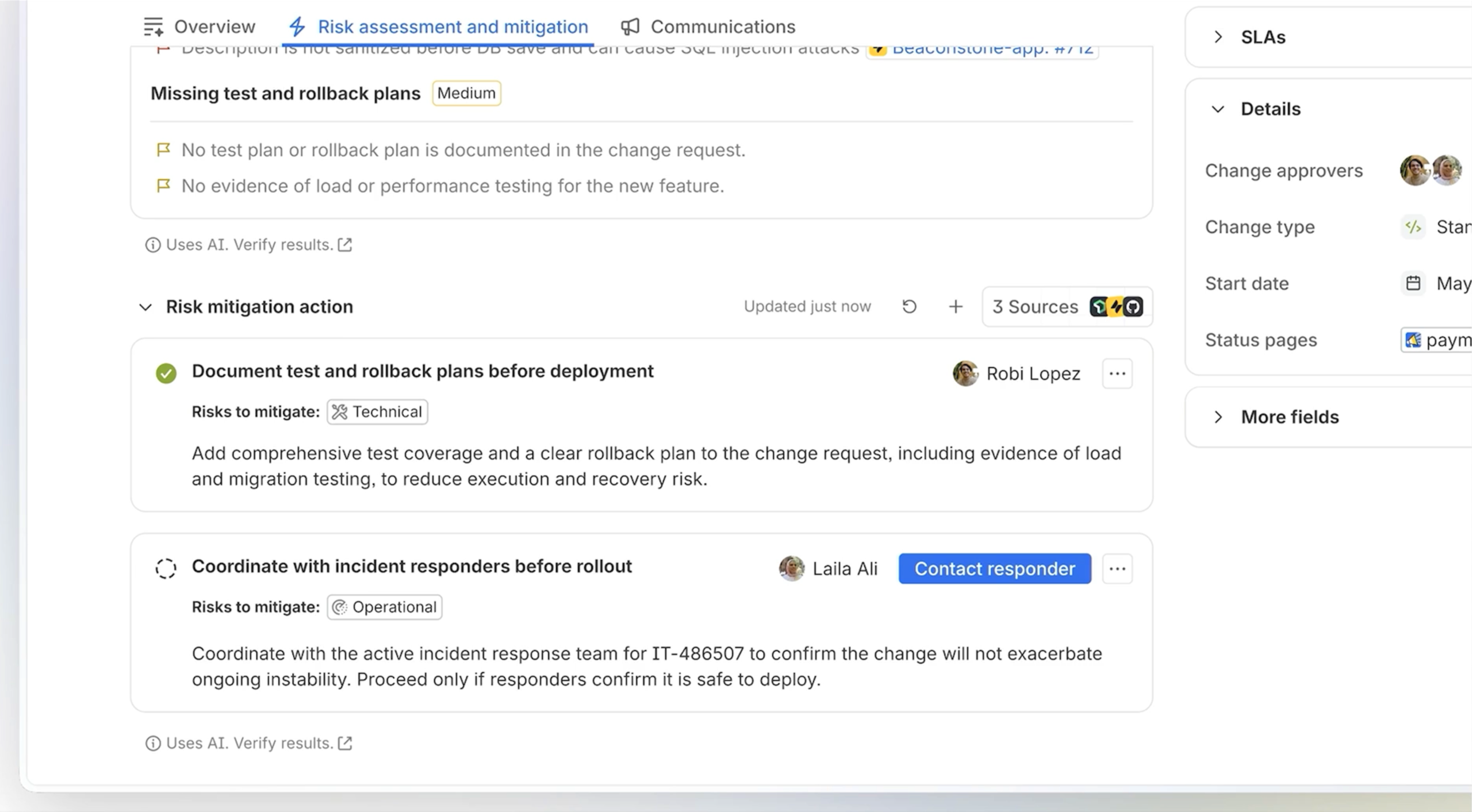
Instead of just preventing incidents from occurring again, the Incident Prevention Center is designed to ensure that incidents are detected and prevented before they even occur for the first time. To do this, Rovo is used to pull all information from the Teamwork Graph to provide a bird's eye view of all services, dependencies and current changes.
Each change request is analyzed by Rovo Ops in terms of potential risks and contributing factors, and then recommendations are made to minimize the risk.
4. Hardware Asset Management in Jira Service Management (available soon)
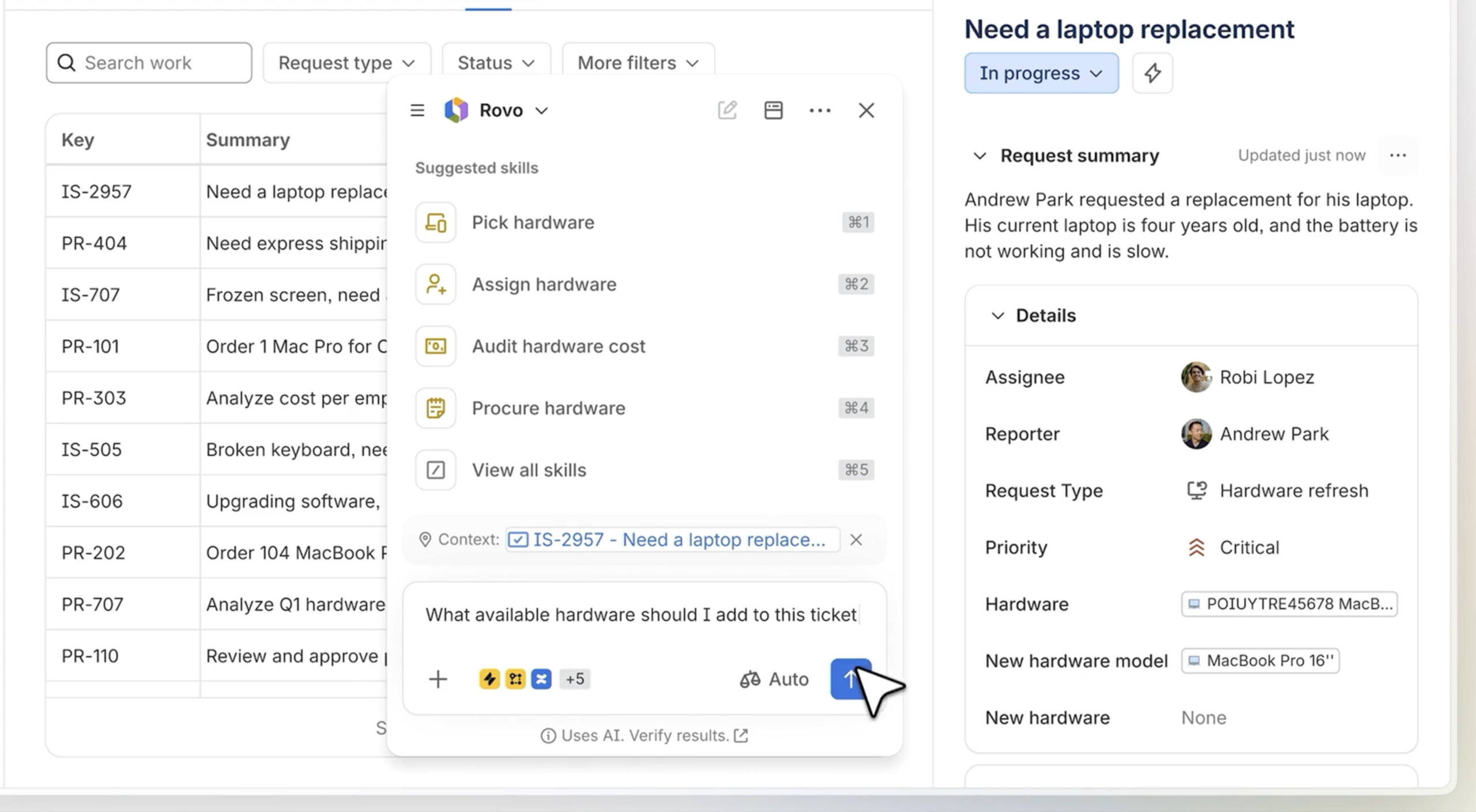
IT teams get a unified, integrated view of all handware assets within Jira Service Management. It provides information about hardware types, where they are located, costs, warranty contracts, security risks and automates the entire hardware lifecycle.
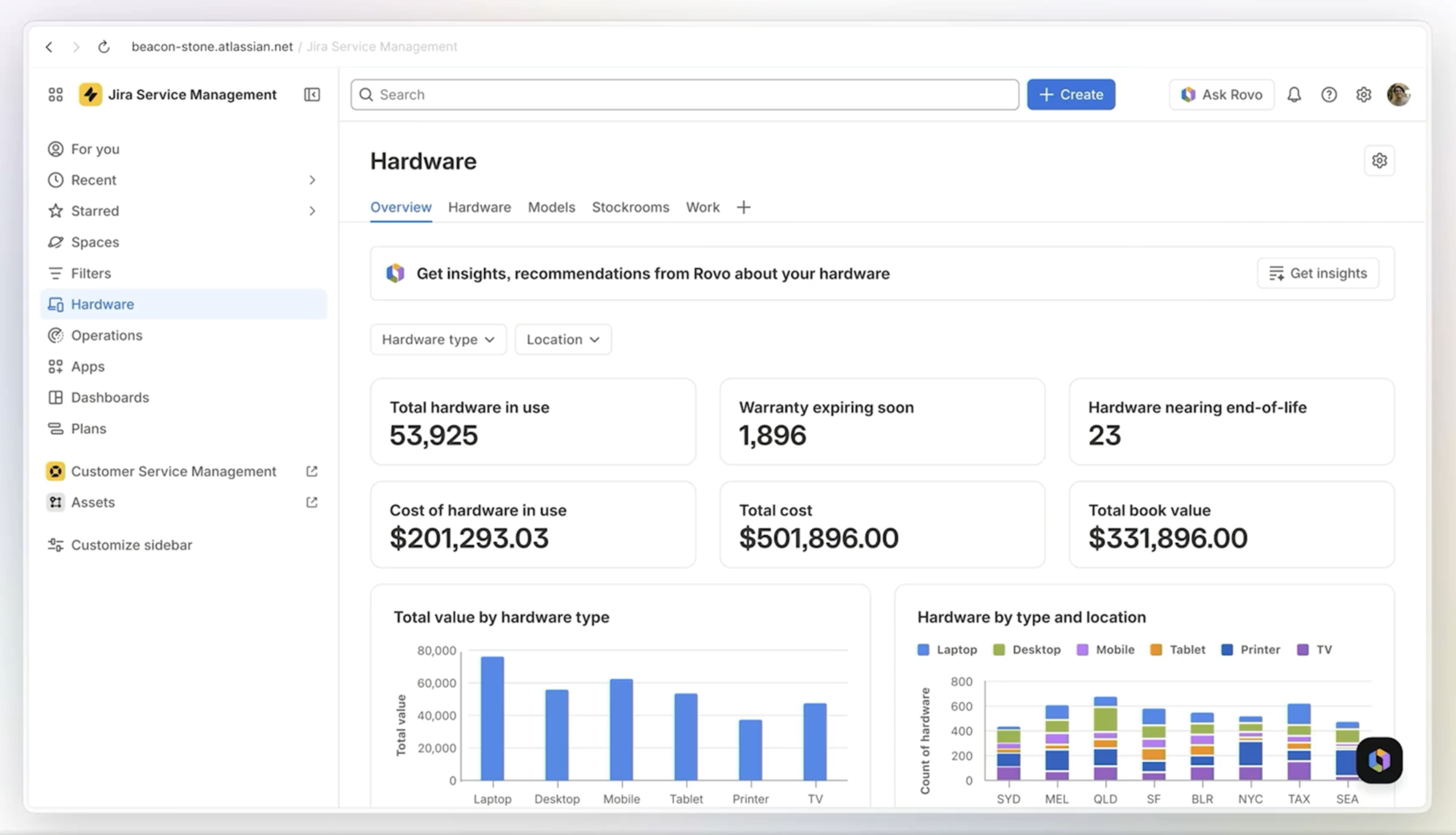
A practical example of this is the task of assigning a new laptop to a user: The ticket with the user request for a new laptop is received in JSM, Rovo Skills is used to search for a suitable device for the user that meets the requirements of their job role and is available at their location. If the admin confirms the new device, it is automatically assigned to the user in the same system. No manual searching, no context switching, the task is completed in no time at all.
5. Data Manager in Assets
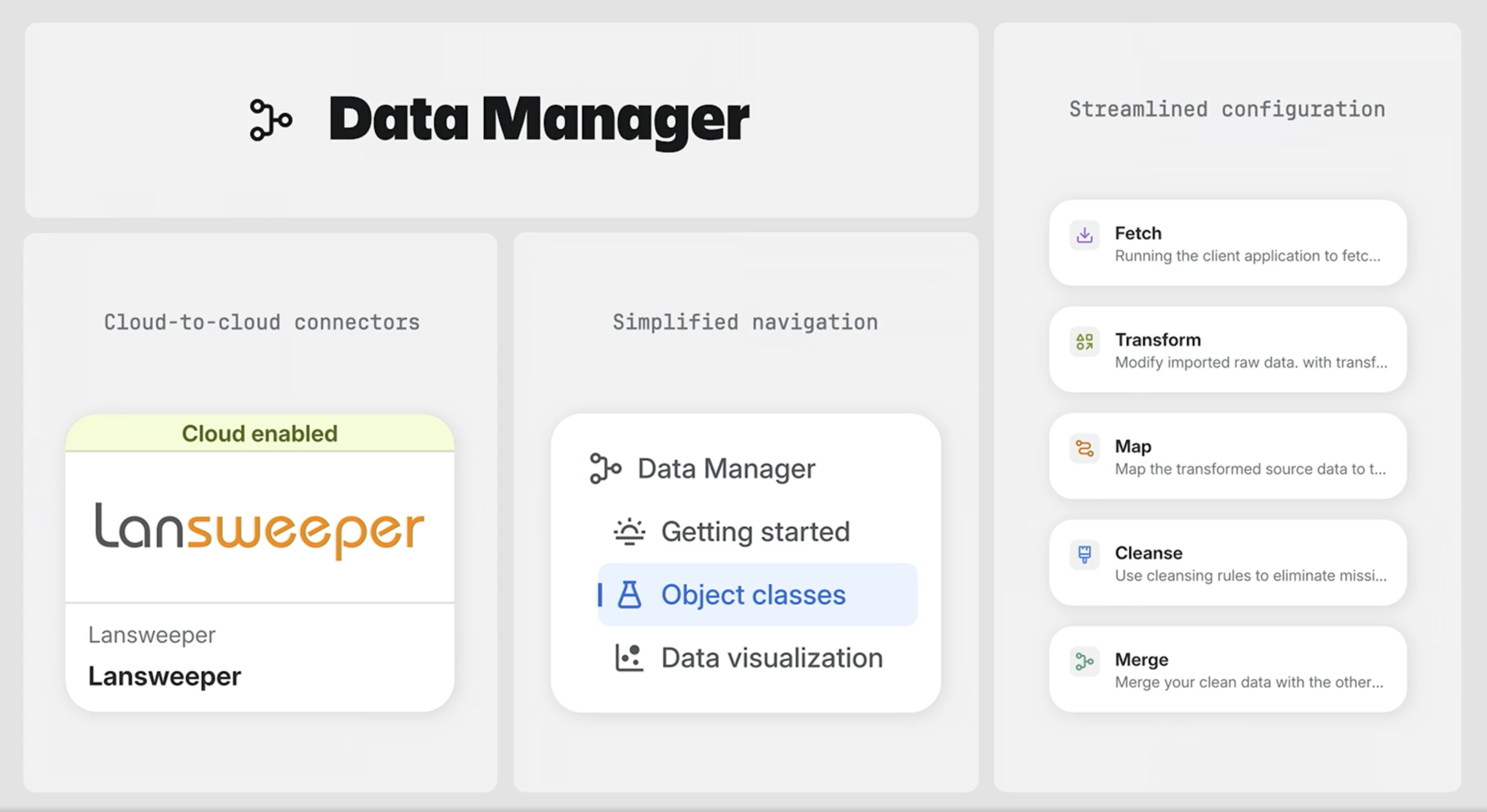
Data Manager gets a refresh that makes it easier and more intuitive to manage assets company-wide.
6. Solution Composer (available soon)
Administrators no longer have to laboriously configure portals manually. You simply describe the desired experience via text input and Rovo designs the appropriate workflows, automations and AI agents in minutes.
„I need a portal for vacation requests with manager approval,“ and Rovo builds the entire portal, including the logic, in a matter of minutes.
7. Rovo Service (generally available)
Rovo Service acts as an autonomous teammate that handles complex end-to-end workflows (e.g. software provisioning, HR onboarding or access management). It understands roles and permissions via the Teamwork Graph and orchestrates approvals across Jira, Confluence and third-party apps.
The new Product Collection: From the idea to data-supported implementation
In a world where AI is accelerating prototyping, making the right decision is the real bottleneck. Product teams often struggle to prioritize from a flood of feedback. With Jira Product Discovery product teams can already manage ideas, requirements and roadmaps via a central platform.
Now Atlassian has announced the Product Collection (Early Access) as an AI-powered system that ensures teams not only fast build, but the Correct based on customer feedback and usage analyses. This includes Jira Product Discovery, the new Feedback App and Rovo. There will also soon be an integration with Pendo, a product analysis and user feedback platform that helps companies to better understand the behavior of their users in software applications.
1. Feedback app (early access)
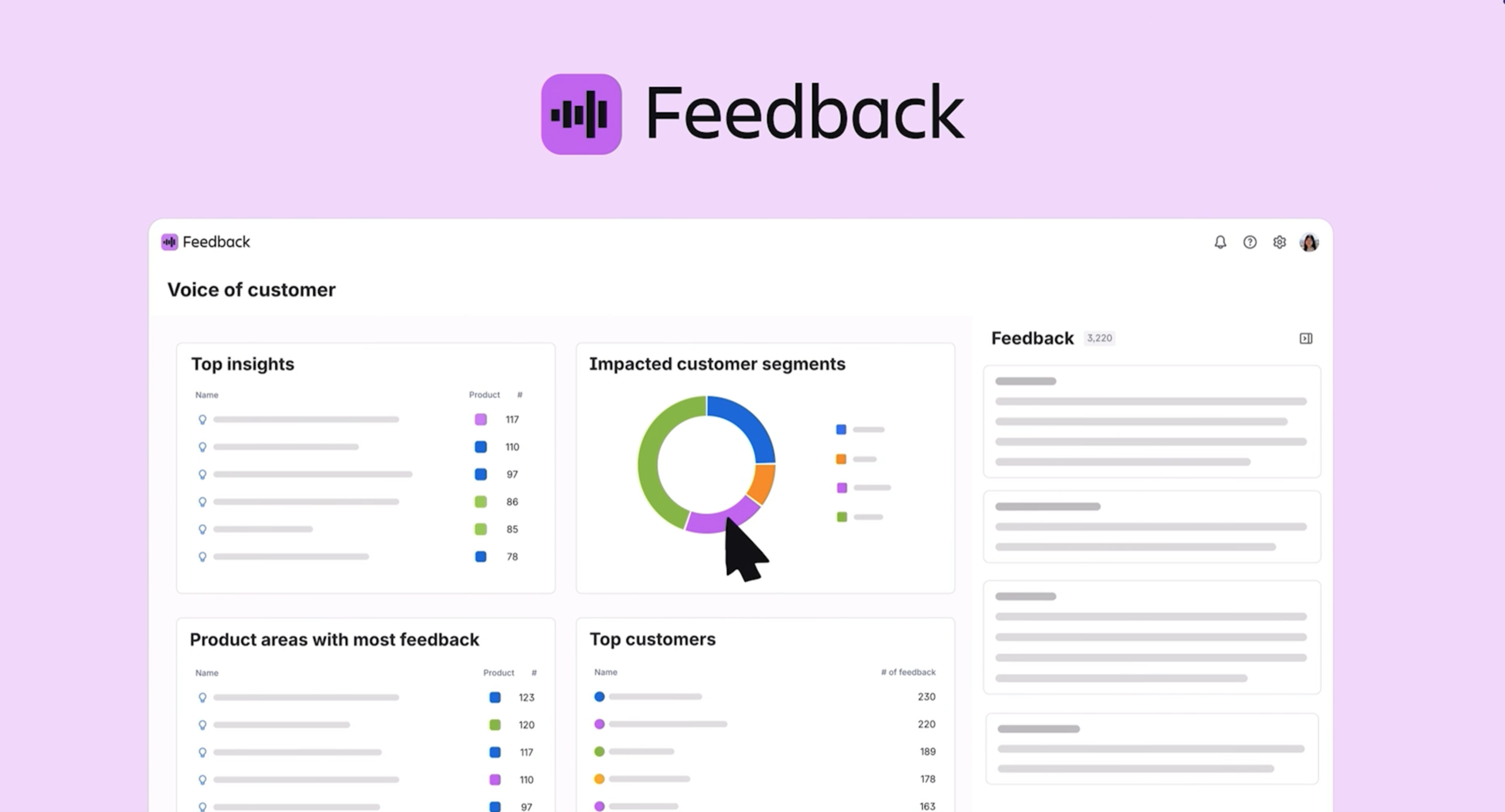
No more „gut feeling“ or the loudest voice in the room. This tool collects customer feedback from support tickets, sales calls (e.g. Salesforce), Slack and surveys in one central location. The AI automatically structures these countless signals into clear topics and trends that flow directly into the Jira Product Discovery backlog.
2. Pendo integration (Early Access)
For the first time, qualitative statements („Customers say...“) are contrasted with quantitative data („Customers do...“). By integrating Pendo, real usage data and feature adoption rates flow directly into the Teamwork Graph, and thus into prioritization. This allows you to make decisions based on real user behavior and create an integrated cycle between customer feedback, product planning and development.
3. Agentic Roadmapping with Rovo (Early Access)
Atlassian is working on a function in which Rovo actively helps with the creation and adaptation of roadmaps. The AI recognizes conflicting goals, identifies trade-offs and dynamically adjusts plans when company goals change.
4. Jira Product Discovery Enterprise (soon to be generally available)
Designed specifically for large organizations, this version provides central visibility across all portfolios. With enterprise-grade security and governance, managers can seamlessly track decisions from the first customer signal to the final release (via Atlassian Data Lake).
Software Collection: Focus on AI-native engineering (DX)
AI assistants and agents are rapidly changing the way software is developed. Atlassian (via DX) now provides the tools to measure the effectiveness and ROI of this new way of working.
1. AI Code Insights
For the first time, managers gain full transparency about how much code has actually been generated by AI in their company. Reports show exactly which pull requests contain AI parts and how this code moves through the development lifecycle (SDLC) compared to human code.
2. Agent Experience (AX)
A completely new approach to measuring success. Instead of just checking the result, the AI agent itself „reports“ on its experience. It provides feedback on whether the requirements were clear, whether the documentation was sufficient or whether the code structure hindered it. In this way, companies can specifically improve the conditions under which AI agents work.
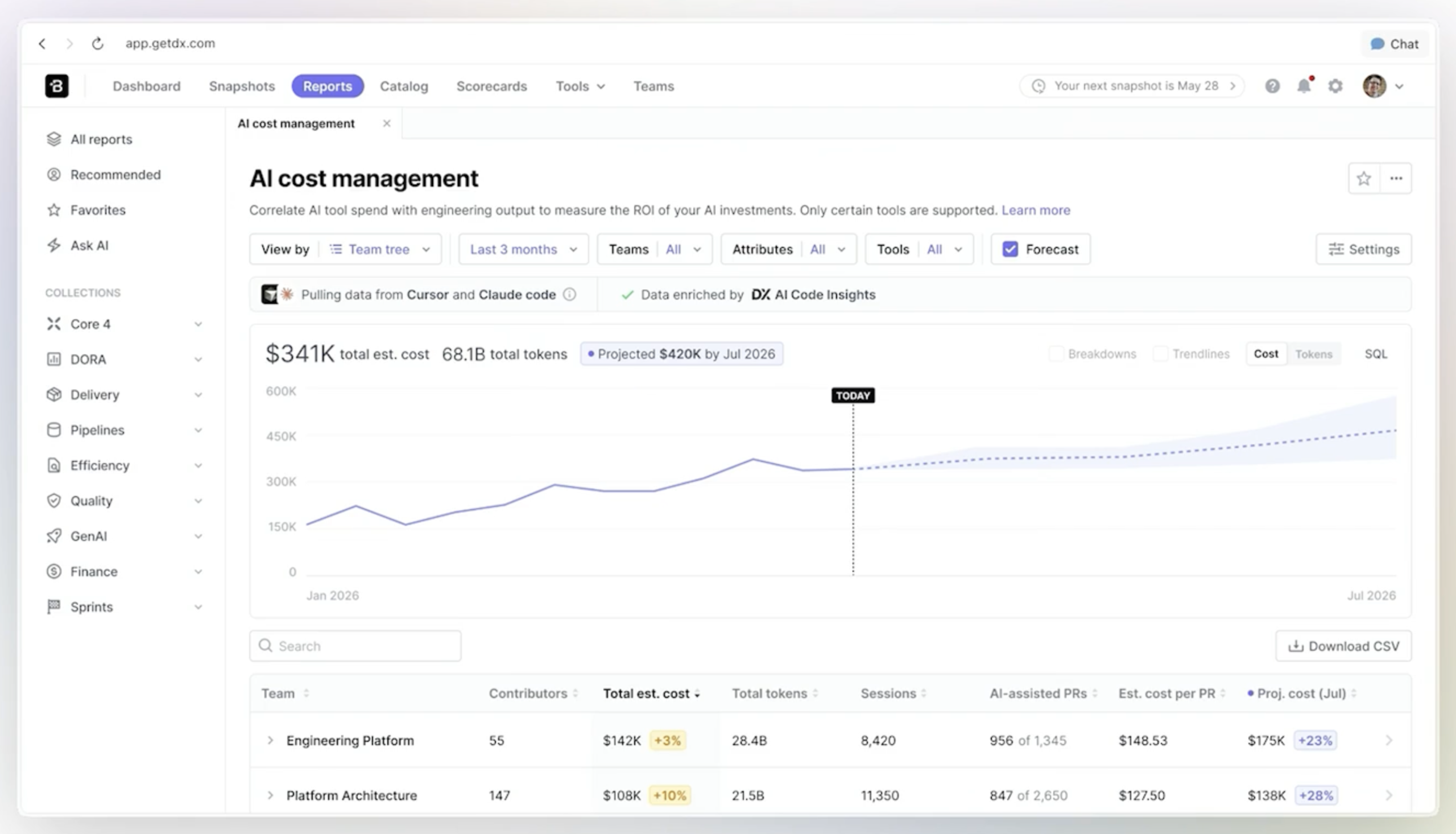
3. AI Cost Management
This tool translates investments in AI tools (such as token costs and licenses) into concrete financial figures. This means that the question „Is AI worth it for us?“ can finally be answered with hard facts for budget reporting.
4. Pulse & DX AI
A proactive alarm system for engineering managers. Pulse delivers the most important trends and deviations directly to Slack or Teams on a weekly basis. About the new DX AI interface, managers can dive deeper into the data via chat, find causes for anomalies or summarize qualitative developer comments.
5. Code Intelligence in Rovo (Early Access)
A powerful tool for developers that provides deep semantic understanding across millions of lines of code. Rovo can answer intent-based questions and link code to the business context from Jira and Confluence.
Strategy Collection: Dynamic linking of strategy and execution
Less than 1 in 3 organizations can make a decision within a week. 2/3 need a month or more. This shows the “Mean Time to Pivot” and thus the inhibited ability to react to new competitors, market opportunities and priority changes.
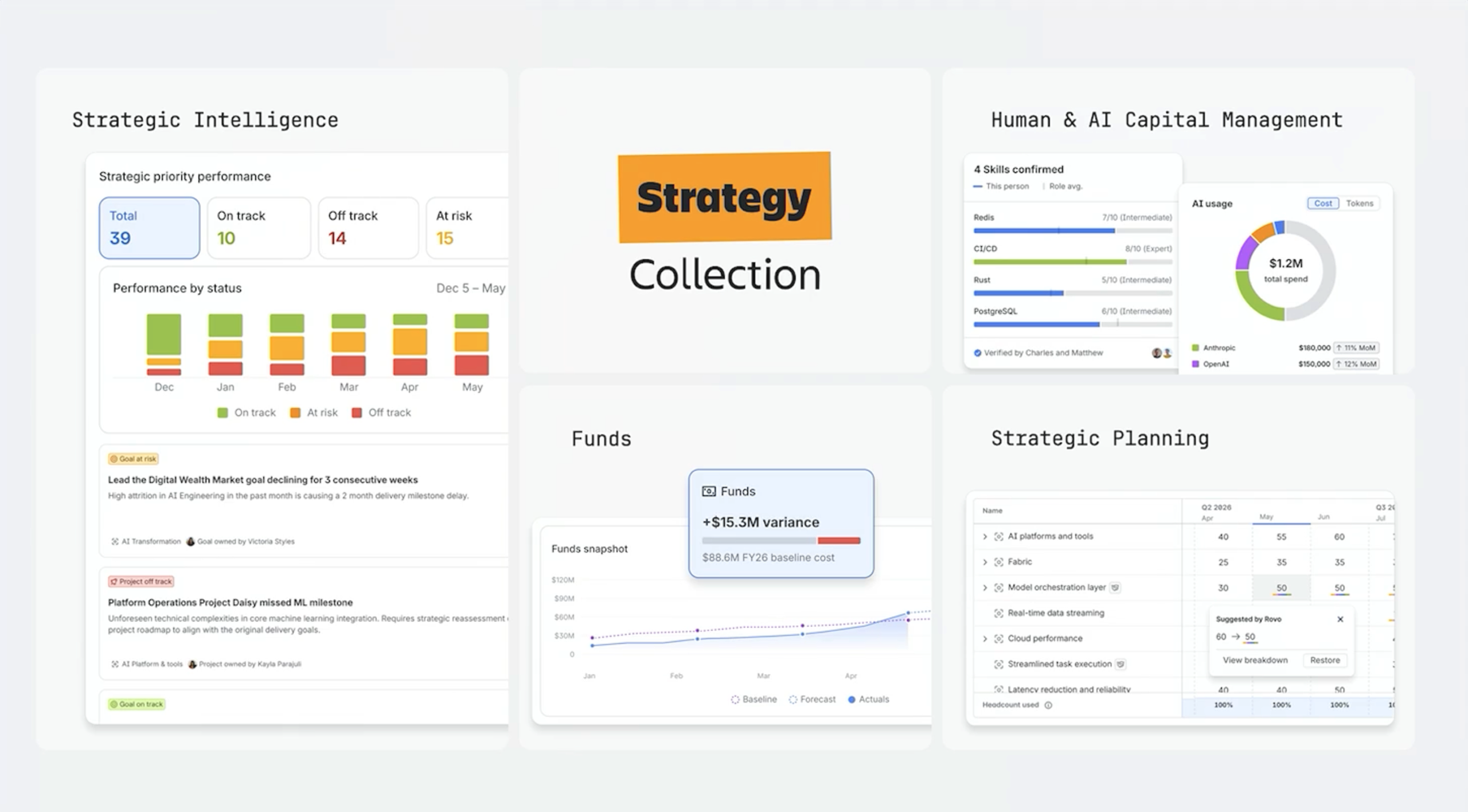
The Strategy Collection is designed to accelerate responsiveness by acting as a single point of contact for real-time information on project variances, investments, courses of action and dynamic resource planning. The newly announced features include:
1. Strategic Intelligence in Focus app (beta version from June 2026)
A customizable Executive Command Center that monitors the status of goals and projects. Rovo proactively reports what is on track, what is at risk and where decisions are needed.
2. Funds in Focus app (generally available from June 2026)
Links the strategic view directly to the financial level so that budgets, costs and forecasts can be monitored in real time together with “project health”.
3. Strategic Planning in Focus (early adopter program from June 2026)
Dynamic, adaptable business planning. When priorities change, Rovo immediately adjusts the plan, uncovers dependencies and notifies the relevant teams in real time.
4. Human & AI Capital Management in Talent app (coming soon)
Atlassian solves one of the biggest problems facing modern companies: The question of who has which skills and whether AI investments are really worthwhile.
- Workforce Skills: Instead of relying on outdated CVs or manual surveys, the AI automatically deduces the actual skills of your employees from their work (e.g. code written, Confluence pages created, Jira tickets solved). This allows you to immediately find the right experts for critical projects and identify skill gaps in real time.
- AI investment tracking: For the first time, you can see what your AI tools really cost and what ROI they deliver. You get a detailed view of spending per model provider, broken down by teams and strategic priorities. This allows you to finally answer whether the AI investment actually increases productivity or is just an unexplained cost factor.
Dia: The browser that thinks for itself
It was already announced at Team’25, now it's officially here: the Dia browser. It knows which tabs you have open, what's in your calendar and what you're writing about in Slack. In the morning, it greets you with a „morning briefing“ of the most important events of the night and can even generate interactive web pages to help you with a specific task (e.g. travel planning).
- Benefit: A central entry point that actively brings information together instead of just passively displaying it.
- Availability: Enterprise-ready with SSO and SOC 2 protection.
What does this mean for XALT customers?
The complexity of collaboration and the classic knowledge silos are directly addressed by the Teamwork Graph and Rovo. For the German market is particularly important: Atlassian invests massively in Governance and security. With Atlassian Guard sensitive data is blocked before it reaches external AI models, and agents are given their own, auditable identities.
Recommendation for action
- Laying the data foundation: The Teamwork Graph is only as good as the data it finds. Start structuring your Confluence and Jira instances now.
- Start small, think big: Use Rovo Studio to build the first small automations for standard processes (e.g. PIR creation or onboarding).
- Safety first: Rely on Atlassian Guard to make the use of AI in the company secure and GDPR-compliant.
Conclusion
- Context beats intelligence: The Teamwork Graph is the most important foundation for efficient AI.
- Agents instead of assistants: AI now actively processes tickets in Jira and makes decisions.
- Governance is key: New security features make the use of AI in the enterprise environment secure.
- Strategic transparency: Tools like Focus are finally bringing the power of AI to the management level.
Would you like to know how to integrate Rovo and the new agent functions optimally into your existing infrastructure? Arrange a consultation with our experts now to see the features live in action.