The pressure on support teams is high: tickets must be processed quickly and correctly, categorised consistently, and assigned efficiently. However, manual sorting and assignment can be time-consuming and prone to errors – especially when ticket volume is high. This is where intelligent automation with Rovo AI in Jira comes into play: the automatic categorisation and assignment of tickets not only saves time but also increases the accuracy and response speed of your team.
What is Rovo AI from Atlassian?
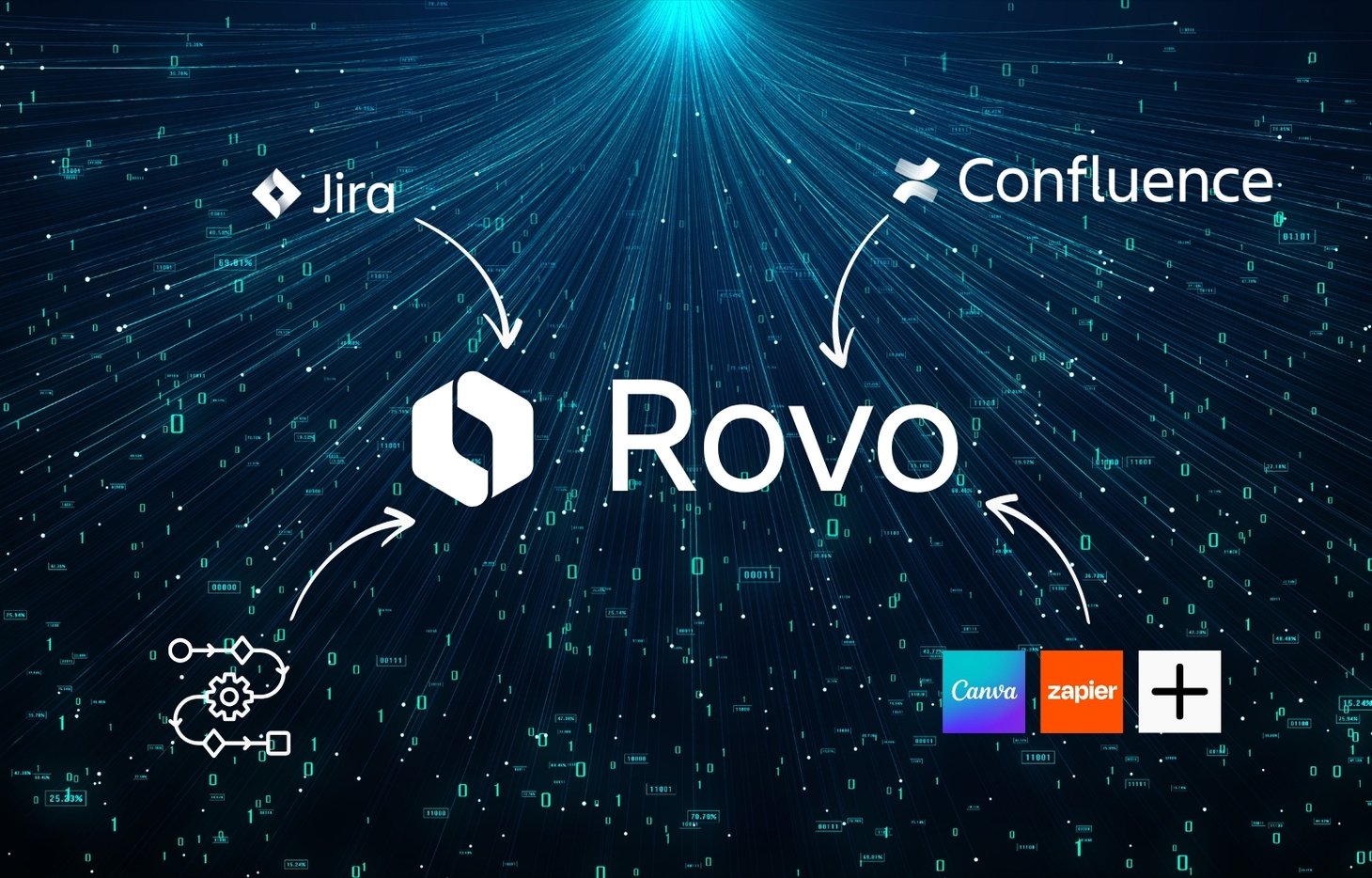
Rovo AI is Atlassian's AI-powered assistant, designed to make everyday work easier through intelligent automation. Rovo takes on numerous routine tasks and optimises processes in Atlassian tools such as Jira and Confluence. From the automatic categorisation and prioritisation of support tickets to the creation and management of documentation – Rovo analyses content, creates summaries, recommends next steps, and supports task management.
Rovo AI is particularly useful for IT and service teams, as it processes requests in real time and ensures that the right information reaches the right people quickly. At the same time, Rovo improves collaboration and consistency in projects by independently handling frequent tasks and relieving teams. With Rovo AI, companies can increase their productivity, improve response times, and focus on more strategic tasks.
Overload and inefficiency in support teams
Support teams are often confronted with a flood of tickets that need to be processed in a timely manner. Manual categorisation and assignment often lead to:
- Team overload: Due to repetitive tasks such as sorting tickets.
- Lack of consistency and accuracy: Different people interpret ticket content differently, leading to unclear categories and delays.
- Slow response times: Manually routing tickets costs valuable time.
- Inefficient resource utilisation: Specialists spend time on tasks that could be automated.
The solution? Rovo AI and Jira, which handle the automatic categorisation and assignment of tickets.
Automatic categorisation and assignment in Jira with Rovo AI
With Rovo AI, you can set up an automation that analyses tickets based on their description and subject and assigns them to a category – such as ITSM or HR. The ticket is then automatically forwarded to the responsible person or department. Here is a step-by-step guide on how to set up the automation:
1. Automation rule: Ticket creation as trigger
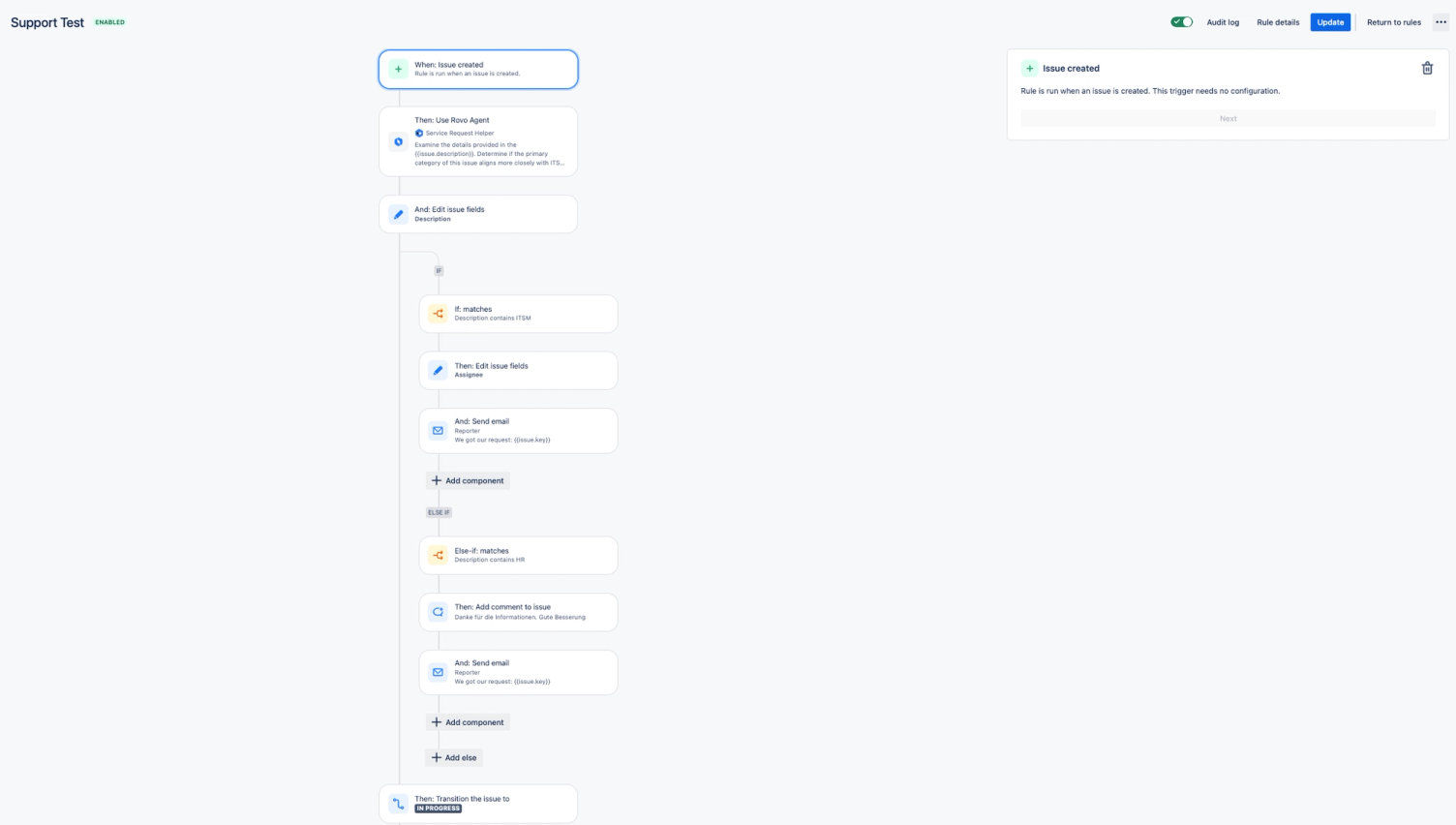
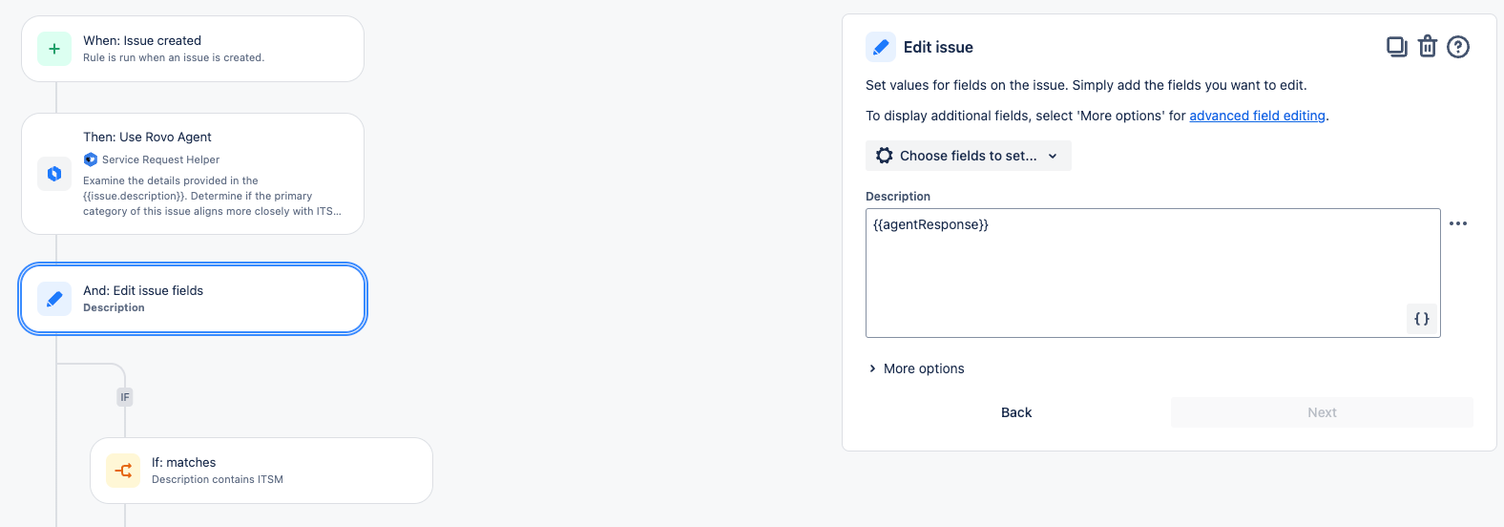
The automation starts as soon as a new ticket is created in Jira/Jira Service Management. The rule “When: Issue created” is set as the trigger to ensure that Rovo can intervene immediately as soon as a new ticket comes in.
2. Categorisation by Rovo AI
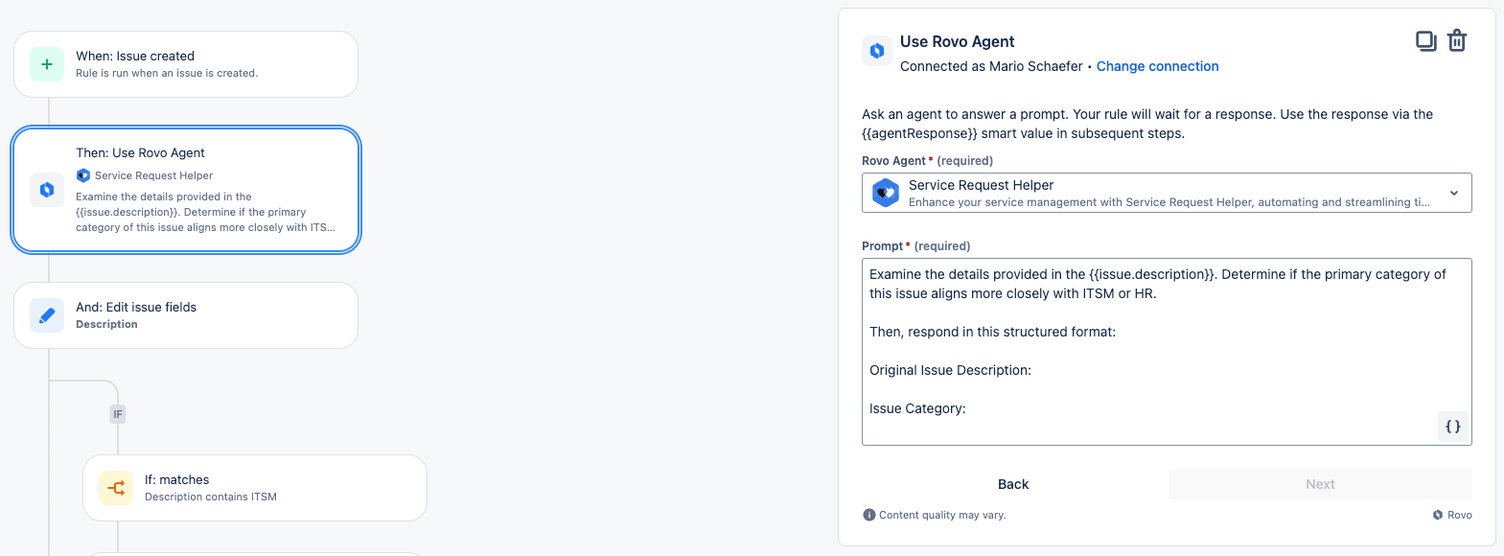
Rovo AI takes over the analysis of the ticket description and checks whether the ticket belongs to the ITSM (IT Service Management) or HR category. This is done through a query to the Rovo agent integrated into the automation.
3. Adjusting ticket fields
Based on the Rovo analysis, the ticket’s “Description” field is supplemented with the categorisation finding, so that all relevant information is summarised in the ticket.
4. Conditional forwarding to the appropriate department
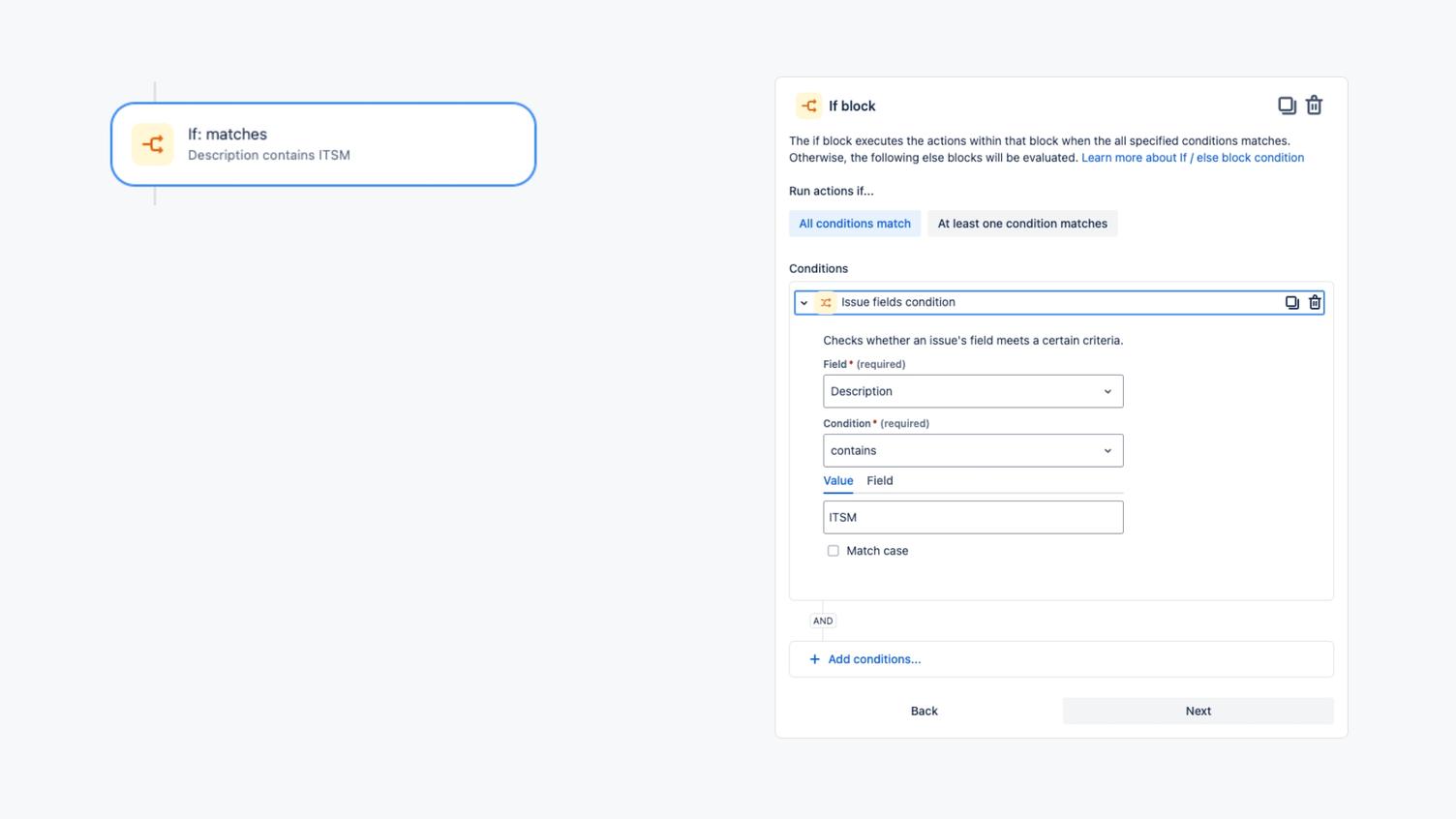
If the ticket belongs to the “ITSM” category, it is automatically assigned to an ITSM specialist. However, if it is an HR ticket, a corresponding message is added and the ticket is forwarded to the HR team. This logic ensures that the ticket always goes to the right person or department.
5. Automatic email notification
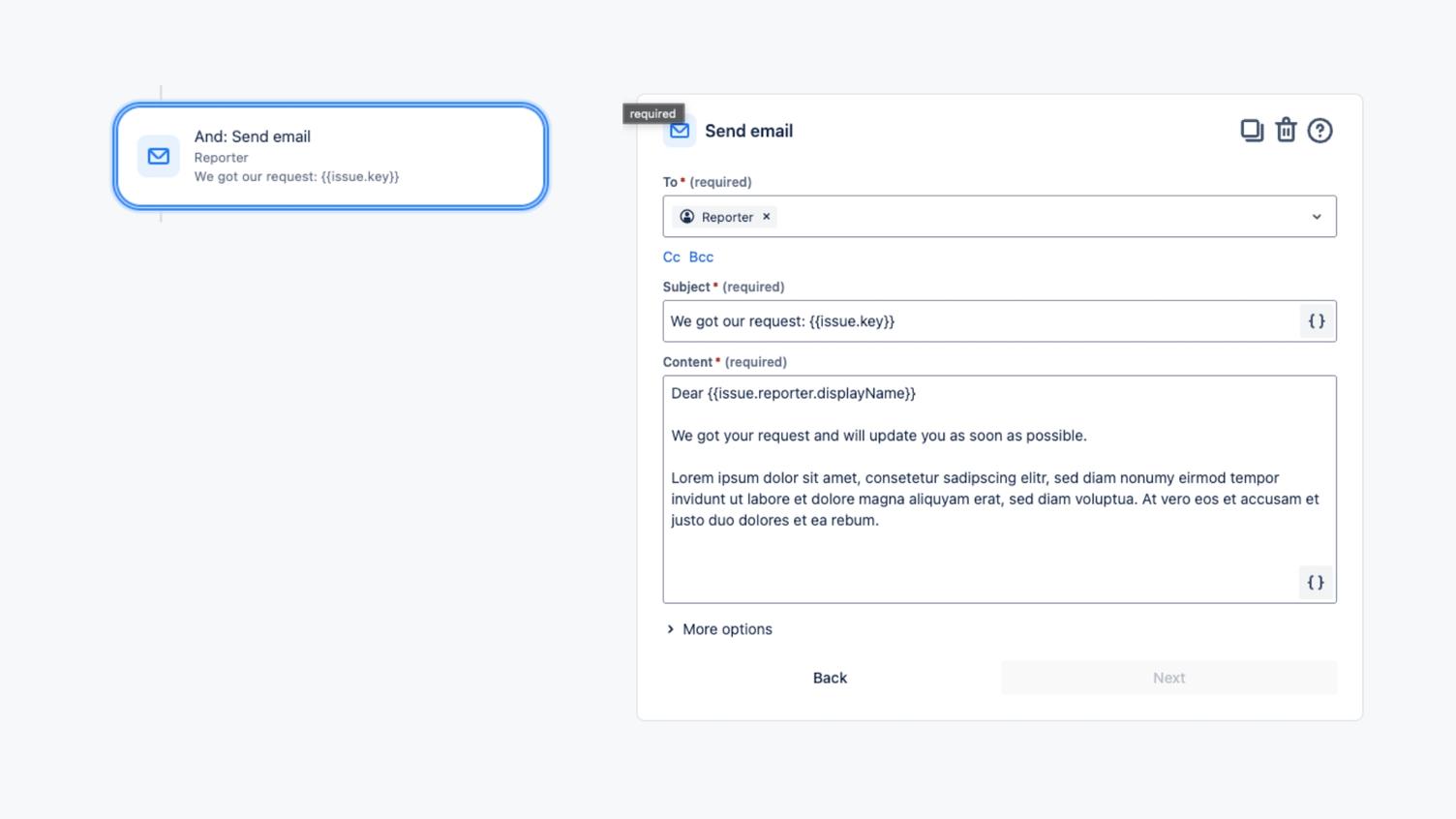
As soon as the ticket has been assigned to a category and forwarded, the ticket creator automatically receives a confirmation by email. This notification informs them about the receipt and further processing of the ticket.
6. Adjust ticket status
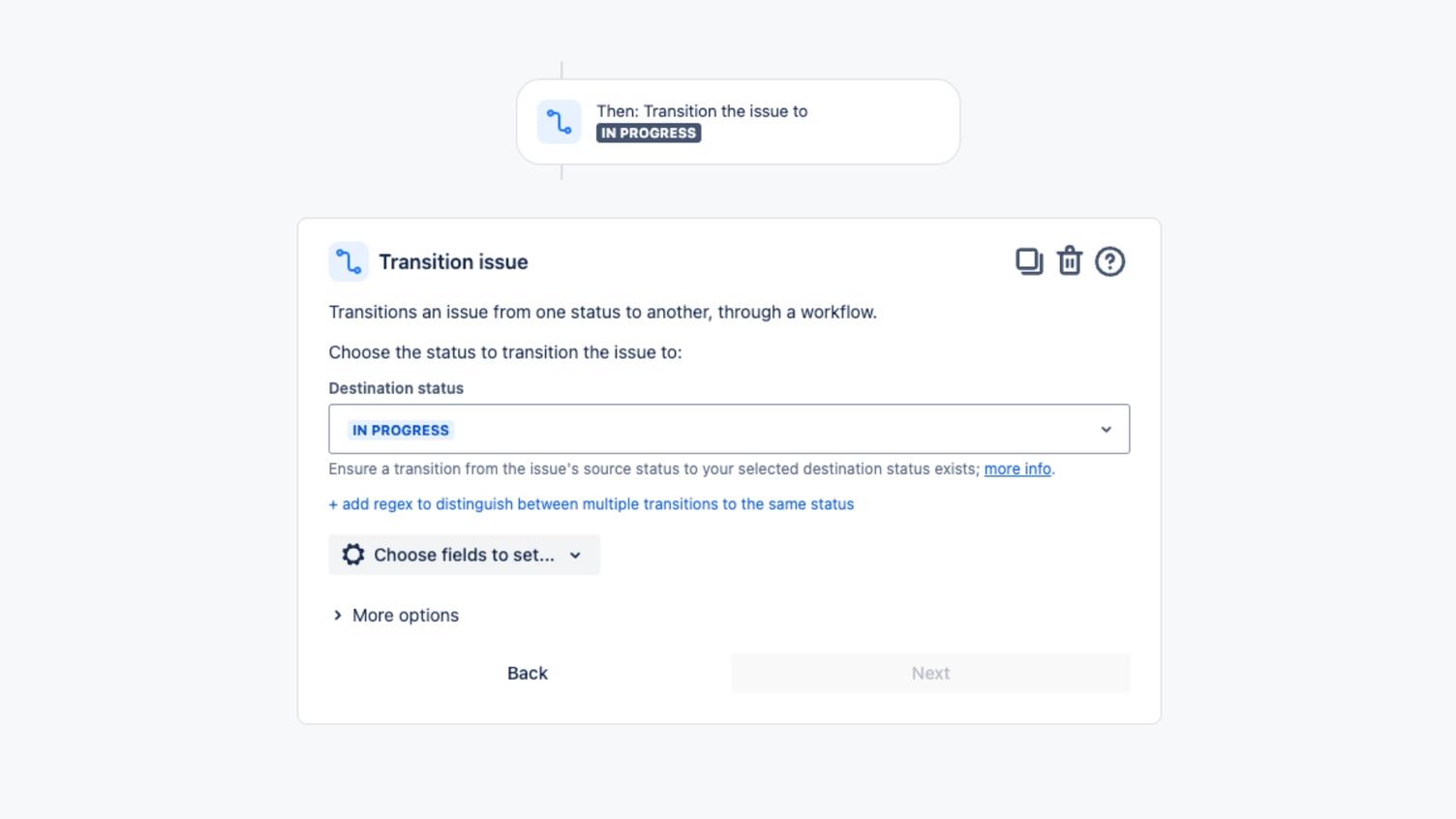
To conclude, the ticket status is set to 'In Progress', which informs the team of the current processing status and makes progress transparent.
Automatic categorisation and assignment of tickets in Jira - The benefits
This automation brings significant benefits to your support team:
- Reduced team overload: Routine tasks are automated, allowing the team to focus on more important tasks.
- Consistency and accuracy: Automatic categorisation eliminates interpretation errors and ensures uniform assignment.
- Faster response times: Tickets are categorised and forwarded immediately, reducing processing time.
- More efficient resource utilisation: Specialists can focus on more complex tasks while Rovo AI handles the routine work.
With Rovo AI and Jira, you bring a new level of efficiency to your support team. Automatic categorisation and assignment of tickets save time, reduce errors, and increase the satisfaction of your team as well as ticket creators. This solution is not only fast and effective but also easy to implement. Try it out and relieve your team of routine tasks so you can focus on the truly important challenges!