Advanced Image Gallery
Create Stunning Confluence Pages with Image Galleries and Sliders
Equip your Confluence pages with image galleries and sliders, and customize all your photos directly on the page—no photo editing software or external tools required. Availability: Data Center, Cloud (coming soon).
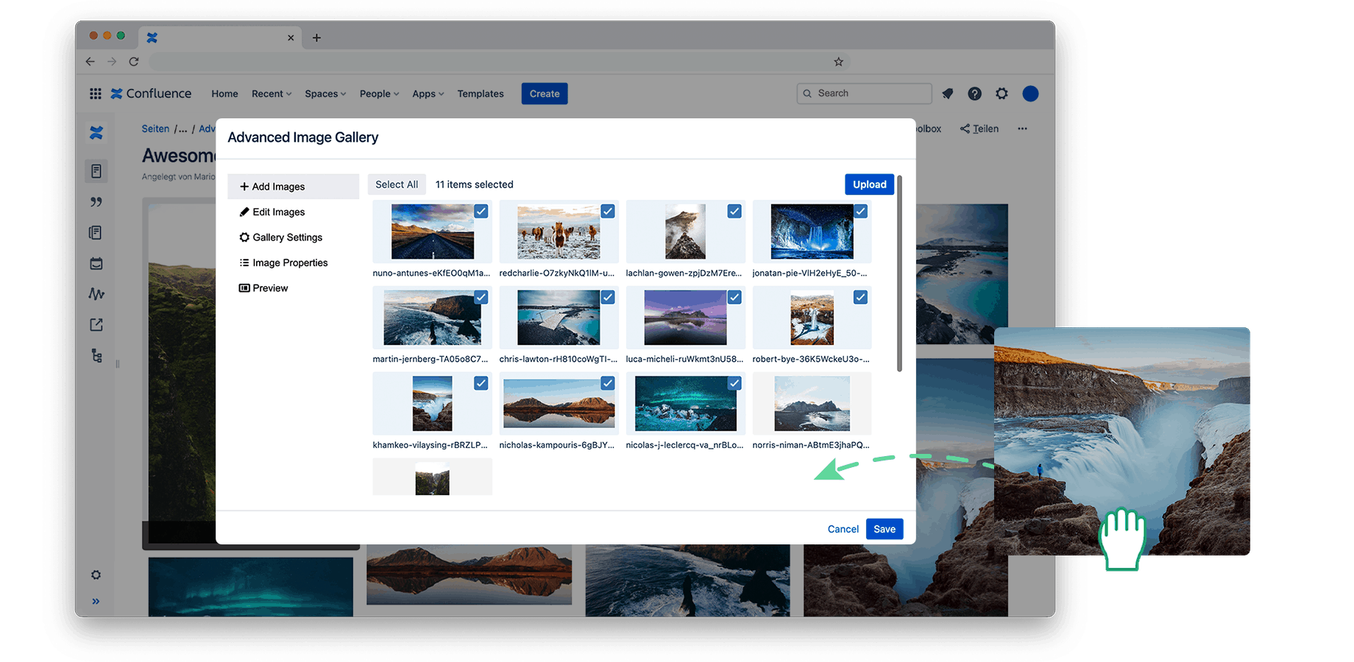
Easy-to-Use Gallery Plugin for Confluence
Easy Selecting and Inserting
- Easy to Use: Upload, select, insert, and embed galleries on other pages.
- Drag-and-Drop Upload
- Display only the images you want
- Reduced load times thanks to automatic scaling of your images on large instances
Adjust Your Images Directly on the Page
- Edit your images directly in Confluence, without any external image editing tools
- Use filters to customize the style of your images
- Adjust brightness, saturation, and contrast of your images in Confluence
- Crop: Crop your images directly in the user interface
- Rotate: Rotate your images
- Zoom: Zoom in on the image detail and remove unwanted image elements
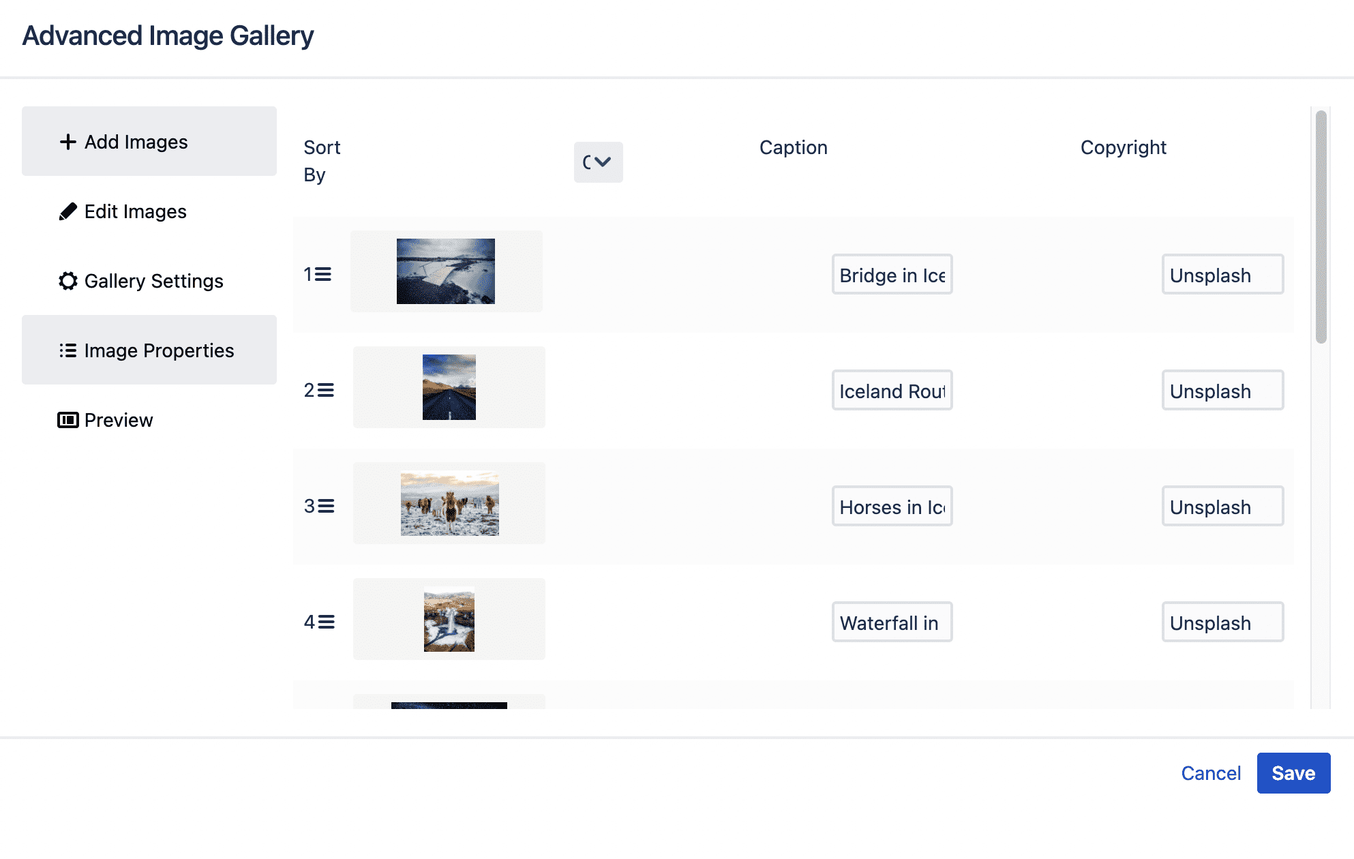
Copyright and GDPR Compliant
- GDPR compliant with caption and copyright: Add important information to your images.
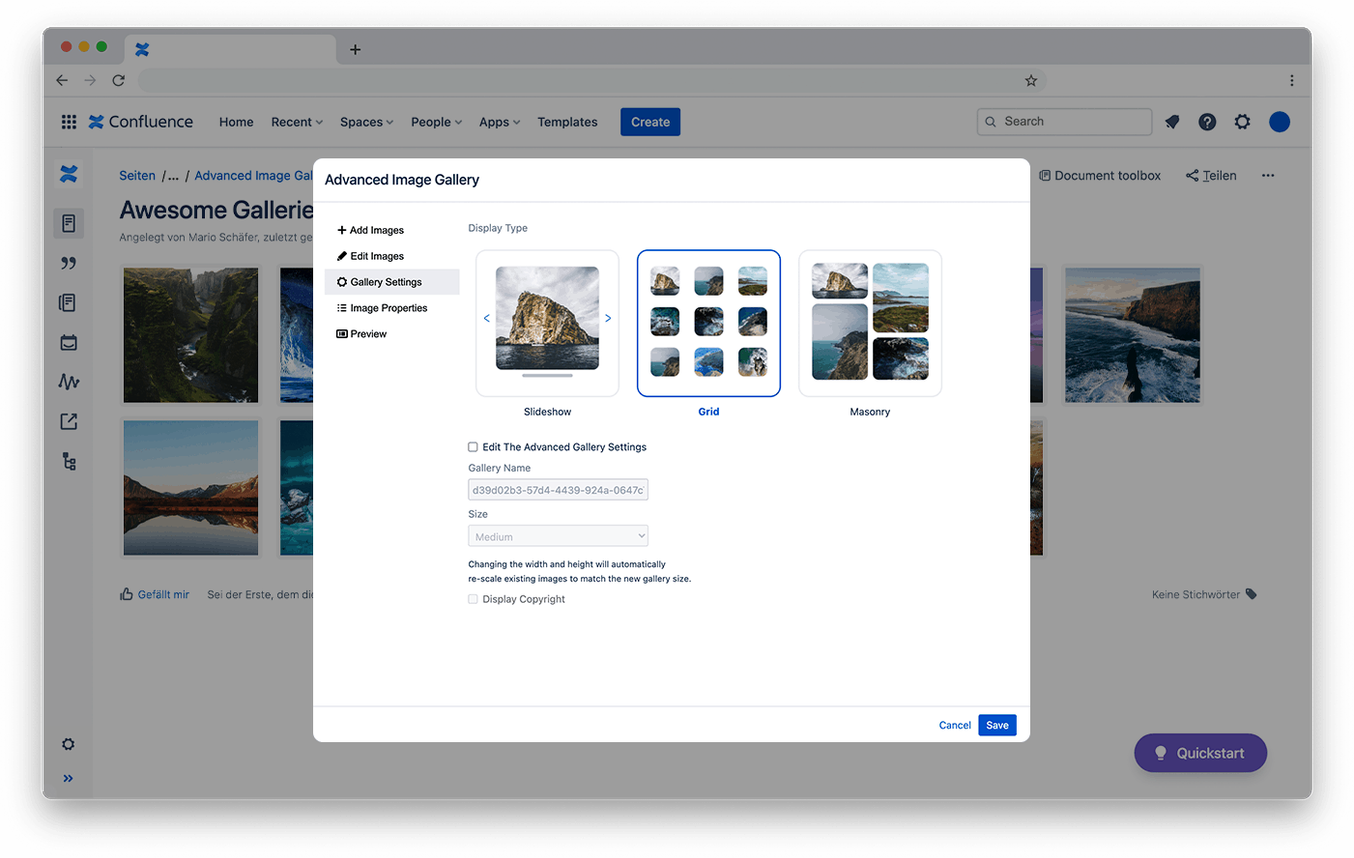
Choose from Different Layouts
With the Advanced Image Gallery, you can choose from various layouts. Decide for yourself how your images are displayed. Choose between a simple grid view, a masonry view, or a slider. This way, you can always showcase different image formats perfectly.
Compatible with Your Favorite Plugins



What Advanced Image Gallery costs
The licence follows your number of Confluence users. One price per year, no add-on modules, no discount you have to ask for first.
Find your user count in the list—that is your price.
- Up to 500 users: USD 400 per year
- Up to 1,000 users: USD 600 per year
- Up to 2,000 users: USD 700 per year
- Up to 3,000 users: USD 800 per year
- Up to 4,000 users: USD 900 per year
What Our Customers Say

Great plugin with various display options for the uploaded images (slideshow, grid-view, etc.). We and our editors are using the galleries quite often and are very happy with the solution. We already added it to our default blogpost-template!

Finally - a great image gallery with all features we need to enrich our Confluence based Intranet (news) with nice image galleries. Advanced Image Gallery supports various layouts the users can choose from as well as captions and a place for copy right information.
Great plugin, very user-friendly and intuitive. I love the image cropping function!

Plugin Documentation and Support
You can find information on integrating the Advanced Image Gallery into your Confluence in our documentation. These pages contain further information on the plugin's functionality, installation, and integration, as well as a detailed guide to using the Advanced Image Gallery.
Do You Have Questions About the Plugin or Want to See a Demo?
Not sure if the Advanced Image Gallery is the right plugin for you? We're happy to advise you using our use cases and show you all the plugin's features and applications in an initial demo.