
Case Study · Financial services
Purchase Order Automation and Digitalization for Our Client in the Financial Sector
Every order traveled on paper through internal mail, department by department – taking so long that quotes lost their validity along the way. Then came Covid and remote work. Today the order process runs in Jira, with digital signatures and automatic approvals: half as long as before.
About the Project
Hard Facts about the Project
Products Used
Atlassian Jira, JSU, Jira ScriptRunner and Confluence for project documentation.
Solution and Methodology
Agile sprints with a cross-functional team, DevOps, cloud native, liberated content management (anyone can write messages).
Digitizing the Purchasing Process at a Financial Services Company
Results
Challenges and Solution
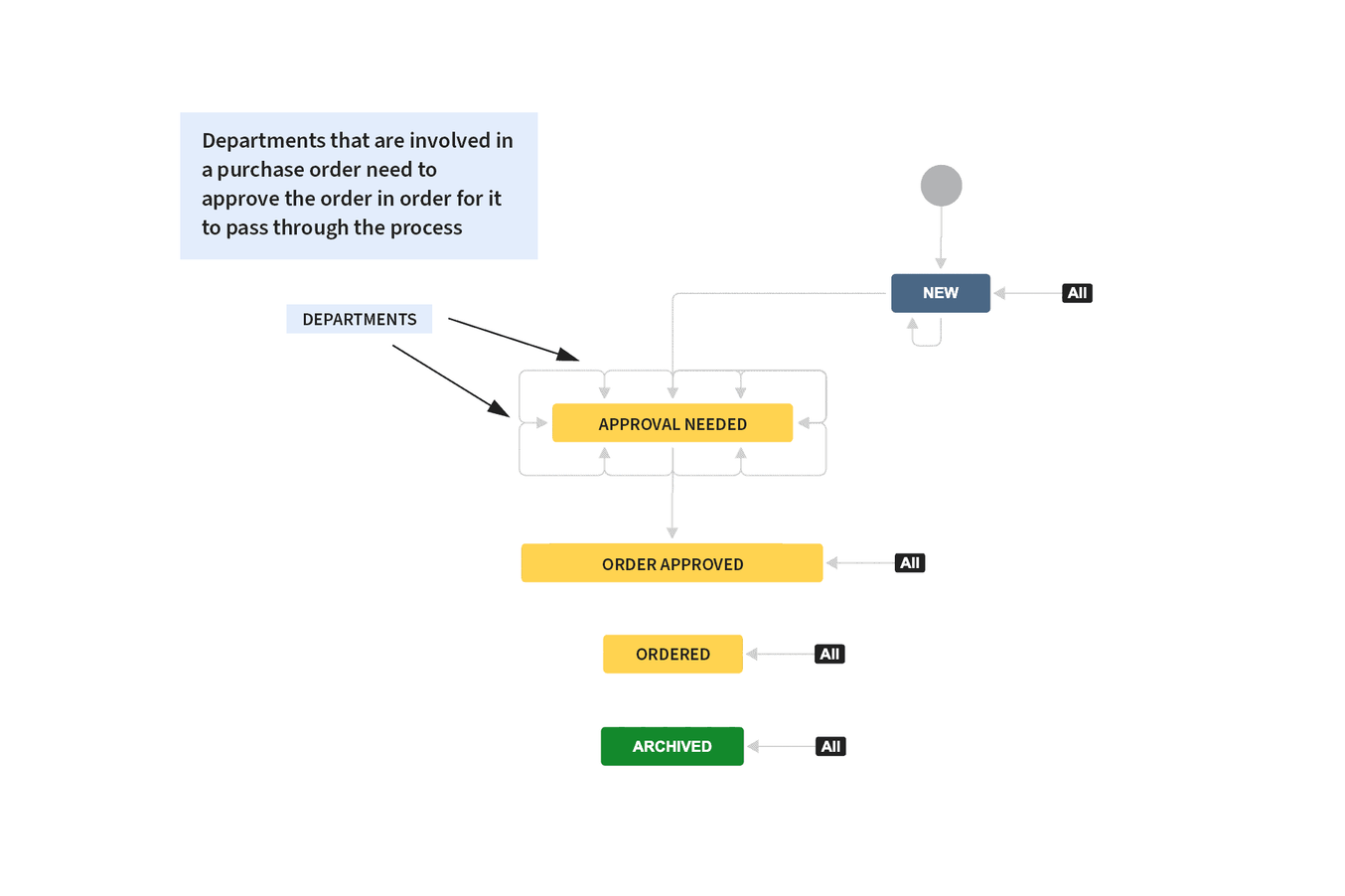
Order process: mapping in Jira
Digitizing the order process was meant to keep its existing structure, to simplify the transition to a digital workflow.
It also had to be ensured that the process was visible at all times to all departments and process owners and could be edited by any responsible employee, while at the same time an order could not be approved by its own initiator. This ensures compliance guidelines are followed.
Our solution
Using the functionality of Jira's ticket/issue system, the manual order process could be moved into a digital environment. All active tickets, i.e. orders, are visualized on a customized Kanban board.
This makes it possible to check the status of existing orders at any time and ensure that further relevant information and file attachments are accessible at all times.
A user-oriented interface was also added. This enables employees to enter all relevant information directly through a central form. The advantage of such a solution is that, depending on the input, responsibilities (for example departments) are automatically defined, and the person placing the order no longer needs to make additional manual entries.
Simultaneous, Cross-Department Processing of Orders
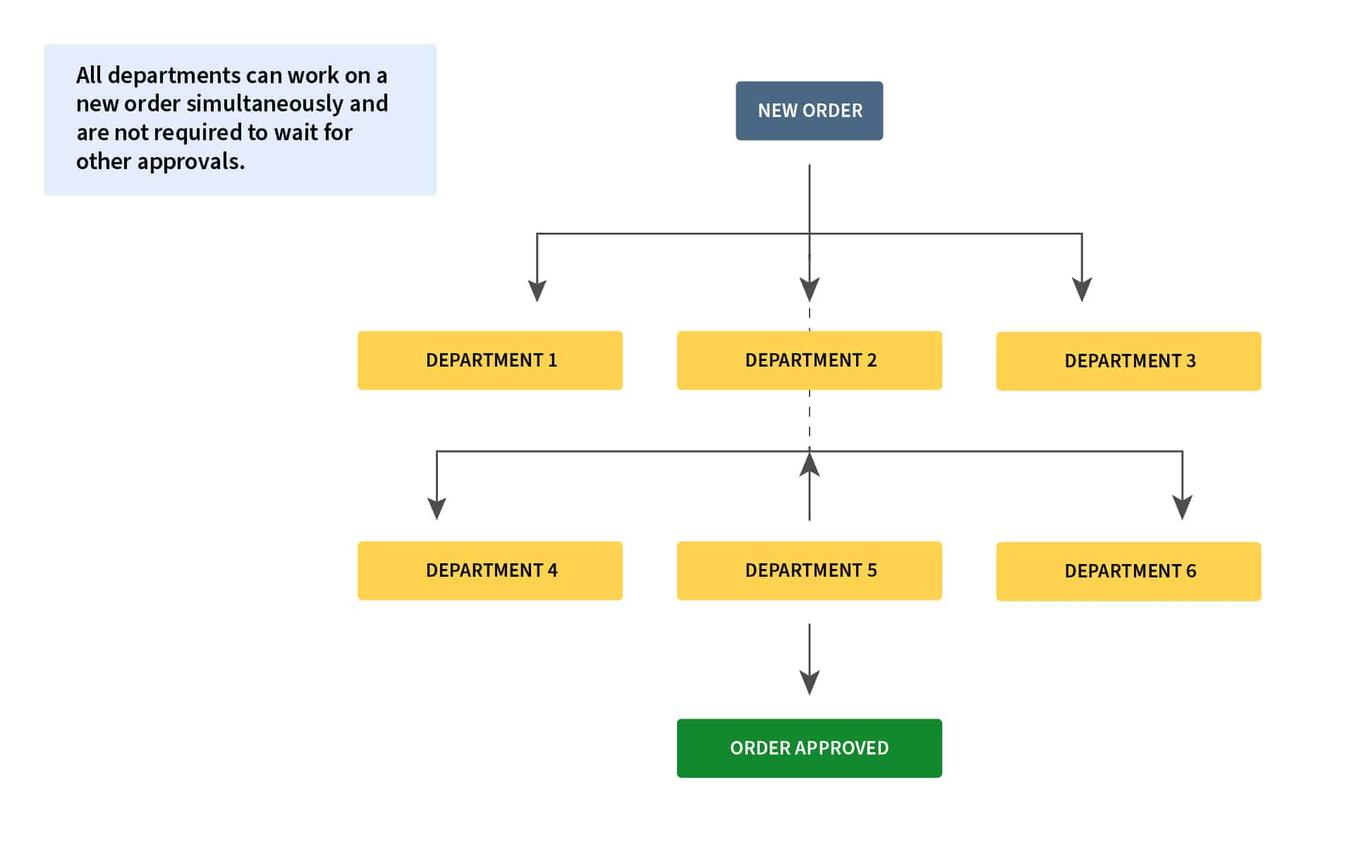
Another challenge was enabling simultaneous, cross-department processing of orders, to further speed up the process.
This was also meant to ensure that every department could move the process forward independently of the others.
Our solution
The solution was that, by using the JSU plugin, the order process could be mapped holistically and all requirements could be met. The solution also makes it possible to make adjustments to the ordering process at any time.
This ensures all orders are always kept up to date and every process owner has visibility into individual orders. If changes to an order require renewed approval, the system automatically sends a notification to the responsible people.
It's also worth mentioning that the signature previously required on an Excel sheet was replaced by a digital signature.
Want to Know More About Digitizing Your Business Processes?
Processes are as diverse as your company. The transformation to digital business processes is therefore no easy undertaking and requires consistent action and persuasion within your company.
Notifications on Ticket Creation and Updates
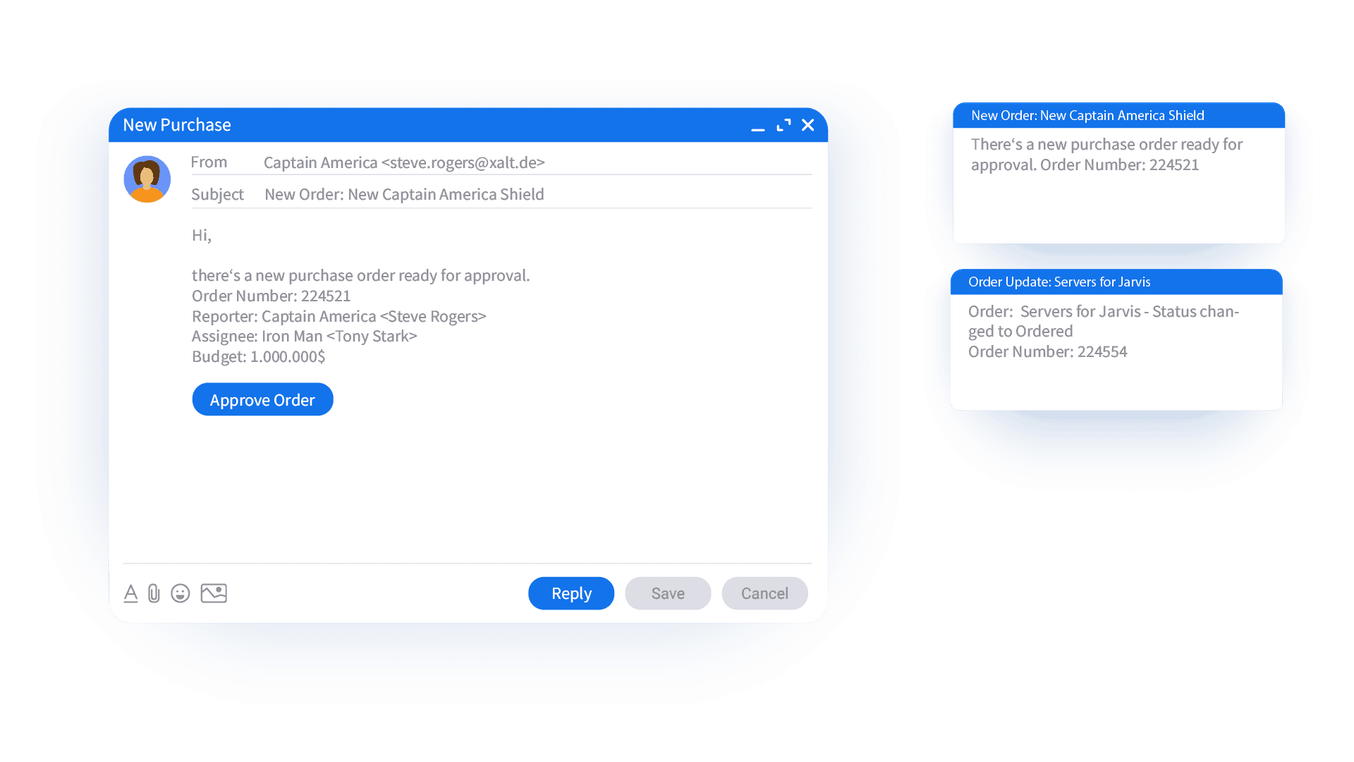
A feature was meant to be integrated that allows every department relevant or responsible for an order to receive an automatic notification about its current status, and additionally receive a reminder by email if it isn't processed.
Our solution
With the Jira ScriptRunner and JSU Automation Suite plugins, XALT was able to implement a wide range of behaviors and automations.
In our client's case, this means that thanks to the JSU tool, every process owner receives a notification as soon as a new ticket is created or approved by another department.
A reminder for "forgotten approvals" was also set up, which automatically sends a notification to the responsible employee.
Value and Result
In the first step, in ongoing coordination with our client, the process was mapped, all departments involved in the order process were captured, and everything was aligned with the requirements. We then began mapping the process in Jira with the help of ScriptRunner and JSU.
It was especially important that only one issue type could be selected within the order process. This was meant to ensure the process had the necessary agility and simplicity (lean process).
Reporting on KPIs
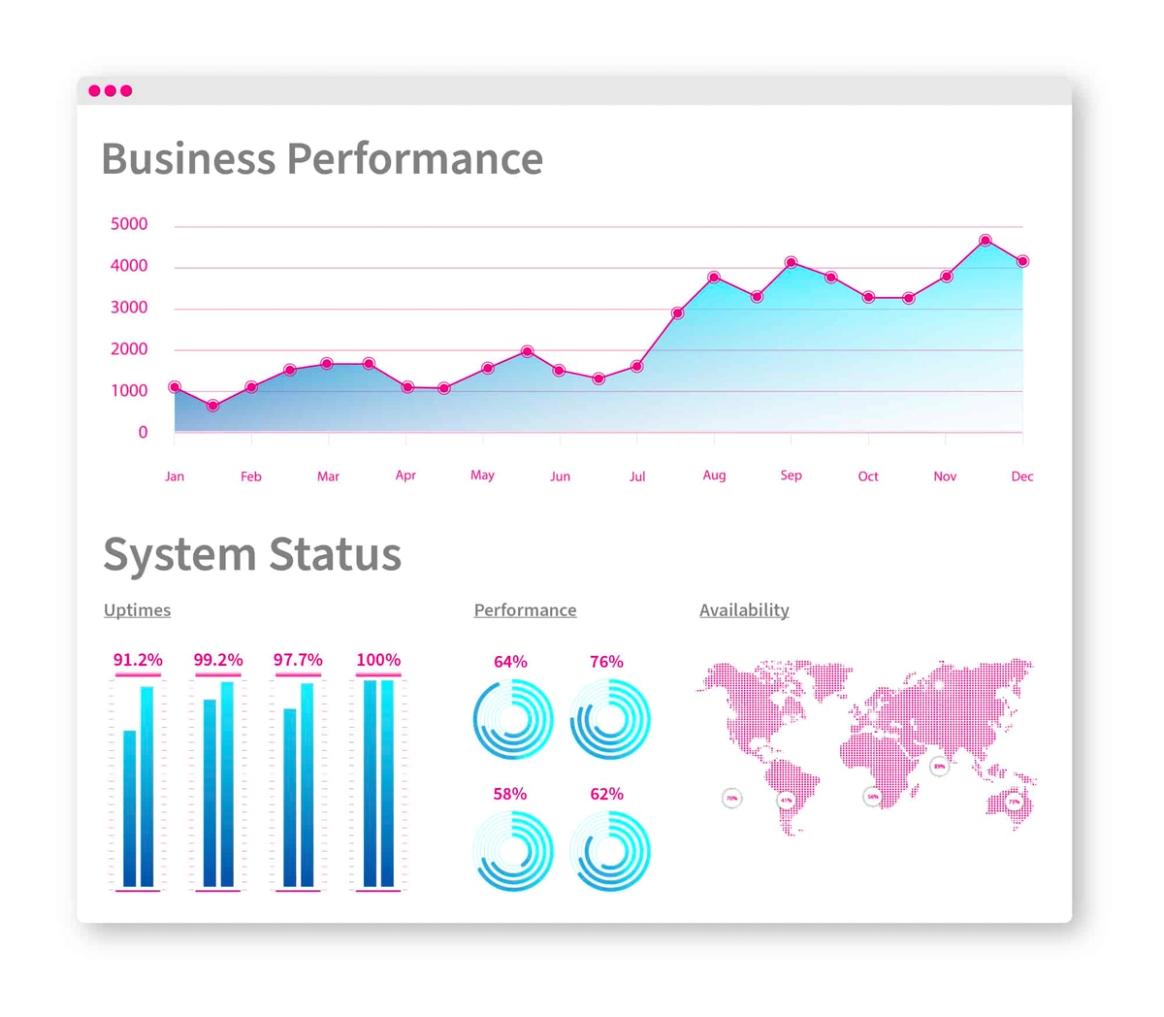
With the help of Jira and Jira Service Management, we enabled our client to gather traceable data and analyze the process's most important KPIs. This ensures all process steps can continue to be improved over time.
Tracking of critical SLAs and team workload is thus continuously possible.
More Success Stories

Energy trading
Project Portfolio Management and Resource Planning with Jira
The EEX Group needed to replace its project portfolio tool – and didn't want to maintain the same data twice. Today the portfolio runs in Jira, right where the projects already lived, complete with resource planning and approvals. Project managers now need half the time they used to.
Read case study →Chemical industry
Introducing an IT Service Management System for a Customer in the Chemical Industry
A chemical company had no central service desk – requests came in by email and phone and had to be manually routed to external providers. We built a portal on Jira Service Management that automatically routes tickets to the right provider and keeps both systems in sync.
Read case study →FinTech
Optimized Identity & Access Management – FinTech
Managing access rights for over 600 employees by hand cost a FinTech company up to 40 days per new hire – with a 15 percent error rate. With XAAM for Jira, onboarding now takes one day, and every access grant is traceable.
Read case study →better call XALT
We help your team achieve greatness in every aspect
Processes are individual to every company. That's why we tailor each of our solutions specifically to your requirements. Do you have questions about digitizing business processes? Feel free to contact us by phone, email, or visit us at our office.