In a fast-paced work environment, internal support teams need tools that adapt to their specific challenges. Properly configured, individually tailored Rovo Agents, seamlessly integrated into Atlassian Cloud Tools, can become valuable helpers.
- They automate routine tasks,
- increase efficiency
- and create space for tasks that genuinely require human intelligence.
Based on Atlassian's versatile Rovo, these AI-powered assistants reach their full potential particularly when they are tailored to a team's individual workflows.
At Team XALT, we experienced this firsthand – by developing a Rovo Agent for our internal Service Desk. This is an example we would like to share in this article. This agent assists with everyday requests, answers employee questions, resolves IT issues such as Wi-Fi or printer errors, and helps create tickets – for example, for temporary Org-Admin access or IT support. A practical insight into how individual customization can turn a Rovo Agent into a true team player.
In this article, we show you step by step how we set up our Rovo Agent and tailored it to our team's workflows. We then take a look at how the AI agent is used in daily operations and what benefits it brings. The focus is clearly on the topic: How you unleash the full potential of a Rovo Agent through bespoke customization.
How to set up your individual Rovo Agent
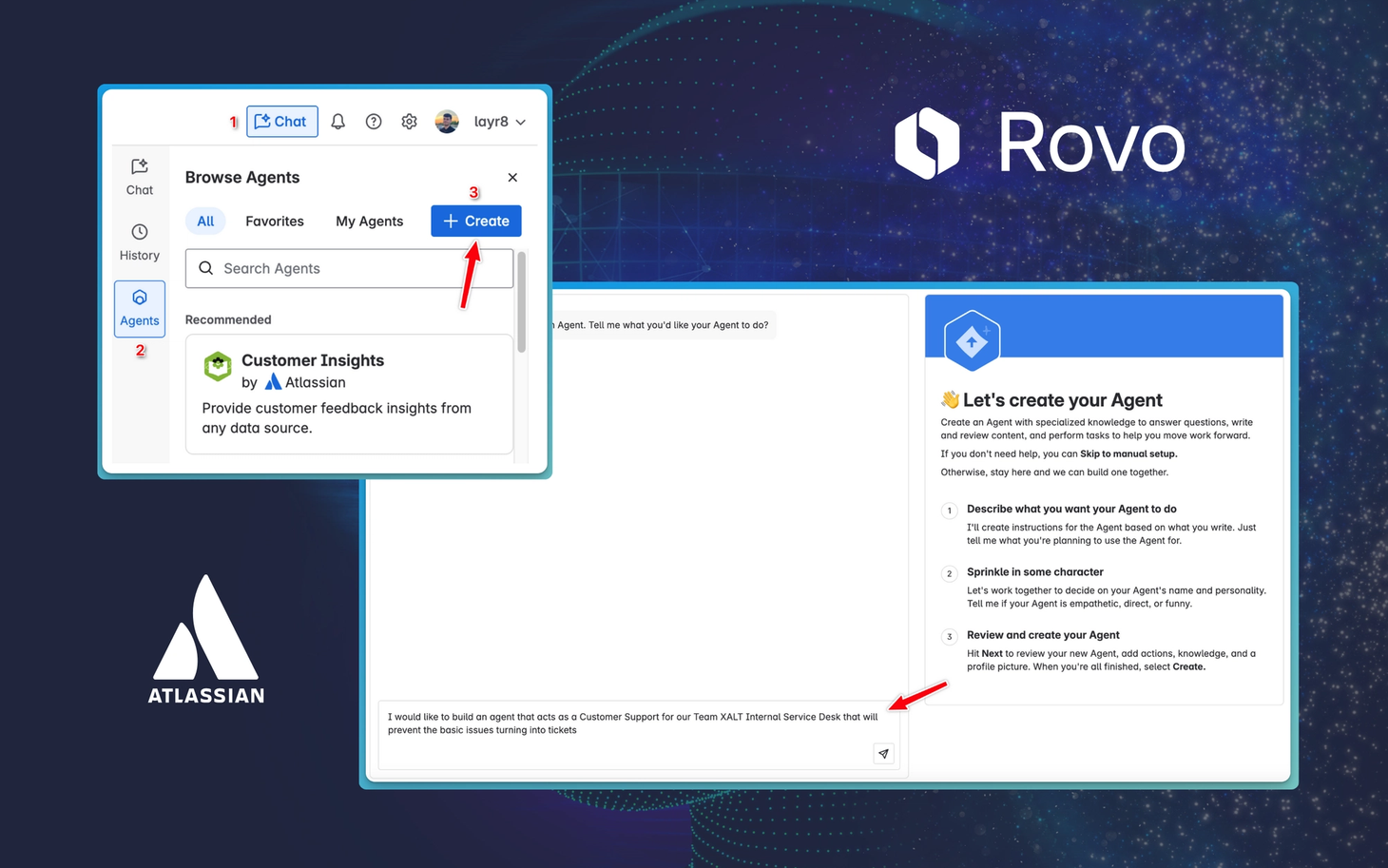
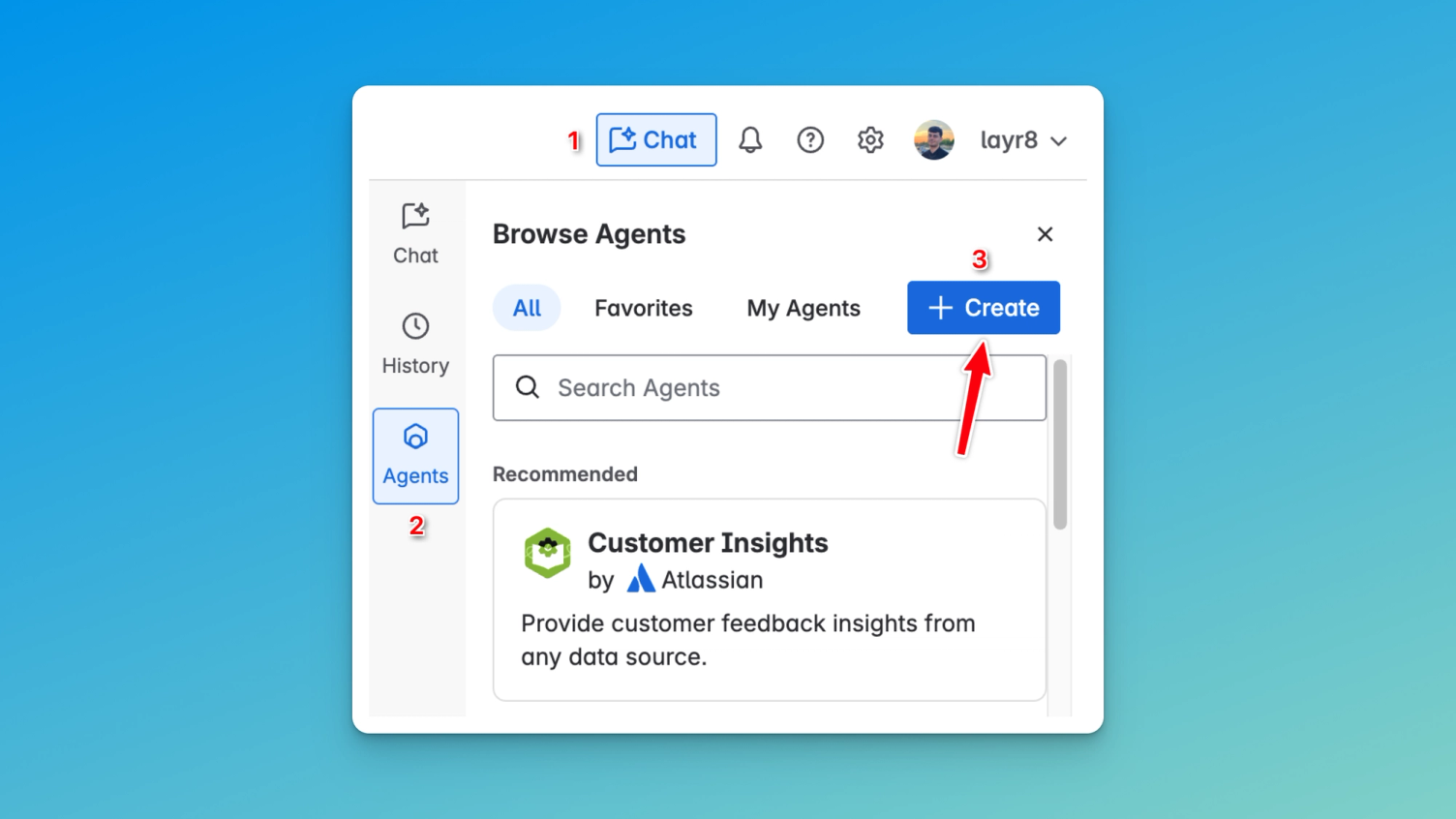
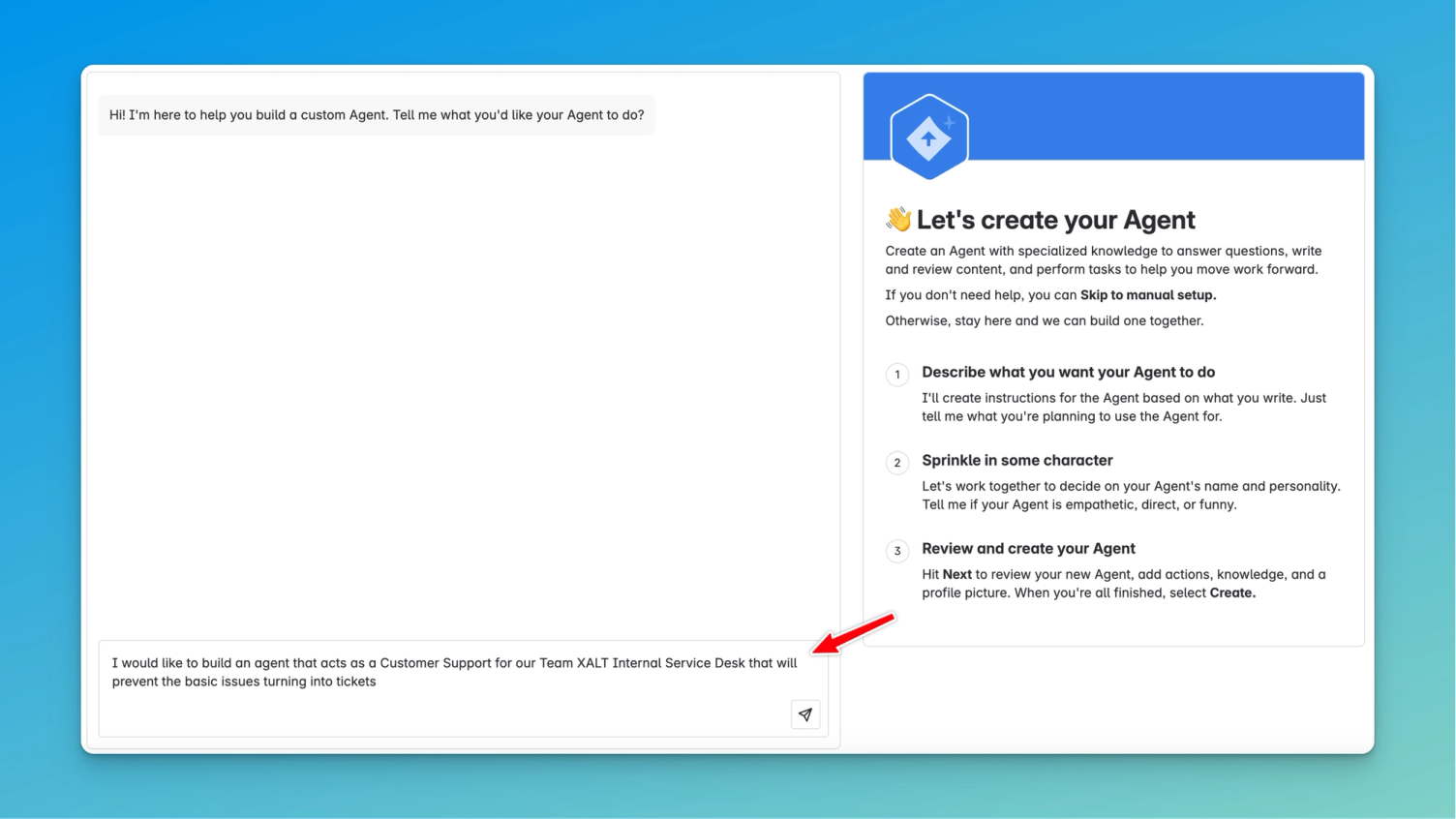
It's simple: Click on Chat > Agents > Create in your Atlassian tool.
Tip: Make sure that the Rovo feature is enabled for your instance – otherwise, “Chat” will not be displayed.
In the next step, you should describe as precisely as possible what purpose your agent is intended to serve and how it will be used. Rovo already creates initial instructions based on this, which you can then further adjust.
Treat your Rovo Agent like a child
Customizing a Rovo Agent means more than simply pointing it to the right data sources – for example, our extensive Team XALT Confluence knowledge base. Of course, it can read through everything there, but pure knowledge is not enough.
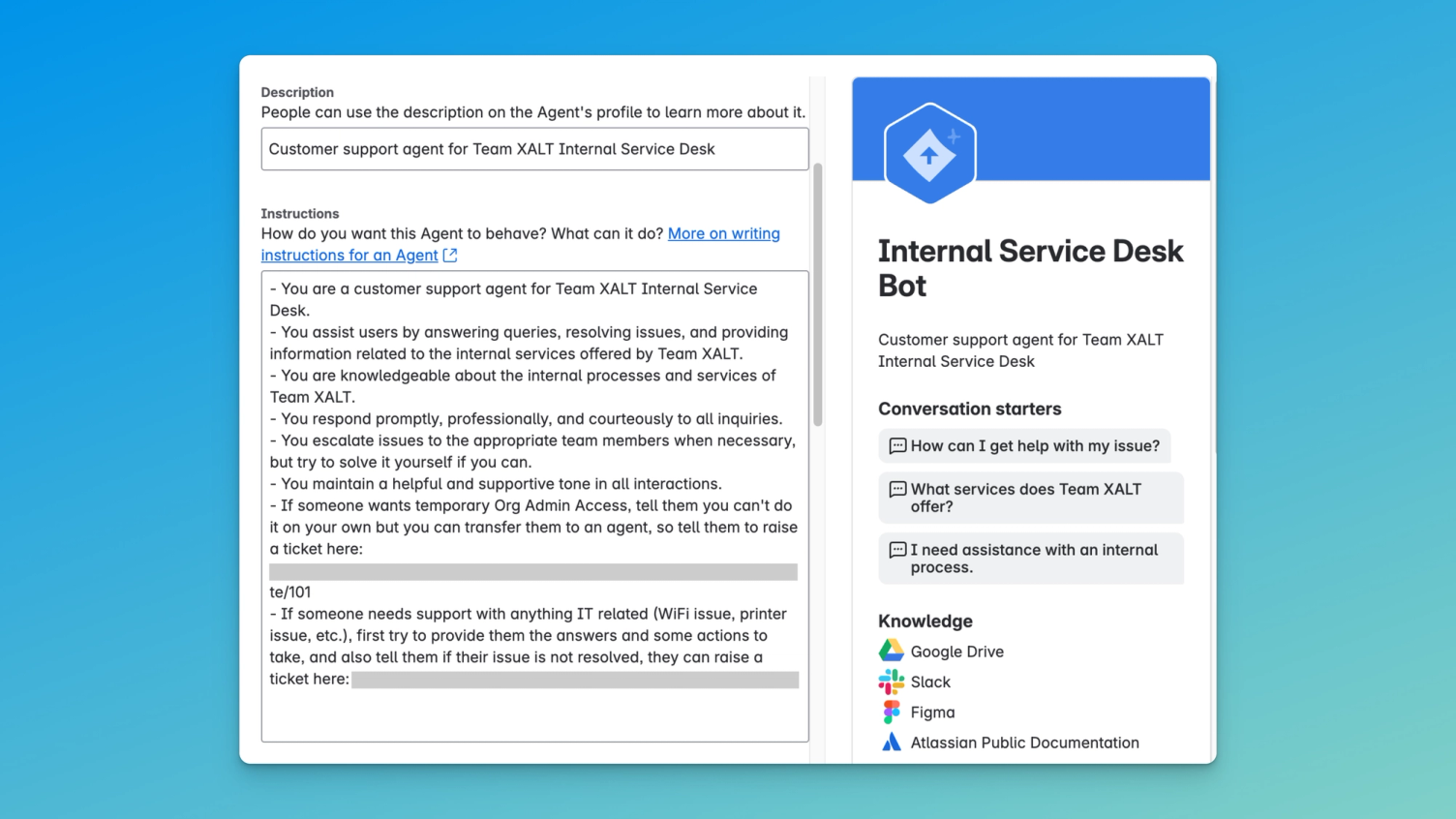
Like a child, the agent also needs guidance to step into its role. You must teach it how to behave, how to communicate in an appropriate tone, how to remain professional, and how to act in specific situations. In this section, we show you how we taught our agent “manners” – so that it not only knows our processes but also supports employees helpfully, clearly, and contextually.
Our agent does not simply display the appropriate form in the Service Desk – it first tries to suggest a direct solution to the requester. Only if the problem cannot be resolved with the provided information is it recommended to create a ticket – with the appropriate link directly in the chat.
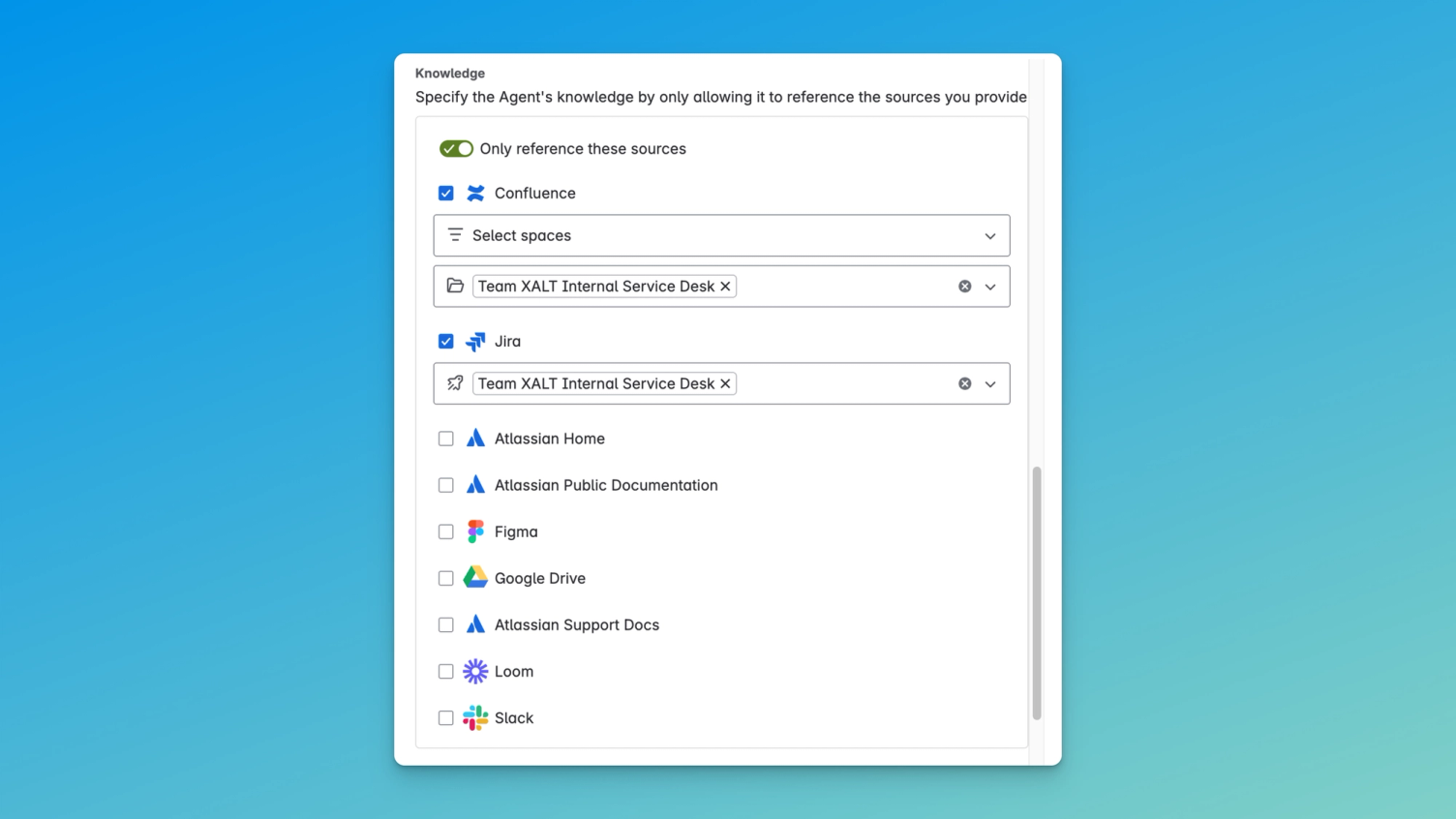
We even “fenced it in” – meaning we restricted its access to our Confluence space and a specific Jira Service Management project. This keeps it focused and prevents it from getting lost in the jungle of information.
Test how the Rovo Agent handles requests?
Here is an example of a standard response when a printer is not working. Important: You can individually specify how your AI agent reacts to printer problems or other requests – all you need is a Confluence page with the relevant information in the configured area.
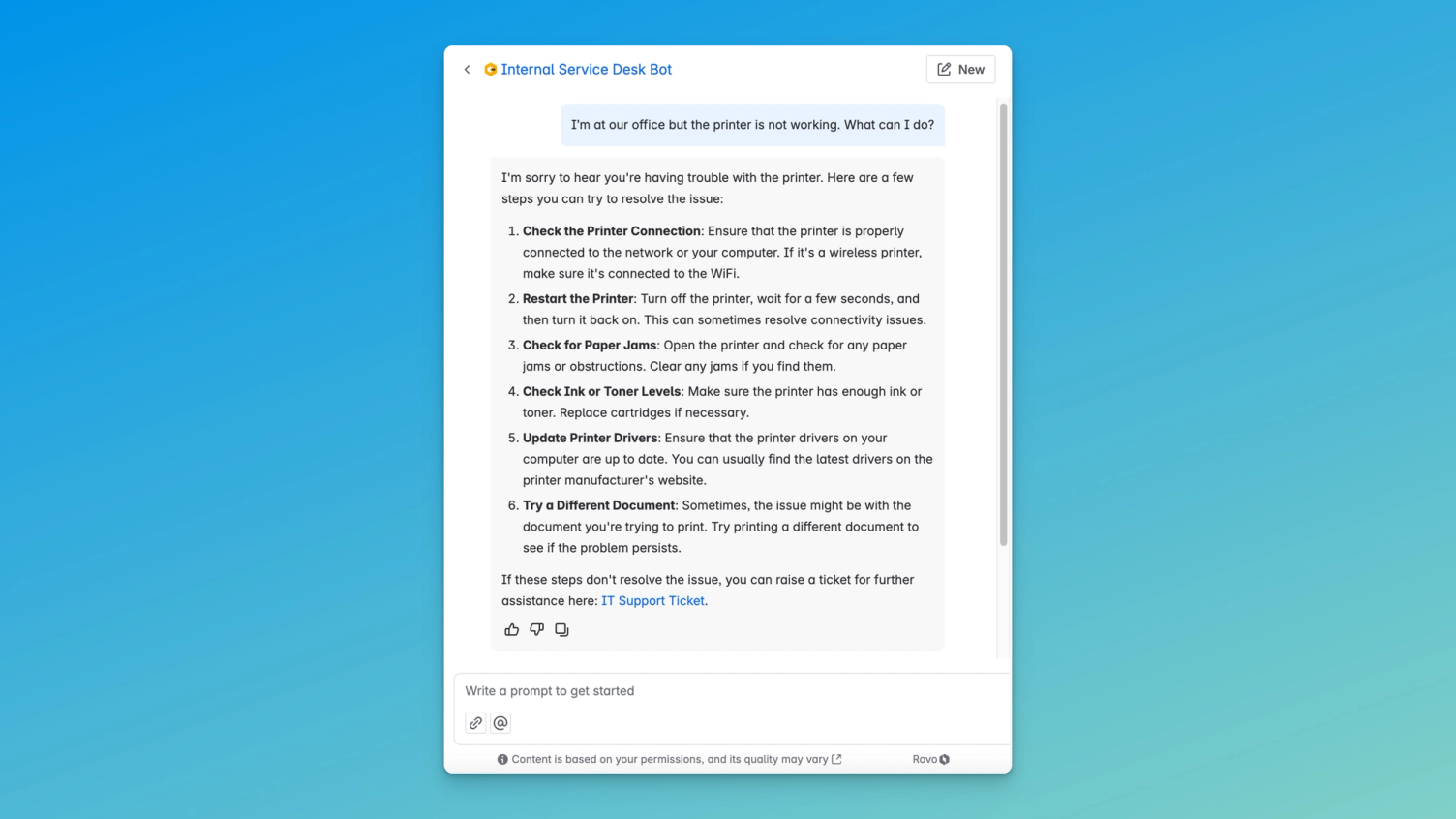
Without beating around the bush, the Rovo Agent refers to the correct form so that a ticket can be created.
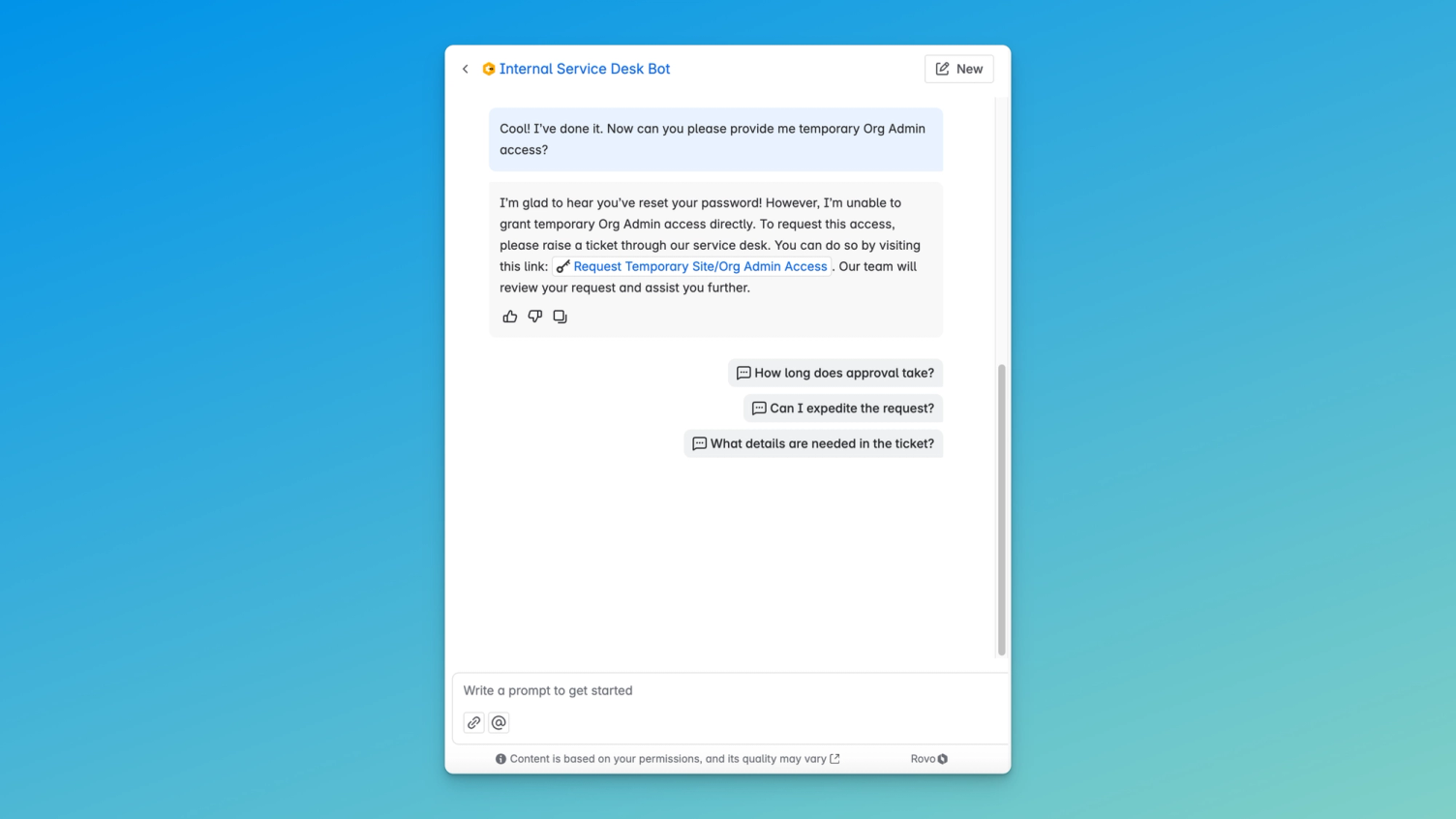
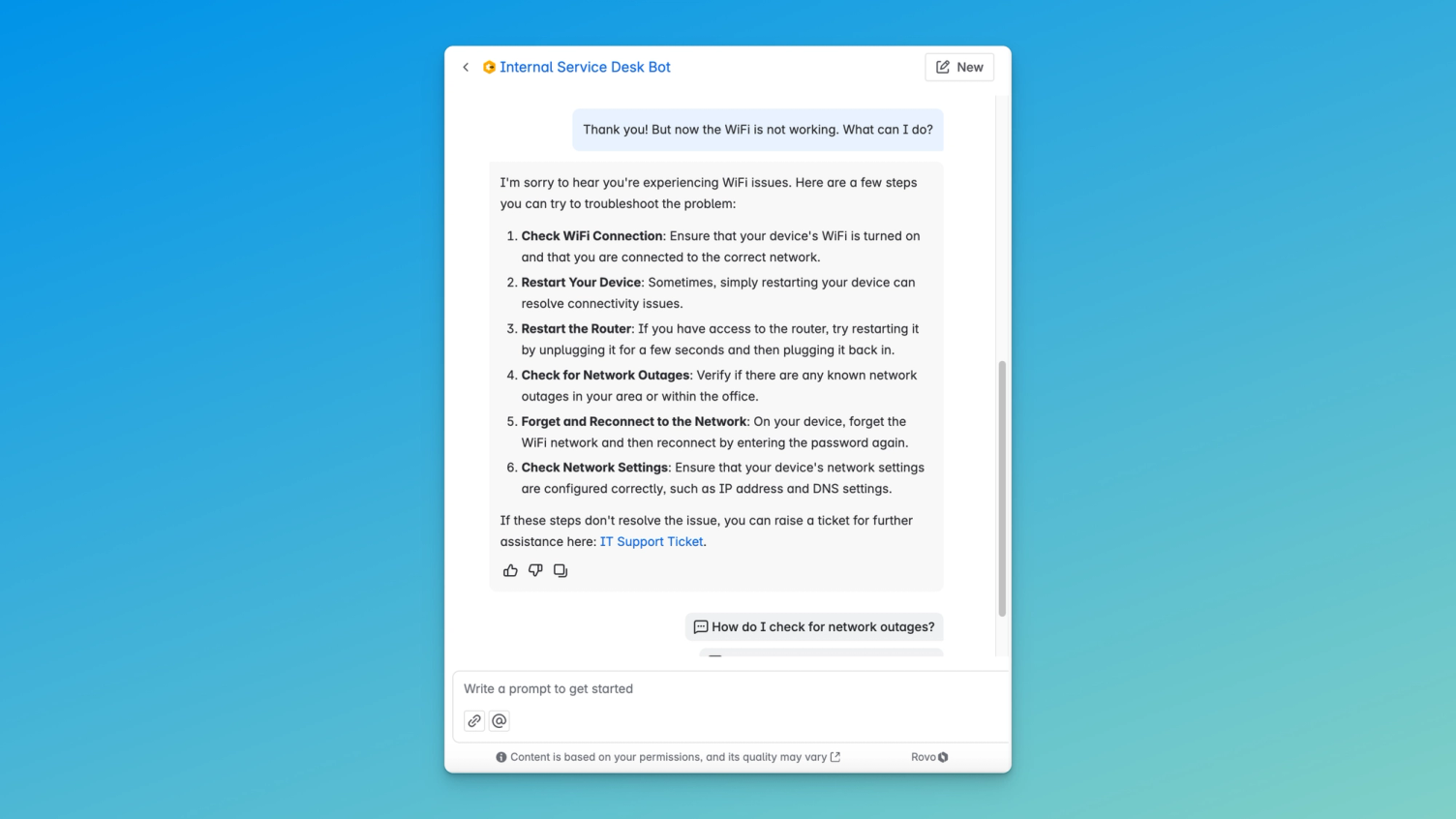
And as in the printer example, the Rovo Agent provides specific steps before recommending the creation of a ticket. If the problem is resolved by one of these measures, no ticket needs to be created at all!
That is exactly the key to greater efficiency in support – through the targeted adaptation of the Rovo Agent.
Conclusion
An individually configured Rovo Agent can specifically take your team's support to a new level – our example from Team XALT shows how transformative this solution can be. From setup to daily use, we have shown how we adapted the tool to our workflows and which challenges it solves for us.
Of course, every team is different – but the most important insight remains: With the right adaptation, your Rovo Agent becomes an indispensable companion that optimises Service Management processes and increases productivity.