A Jira issue needs to move to Done. A person may do that in one click; an AI agent must first establish which transitions are allowed and whether required fields are missing. The Jira MCP server connects that request to Jira while working within its existing rules.
What the Jira MCP Server Changes for Teams
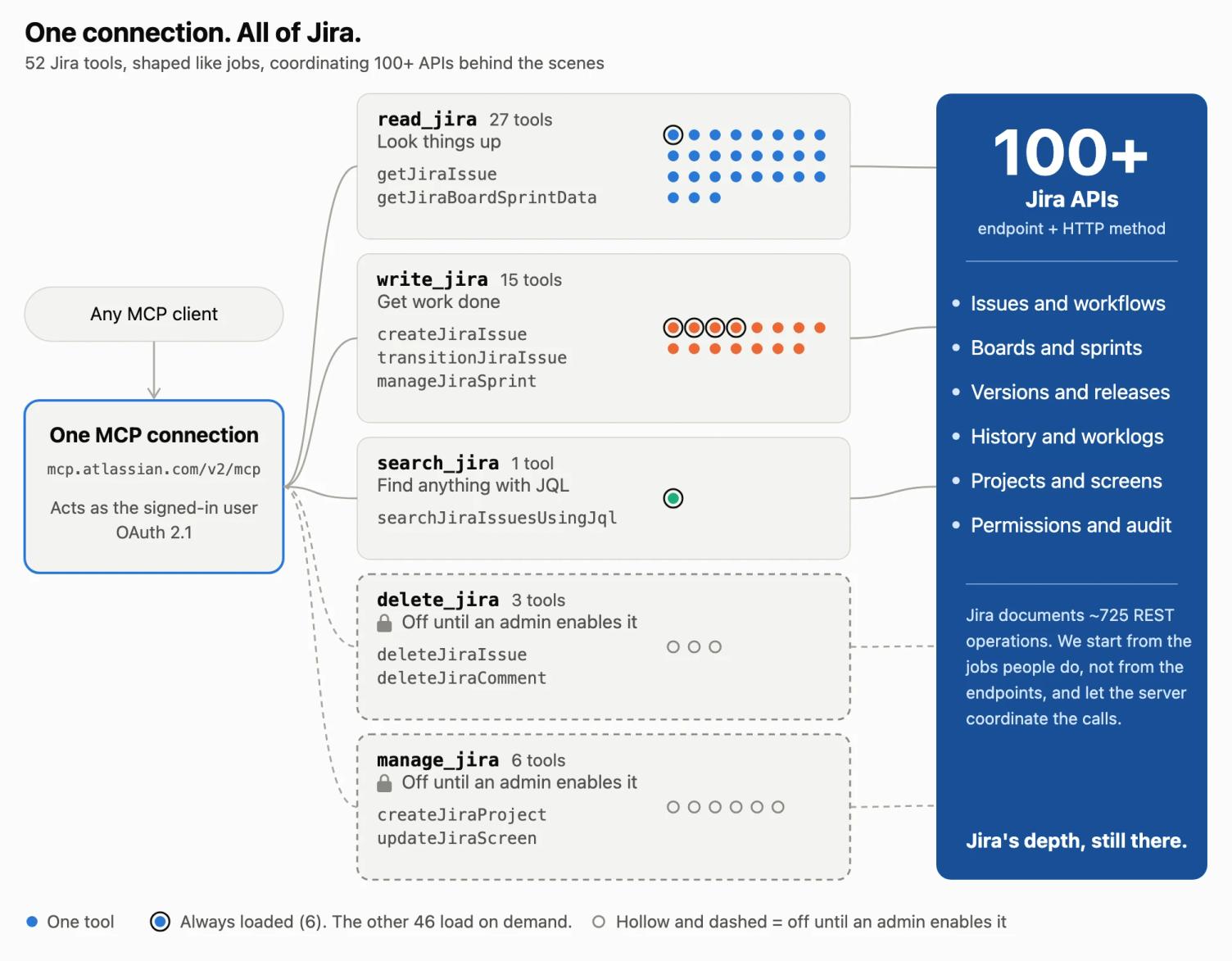
The Model Context Protocol (MCP) lets compatible AI assistants use a system’s tools and data. For Jira, the server turns a request into appropriate steps: it can find a board and its active sprint, retrieve issues or prepare a status transition. The task guides the interaction, while the server coordinates underlying API calls.
The Jira MCP server includes 52 Jira tools that call more than 100 APIs. Our Team ’26 overview explains the wider connection to the Teamwork Graph.
Issues Still Follow Their Workflows
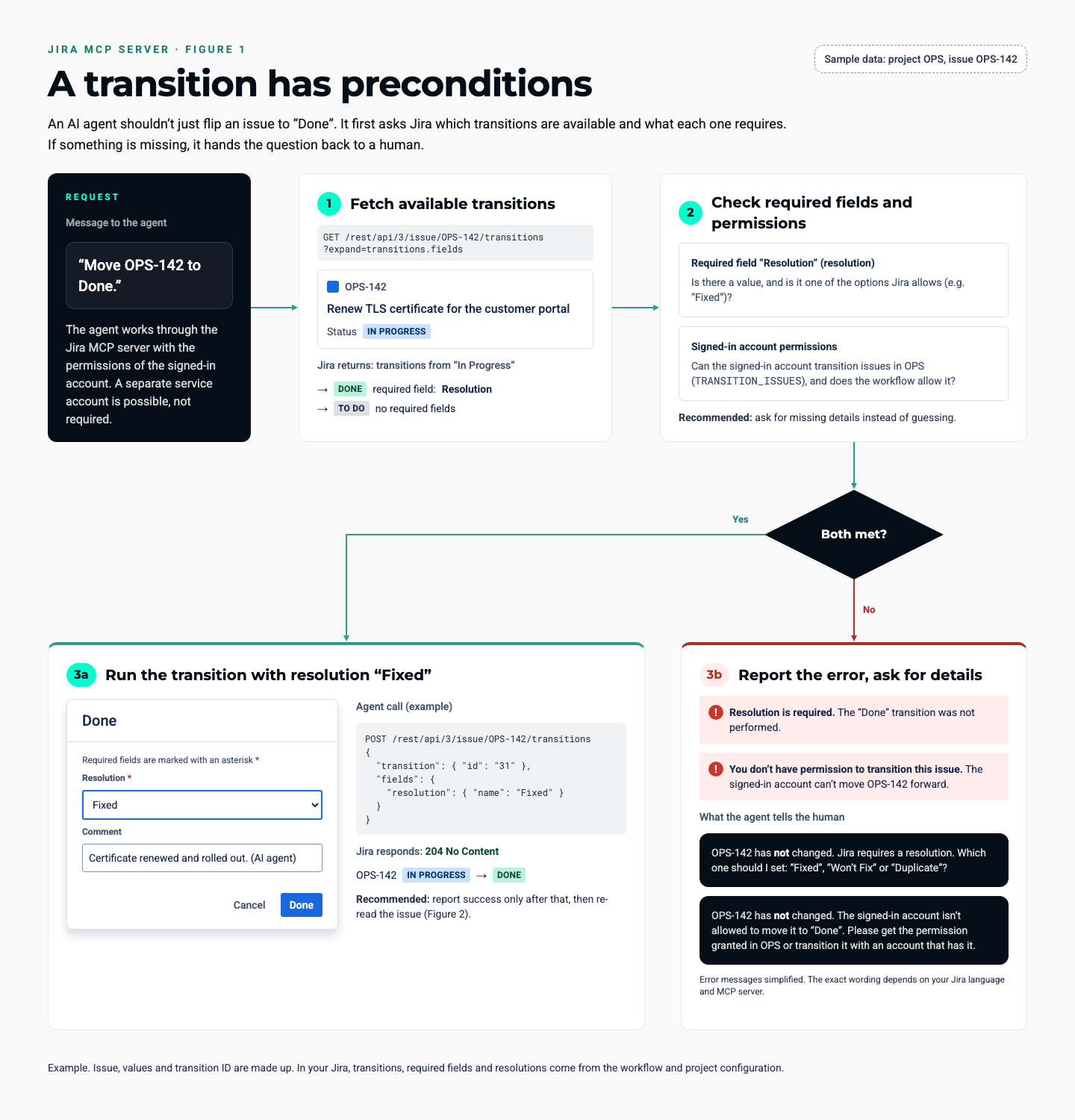
An agent cannot simply close an issue regardless of Jira’s rules. A workflow may require a resolution field or restrict the transition to a particular role. The agent needs to use an available transition and provide the required information. Your existing configuration still matters, and a rejected transition may reflect a deliberate control.
For administrators, this is a useful point to walk through a common process: who can close an issue, which fields are mandatory, and which notifications or follow-up actions does the transition trigger? Answering those questions makes it easier to judge whether an agent can complete the task reliably.
Set Permissions and Boundaries Deliberately
The standard tool groups operate within the signed-in user’s permissions. Deletion and administrative changes use separate permission groups that are off by default. Signing in does not grant unrestricted access: check both the enabled tool groups and the account’s own permissions.
Organisations using Atlassian Guard can also apply Data Security Policies to MCP access, blocking selected projects or content from the server. Check the rules in your own environment with both an authorised and a restricted test account. Our Rovo overview covers the wider access options.
The Rovo agents guide describes connections to “virtually any application via the Model Context Protocol (MCP)”. Available connections depend on the specific integration and its permissions.
Start with a Contained Use Case
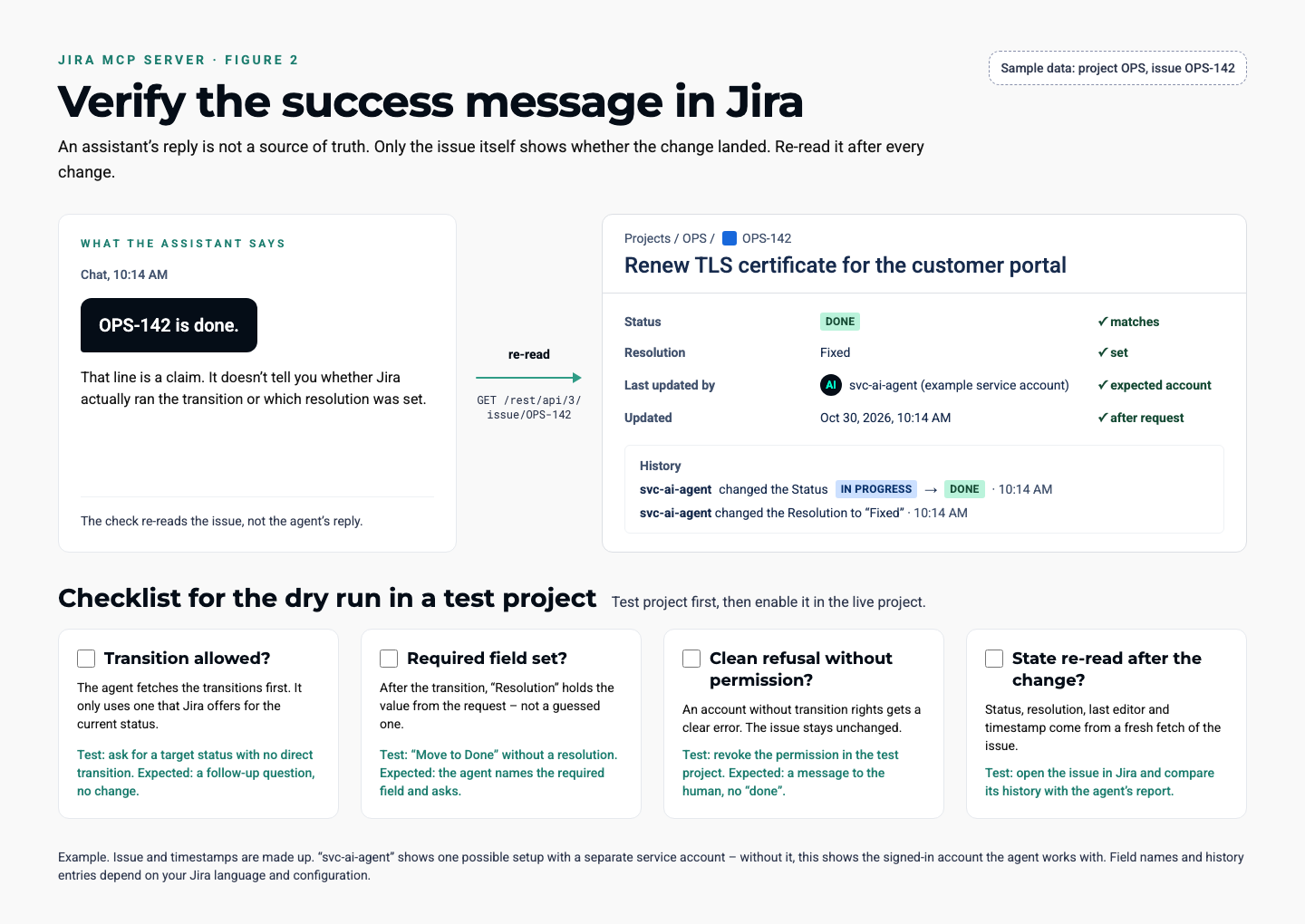
Use a test project and begin with a read-only task, such as summarising the active sprint. Compare the answer with the board: are the issues, statuses and owners correct? Then try a limited change, such as transitioning a test issue with a required field. Check the resulting Jira state, not just the assistant’s success message.
Document who requests the change, which permissions are needed and how errors are reported. Test the negative cases too: a missing required field, a forbidden transition and an account without access. This makes it clear where the connection helps and where a person needs to decide or intervene.
What the Connection Does Not Fix
An MCP server improves access to Jira; it does not clean up outdated workflows, assign business ownership or automatically make an incorrect answer reliable. Atlassian’s internal tests reported improvements over the first version but still found failing cases.
For production use, combine business review with appropriate permissions and a test process. If you want to develop your Jira environment and its integrations, our Atlassian consulting team can help assess and implement the next step.