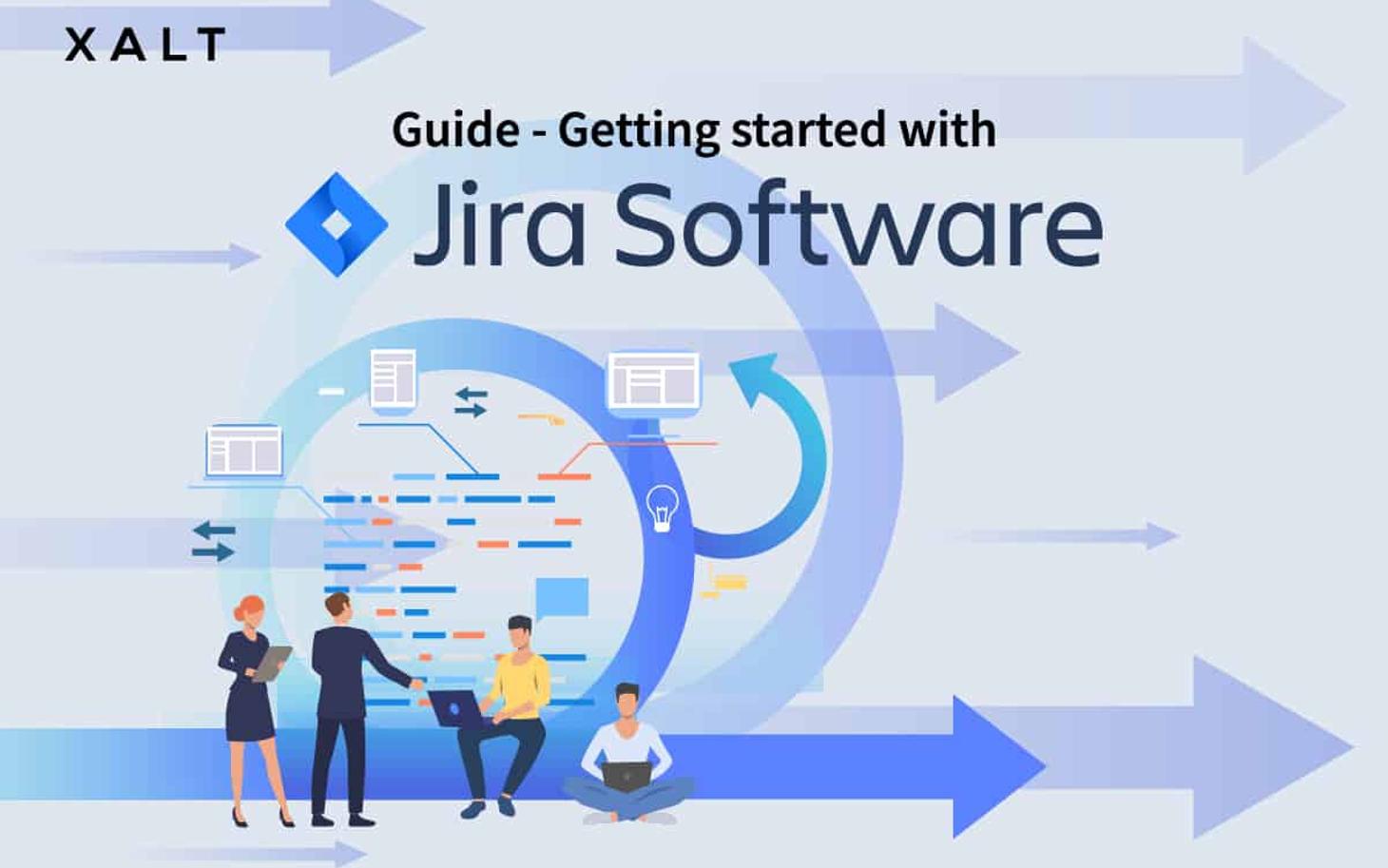
There are many project management tools on the market, but none is as versatile as Jira. The software integrates perfectly with common project management approaches, including the agile SCRUM methodology. Jira is therefore ideal for software development, but it is also suitable for many other business areas. Digitising existing business processes and centralising ways of working promotes collaboration on cross-functional topics and creates a shared understanding for common topics and projects. However, as with any new tool, every employee first needs an introduction to Jira Software or a new way of working. You can find out how to successfully introduce Jira in your company here.
Convince your users
Every employee is initially sceptical and has plenty of questions. Why do we need a new project management tool? What benefits does the software offer? What are the differences from the old solution? Why should we even want to use Jira? What does Jira bring me?
It is important here to understand and answer the 'why' and 'what's in it for me?'. This will help you drive the introduction of Jira forward and thereby win internal Jira champions. This ensures early support for the cause. Conviction is therefore one of the most important factors.
Now you will surely ask yourself how best to accomplish this task. You should focus primarily on conveying to your employees why Jira is being used and what added value (e.g., through features or benefits) the software brings. The benefits can be, for example, time savings, digitised and automated processes, or improved productivity. If your company is also involved in software development, you can address the synergies between Jira and agile methods such as SCRUM.

Introduction to agile project management
One could almost say that Agile is Jira and Jira is Agile. Jira offers everything you need to introduce agile project management into your company (if you haven't already done so).
What is 'Agile'?
Agile is a process in project management and software development that helps teams deliver value to customers faster and with fewer errors. Agile is an iterative approach that supports teams in implementing work in small but actionable units. Requirements, plans, and results are continuously evaluated, enabling teams to easily respond to changes.
In agile project management, two frameworks are typically used: Kanban and SCRUM. Both offer a range of benefits in the execution and delivery of tasks.
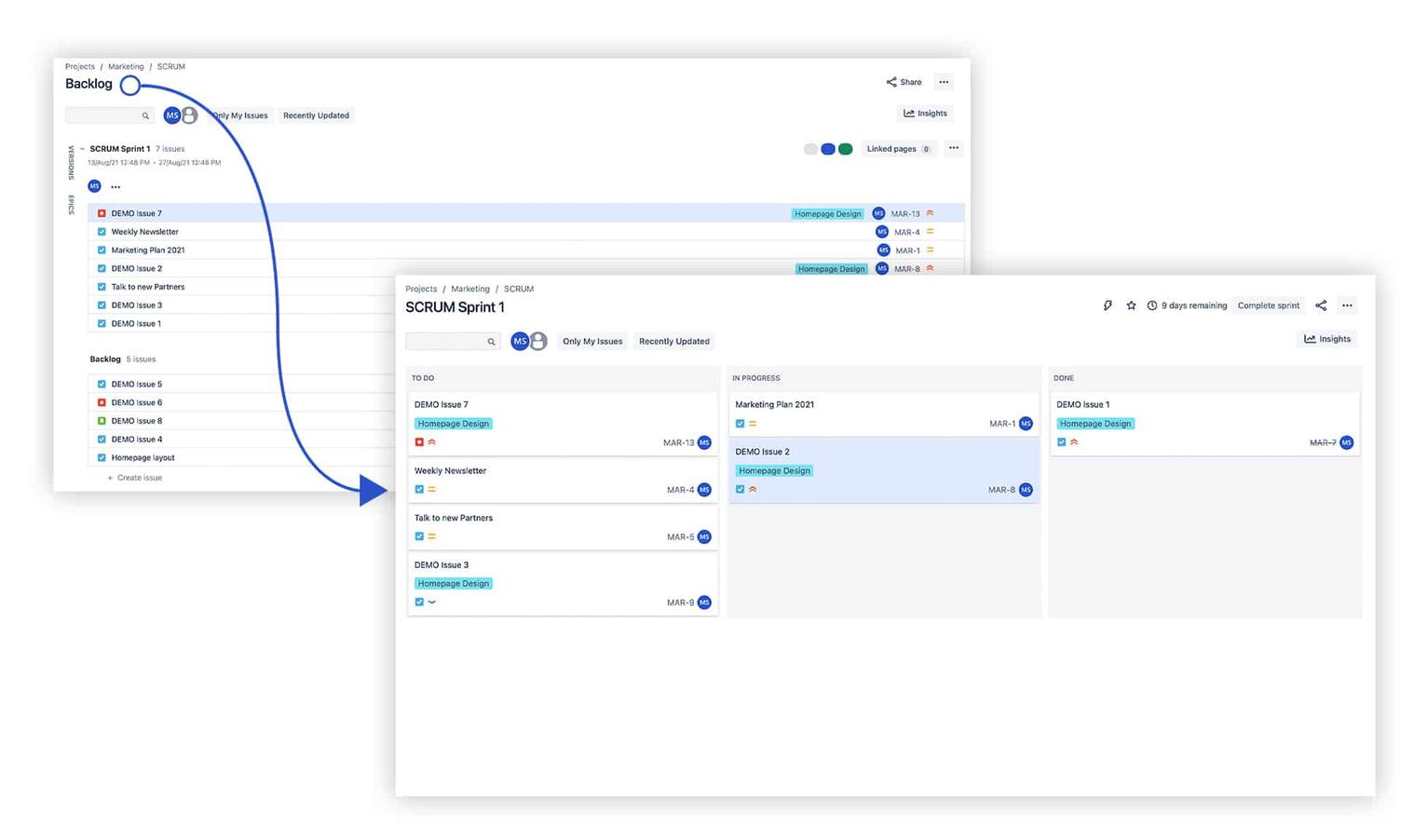
SCRUM
SCRUM is highly suitable for software development. The advantage here is that a project can be managed in a structured manner through a series of time-boxed iterations (Sprints / work packages). In each Sprint, the tasks defined in sprint planning are completed, and tickets are discussed in daily stand-ups. The aim is to find out what everyone is working on and to identify any potential problems (blockers) that could prevent the completion of a task within the Sprint's timeframe.
Kanban
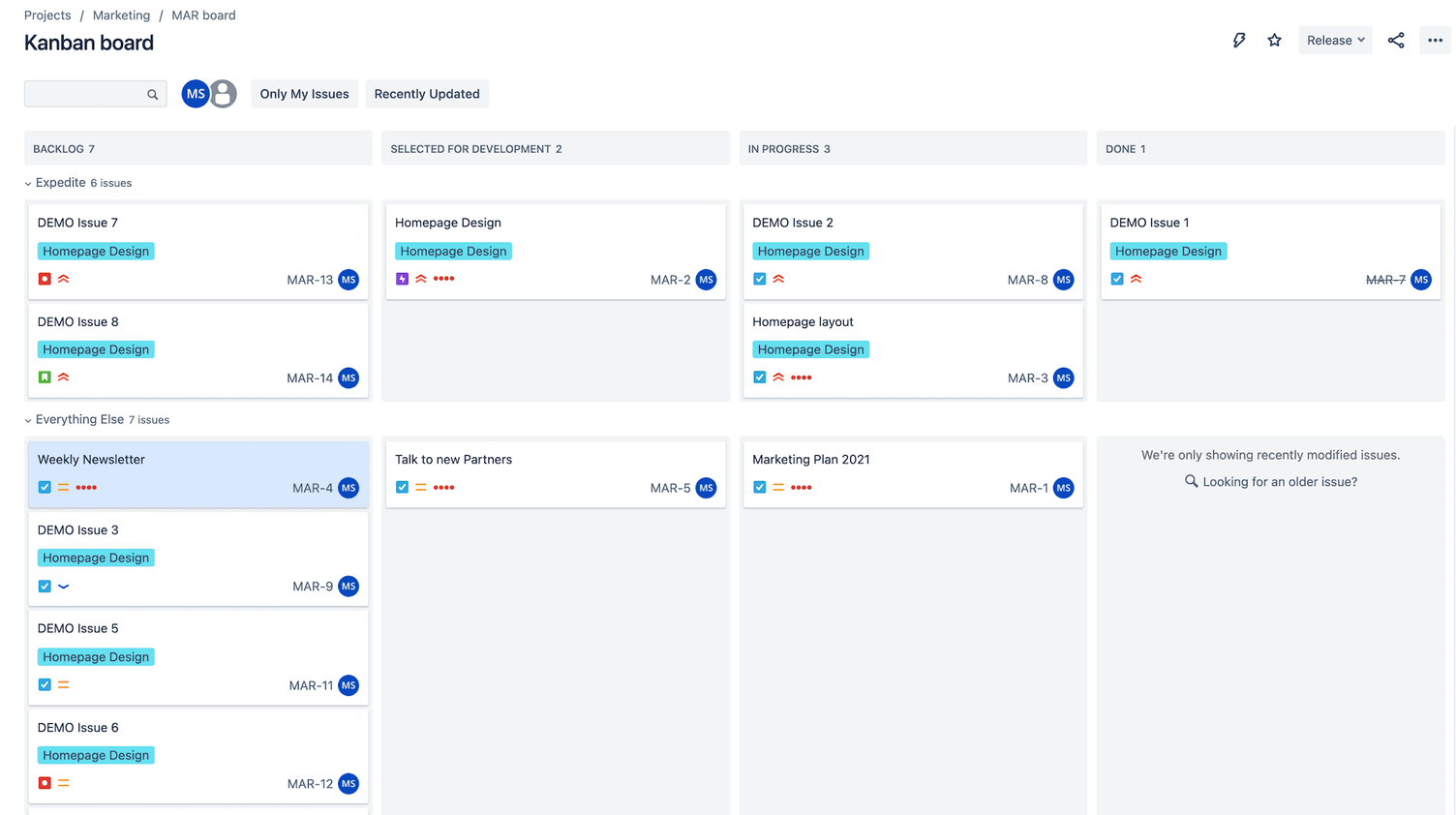
In the Kanban framework, unlike SCRUM, emphasis is placed on the continuous release of work packages / tasks (tickets). In addition, the status of a ticket (e.g. To Do, In Progress, Done) can be viewed at any time. A key component of Kanban is to limit "Work in Progress (WIP)". Limiting work-in-progress allows bottlenecks in the workflow to be identified and resolved more quickly. Kanban is particularly well-suited for teams that are not based in software development (e.g. Marketing, Design, Sales, etc.)
Introducing Jira also means using and internalising agile methods.
The final question to consider is: why introduce Agile?
Agile has several benefits that are difficult to ignore. A key point is that Agile builds a bridge between development and business.
Example:
Management has decided to develop a new intranet. The new development has implications for several business areas and teams. In addition to development, IT infrastructure, Marketing & Communications, and Design are involved in the project. Furthermore, the Finance department has kept a close eye on development costs.
The stakeholders involved therefore need a tool and framework to manage the project. This allows multiple teams to work on a project in Jira using different frameworks. Marketing, Design, etc. using Kanban boards. Development and Infrastructure using SCRUM.
Understanding the language of Jira - terminology and more.
Terminology
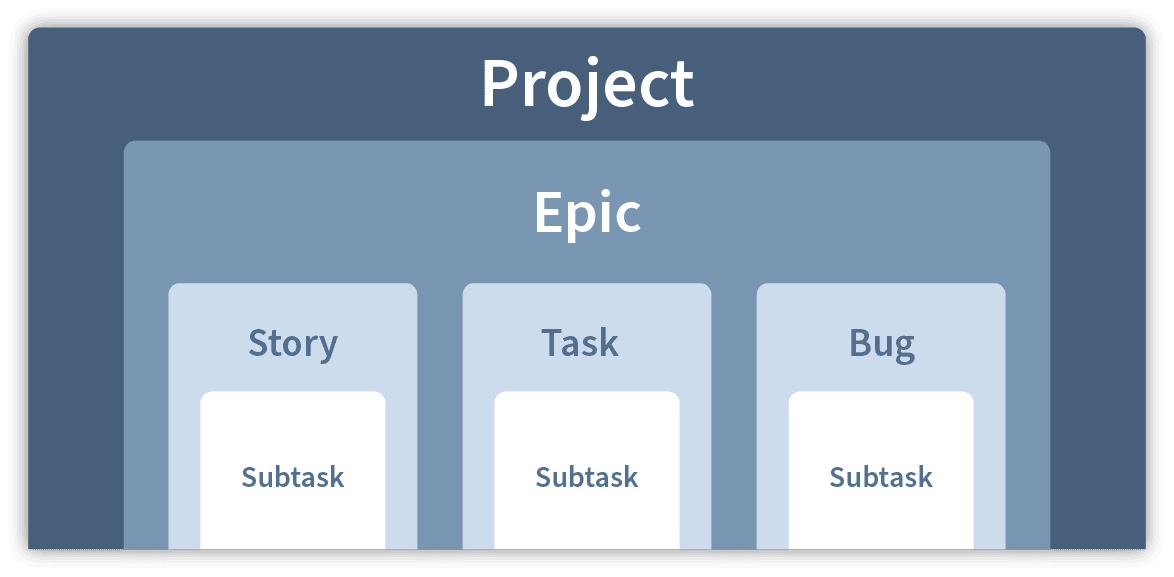
With every new tool, new terms are introduced into a company. However, especially at the beginning, it is not always easy to make sense of them. When introducing Jira, you should therefore make sure that every employee understands and internalises the new terms and ticket structure.
- Jira Issues: Work packages or tasks of any size are a fundamental element of Jira and come in various types (e.g. Story, Epic, Task, or Bug)
- Boards: A visual representation of all active Issues
- Projects: These consist of a collection of issues with the same thematic relevance and workflow.
The terminology in Jira can sometimes be a bit overwhelming.
Here is an example:
A new corporate website is to be developed (the project). The project then includes several larger project steps such as content, website environment, and design. These are the so-called epics. Within the epics, there are further individual tasks. For the content epic, these could be texts and graphics. For the environment, the purchase of a server. Within the tasks, it can happen that further subtasks are required, such as texts for home, products, or services.
How you ultimately subdivide these tasks is, of course, up to you and varies from project to project.
Workflows

As already mentioned, in agile project management, work steps are represented by workflows. A workflow is, so to speak, a cycle that issues go through. Each step in the workflow represents a specific status. Initially, the status is declared as "To Do". Only when you start working on the ticket does it move to “In Progress”. Once you have completed the task, you move it to “Done”.
Organising Jira correctly
To be able to organise Jira correctly, the terminology must first be understood. You can then get started and configure Jira according to the requirements of your company (or individual teams).
Labels, Components & Versions
With more and more tickets, issues, and projects, Jira can also become increasingly cluttered. To avoid losing track, Jira offers a further level of organisation. These are labels, components, and versions. This increases the findability of your tickets / issues in Jira and refines the search.
- Labels: Think of labels as tags. They can help you categorise and search for topics and have the advantage that you can use multiple labels per topic.
- Components: Components are subsections of projects. They simply break a project down into smaller parts.
- Versions: Versions are specific points in time in a project. They mainly help you define milestones.
Access permissions and user roles
In Jira, you can assign different roles to each user (and multiple ones). Each of these roles has certain rights. However, you should definitely ensure that not every user has full access to all functions of Jira. Grant certain rights only to system administrators. Otherwise, at some point, everyone will do what they want, and countless different elements will be created in a haphazard manner. Ultimately, this makes the system cumbersome and cluttered. When introducing Jira, you should definitely ensure that every user understands their role.
With the right configuration of user roles, you can prevent this. If you want to know more about user roles, access options, and permissions, our solution for ‘Identity and Access Management’ will help you equip users with the appropriate roles.
How you can automate user permissions: XALT IAM
Working with Jira
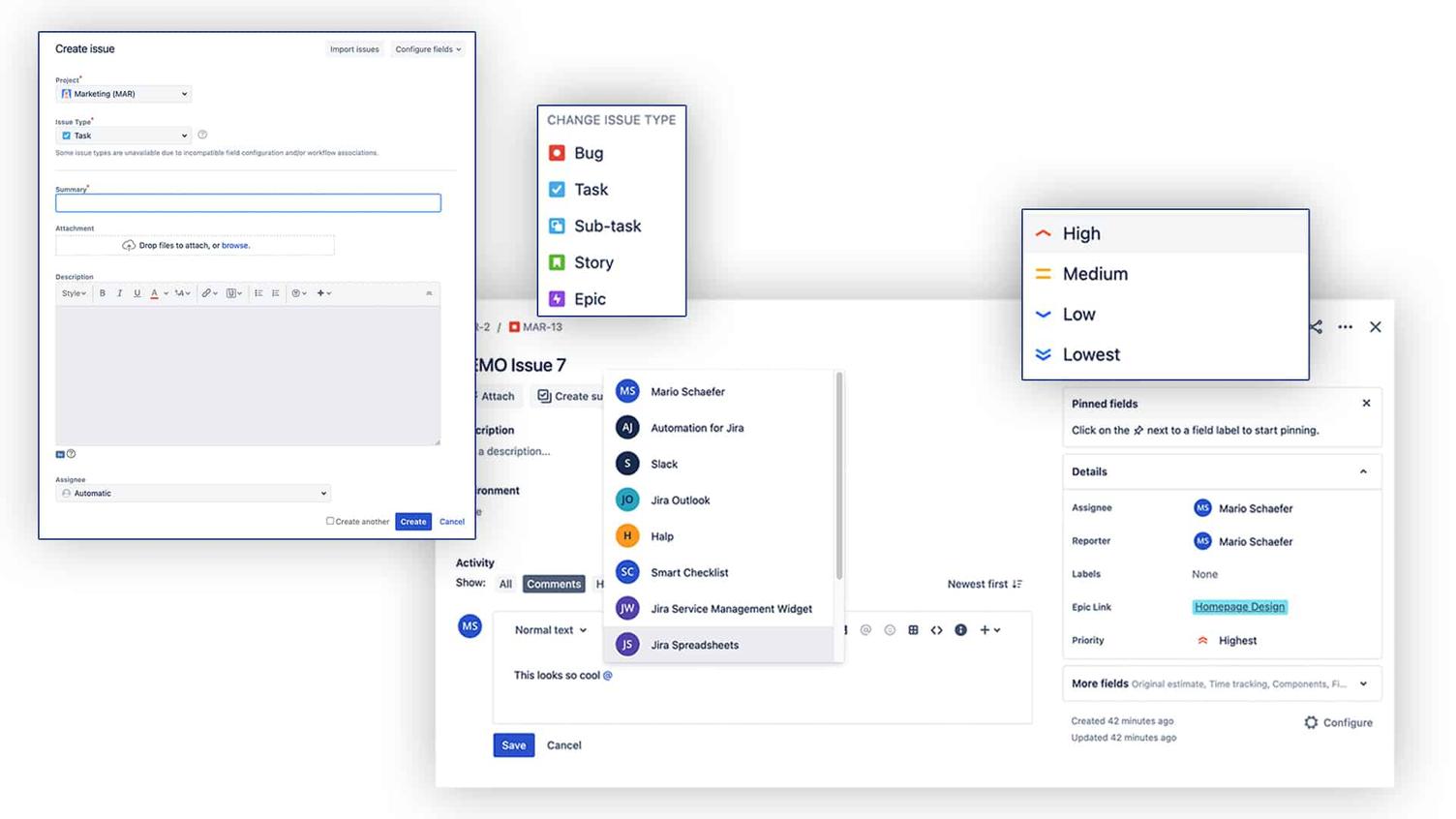
They say preparation is half the battle, and in the case of Jira, that is indeed true. Creating issues (tickets) is easy to understand. Users simply need to ensure that the correct issue type is used and that the ticket is created in the relevant project.
Users should give issues a clear title and in any case add a short description of what is to be achieved. Additionally, issues can be prioritised during ticket creation to convey the importance of the task.
Once the ticket has been created, you will find it in the backlog of the respective project and can set the status to “To Do” if needed.
Collaboration
Another important tool for working with Jira is the comment function. By @mentioning you can draw your team members' attention to a specific issue and pull many conversations out of isolated areas such as email and chat, to conduct the respective communication transparently and in context within the associated issue. It is just like mentioning someone on Facebook, but in this way, you can ensure that your team members are notified.
Summary
Jira offers countless features and personalisation options as a project management tool. For your team to be able to work with the software from the start, it is up to you (a Jira Champion) to convince them of its benefits. However, you can only achieve this if you highlight all the advantages of Jira as best as possible during its introduction and address any concerns. You should therefore make sure that everyone understands and internalises the Jira terminology. Also, ensure that user roles are distinct from one another and are equipped with specific permissions.