Have you ever been stuck in a meeting that seems to drag on forever, with no clear purpose or end? It has probably happened to all of us at some point, hasn't it? This is a common scenario in the business world. But what if I told you that not all meetings are created equal? Some can boost your team's productivity, while others are nothing more than time-wasters.
In this article, we delve into effective team collaboration by identifying which types of meetings are essential for your business's success and which ones you can safely do without.
Table of Contents
show
- Essential Meetings: The Cornerstones of Productivity
- Unnecessary Meetings: Time-Wasters to Avoid
- Maximising Meeting Productivity with Confluence
- Integrations for Google and Microsoft
- Conclusion: Revolutionising Your Meeting Culture
Essential Meetings: The Cornerstones of Productivity
1. Onboarding Meetings: The Starting Gun for Success
Imagine starting a new job and being thrown into the deep end without any guidance. Discouraging, right? This is where onboarding meetings come in. They form the foundation for helping new employees settle into the company. They provide a comprehensive understanding of the organisational structure, upcoming projects, and the new employee's role in the bigger picture.
Erin Baker, an experienced leadership coach, emphasises the importance of onboarding meetings: "They help new team members learn how they fit into the bigger picture." They also set expectations and lay the groundwork for a successful tenure.
2. Brainstorming Meetings: The Idea Forges
Businesses thrive on fresh ideas. But where do these ideas come from? This is where brainstorming sessions come into play. These are the true idea forges of your team, designed to gather a wide variety of ideas in a short amount of time.
David Chaudron, an organisational psychologist, underscores the importance of brainstorming sessions, particularly when it comes to solving a problem or achieving a goal. He recommends focusing on the ideas rather than the outcome during brainstorming.
3. Kickoff Meetings: The Blueprint for Alignment
Have you ever started a project without knowing the final goal? It's like embarking on a journey without a map. Kickoffs serve to align team members with the long-term objectives of the project.
Chaudron highlights the effectiveness of kickoff meetings and explains that they are crucial for fostering team buy-in and enthusiasm for the project.
4. Feedback and Retrospective Meetings: The Learning Curve
There are always lessons to be learned and areas for improvement. This is where feedback and retrospective meetings come into play.
Baker points out that these meetings give the team the opportunity to discuss what went well and what did not. They serve as a platform for continuous learning and improvement.
5. Budget and Finance Meetings: The Financial Compass
Misunderstandings about finances can lead to tensions and conflicts. That is why budget and finance meetings are so important.
The importance of these meetings stems from the fact that they help determine who pays for what and when. They ensure that everyone is on the same financial page, helping to avoid future conflicts and control spending.
Unnecessary Meetings: Time-Wasters to Avoid

1. Status Update Meetings: The Time-Waster Trap
Do you need to gather all employees in one room to tell them what they are currently working on? In the age of digital communication, status update meetings often seem like a relic of the past.
Erin Baker argues that these meetings are ineffective and can easily be replaced by emails or a collaboration tool such as Confluence. Why spend an hour on a meeting when a quick email will suffice?
2. Meetings Without an Agenda: The Aimless Journey
Have you ever attended a meeting that seemed to lack a clear goal or direction? Meetings without a clear agenda are like sailing without a compass – it is unlikely that you will reach your destination.
We have learned how important it is to have a clear agenda for each meeting. Without one, you are only wasting your time and that of others.
3. Routine In-Person Meetings: The Old-School Approach
When you think of a meeting, you automatically picture a group of people sitting around a conference table. While there is still a place for this, many of these meetings do not necessarily need to take place in person.
It may seem obvious in today’s time, but virtual meetings are often more efficient and comprehensive than in-person ones. They save time, make meetings more accessible for home-office and hybrid approaches, and can even be recorded for later use. Zoom, MS Team and Slack are your best friends here. And if you combine your virtual sessions with collaboration tools such as Confluence, you will be up to date in no time.
Maximising Meeting Productivity with Confluence
Effective meetings are the key to successful team collaboration in any business. But how can we ensure that these meetings are as productive as possible? The answer lies in using the right tools.
One such tool is Confluence, a powerful platform that allows you to easily organise and summarise your meetings. Let's take a look at how Confluence can enhance all kinds of important discussions and eliminate unnecessary meetings.
- Planning with Confluence: During onboarding or brainstorming sessions, Confluence can outline the agenda, objectives, and expected outcomes, ensuring that everyone is prepared.
- Taking notes in real time: During the meeting, Confluence can capture key points, ideas, and actions in real time, keeping everyone on the same page.
- Learning from the past: For feedback and retrospective meetings, Confluence serves as a repository for past project experiences, enabling continuous improvement.
- Financial transparency: Confluence helps track financial data and decisions in budget and finance meetings, ensuring transparency and minimising conflicts.
- Replacing unnecessary meetings: By replacing status update meetings with Confluence updates, you can keep everyone informed without wasting valuable time.
Meetical: A Confluence app that helps you organise your meetings and boost productivity
Another way to take your meetings to the next level is Meetical. It helps you increase productivity in your teams.
With Meetical, you can automatically create Confluence pages for one-off or recurring calendar events.
These can serve as a central hub for notes and are accessible to all participants via the Meetical browser extension or the event description in the calendar.
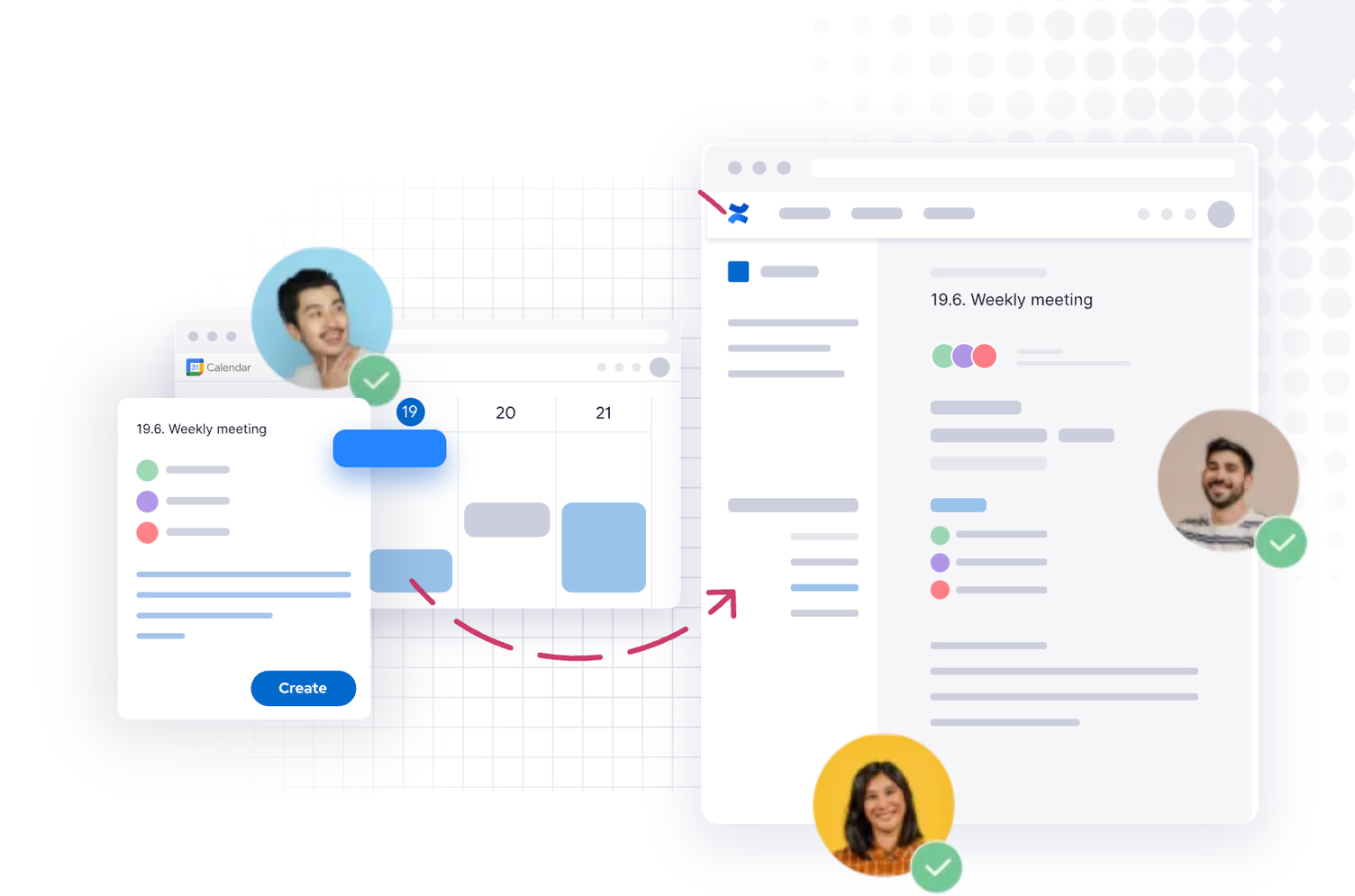
Confluence pages as browser pop-ups
The extension can also be used to display and edit Confluence pages as browser pop-ups without leaving the current page. Additionally, the extension displays action points and recently viewed pages.
Templates for meeting notes
Meetical also excels with a wide range of templates for your meeting notes. These can be customised in advance and selected for newly created meetings. There are templates for many use cases, such as brainstorming or kickoff meetings.
Automatically adding participants
Furthermore, the app offers several macros that automatically add all participants to the page, adjust the page title, and capture the necessary information about time and location.
Meetical can be added to the respective Confluence instance via the Atlassian Marketplace.
Integrations for Google and Microsoft
Fellow.app for Google Meet: Streamlining meeting agendas and notes
Fellow.app for Google Meet is a powerful integration that enhances your meeting experience and productivity. With Fellow.app, you can seamlessly create agendas, capture notes, and collaborate with your team during Google Meet sessions. With this integration, you have all the information about your meetings in one place, making it easy to organise and refer back to them later.
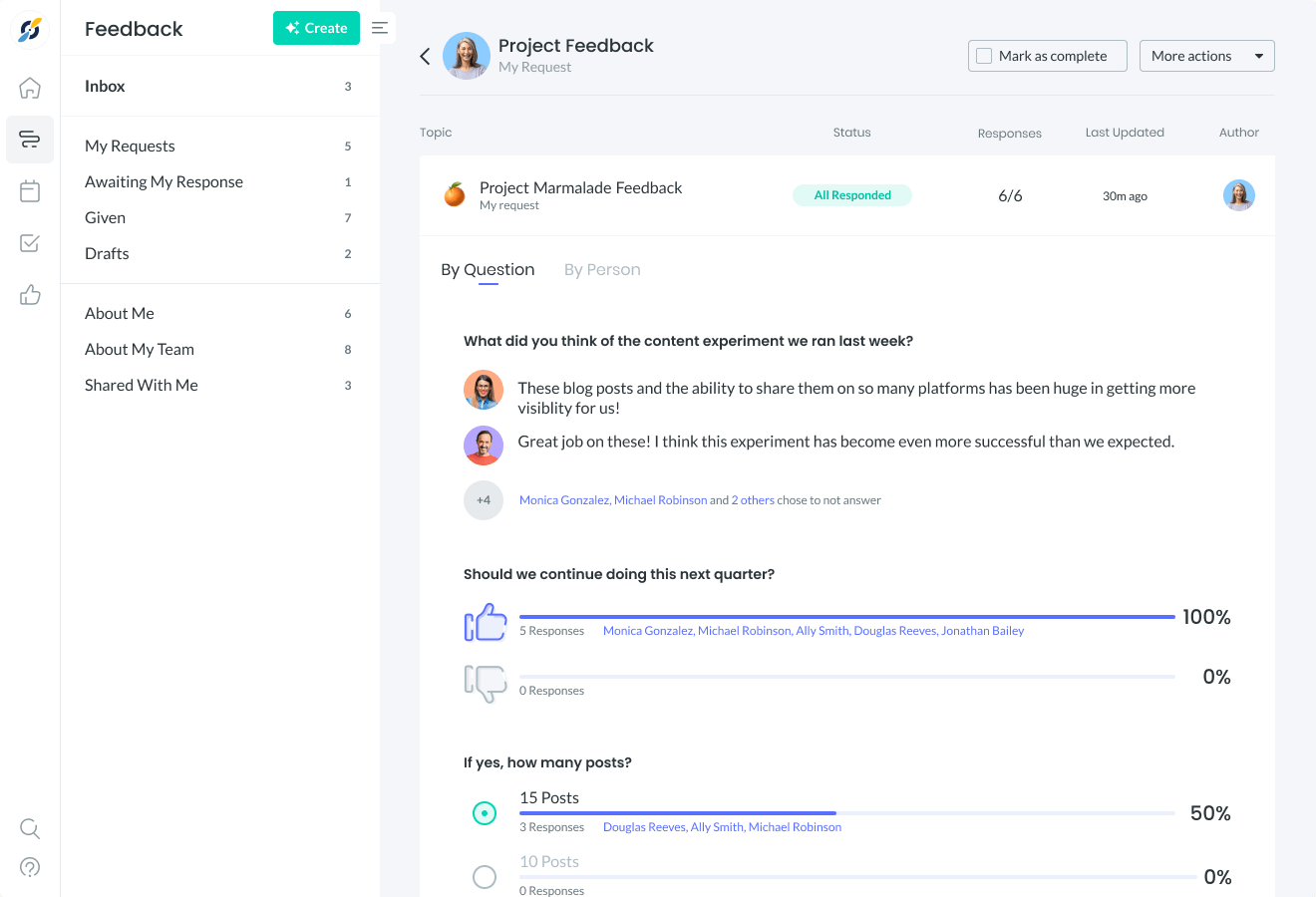
Create structured agendas
With Fellow.app, you can create structured agendas to ensure everyone is on the same page and focused on the topics. You can take notes in real time during the meeting and mark action points for follow-up. Fellow.app also offers features for collaborative note-taking, allowing multiple participants to contribute to the notes simultaneously.
Integration with Google Calendar
One of the standout features of Fellow.app is its integration with Google Calendar. Details and participants are automatically imported, making the creation of agendas and notes effortless. After the meeting, you can easily share the minutes and action points with all participants. The integration also provides analytics and insights to help you track productivity and identify areas for improvement.
Tactiq for Microsoft Teams: Effortless meeting minutes and collaboration
Tactiq for Microsoft Teams, on the other hand, is a key factor in creating notes in Teams meetings. This integration seamlessly fits into Microsoft Teams, allowing you to effortlessly capture and store transcripts and notes. Tactiq provides a central platform where participants can access their notes and work on them collaboratively, ensuring that no important information is lost.
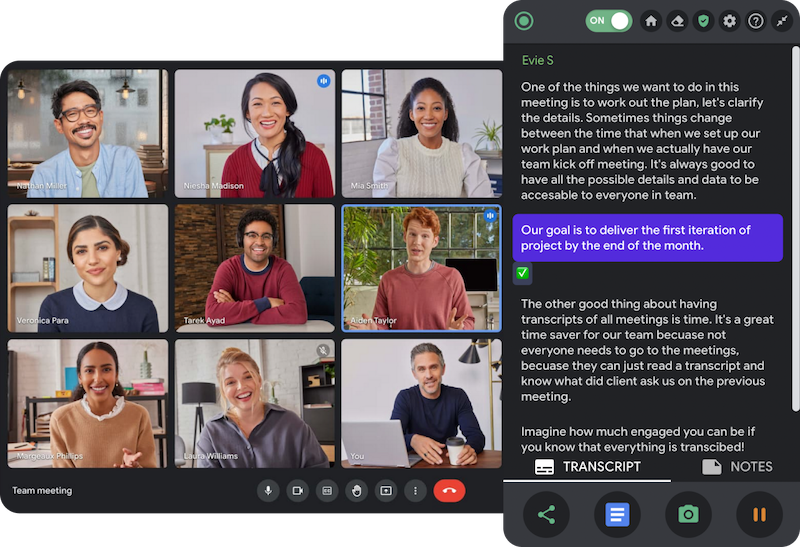
Automatically record meetings
With Tactiq, you can automatically record and transcribe your meetings, so you no longer need to take notes. The transcripts are timestamped, making it easy to navigate to specific sections. Additionally, you can highlight key moments, add comments, and mark action points directly in the transcripts.
Real-time collaboration
Tactiq's intuitive user interface enables real-time collaboration, allowing multiple team members to contribute to the notes simultaneously. This fosters a collaborative environment where everyone can share their insights and ideas. The integration also offers features for exporting and sharing notes, keeping all stakeholders up to date.
Integration with Microsoft tools
Furthermore, Tactiq integrates seamlessly with other Microsoft applications such as OneNote and SharePoint, making it easy to store and access notes across different platforms. Thanks to its powerful search functions, finding specific information in the notes is a breeze.
Boost your meeting productivity with integrations
In summary, Meetical, Fellow.app for Google Meet, and Tactiq for Microsoft Teams offer valuable features that enhance your experience. They simplify note-taking, provide collaboration options, and ensure that meeting information is organised and accessible. Whether you use Confluence, Google Meet, or Microsoft Teams, these integrations can significantly boost your productivity and help you get the most out of your meetings.
Conclusion: Revolutionising Your Meeting Culture
The secret to efficient team collaboration lies not in the number of meetings, but in their quality and relevance. The ability to recognise and leverage the benefits of different types of meetings, such as onboarding, brainstorming, kickoff, feedback, and finance meetings, can significantly increase a team's productivity. It is equally important to avoid unnecessary meetings, such as aimless gatherings without an agenda and those that could be conducted more efficiently virtually.
However, being aware of which meetings to hold and which to avoid is only the first step. The true art lies in putting this knowledge into practice to steer the team optimally. From improving the onboarding process to fostering creativity in brainstorming sessions and ensuring clear agendas and objectives, it is up to you to establish an effective meeting culture. After all, at its core, meetings should serve to bring the team together, develop innovative ideas, align efforts towards common goals, and ultimately drive business success.