Introduction
Imagine the following: you are in a virtual meeting, your team is spread across different offices and time zones, and you need to gather ideas for the next big project. The days when scribbling on a piece of paper or a physical whiteboard was enough are long gone. With visual collaboration tools such as Confluence Whiteboards, Miro or Lucidspark, it is easier to visualise and exchange your ideas in real time.
However, the tool landscape with its many options is somewhat confusing. Miro is the largest provider on the market. But with the newly released Confluence Whiteboard (Beta), you may already have the perfect solution for visualising your ideas at hand. Especially if you are a Confluence Cloud user (if not, why not?).
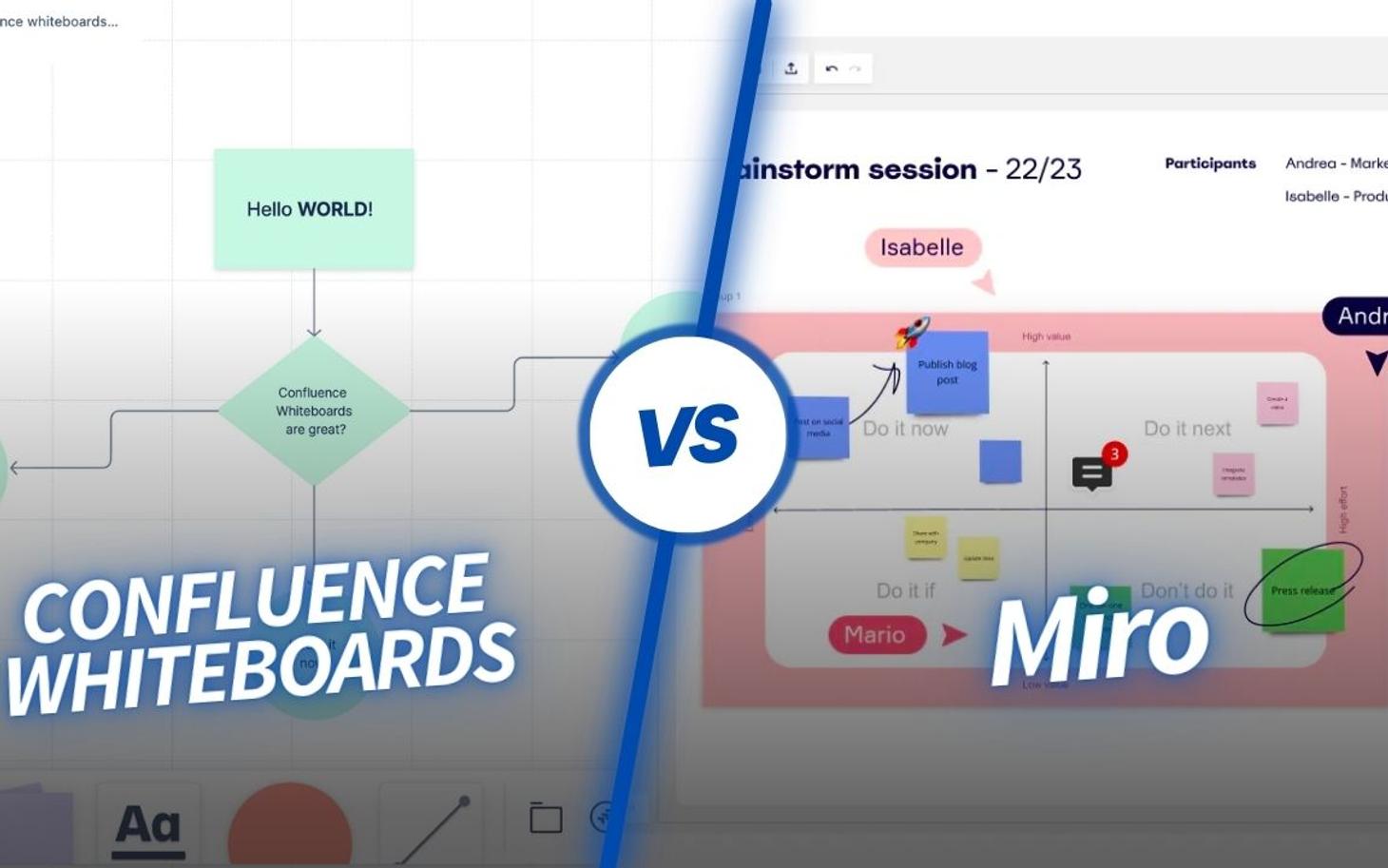
This article explains the key features of Confluence Whiteboards and the differences to Miro.
What are Confluence Whiteboards?
Confluence Whiteboards is a new whiteboarding feature within Confluence and Jira, which was announced at Atlassian Team'23 and is currently available as a beta version.
Whiteboards turn Confluence into a powerful online whiteboard. It allows you to collaborate with others in real time, exchange ideas and develop brainstorming solutions.
The key features of Confluence Whiteboards
With Confluence Whiteboards, you can:
- Draw and sketch freely
- Add text, images, and files
- Use shapes and templates
- Annotate documents with comments
- Collaborate with others in real time
- Share whiteboards with others
- Templates for various topics and teams
Confluence Whiteboards is still under development, so more features will be added soon. Additionally, because it is integrated directly into Confluence, you do not need to pay for an additional tool like Miro.
Why you need Confluence Whiteboards
There are several scenarios in which Confluence Whiteboards are useful:
- Remote brainstorming: Teams distributed across different locations can simultaneously jot down ideas, group them, and set priorities to ensure that every voice is heard.
- Design workshops: Designers can create wireframes, user journeys, and even high-fidelity prototypes while gathering immediate feedback from stakeholders.
- Agile planning: Scrum Masters and Product Owners can effectively conduct sprint planning, retrospectives, and backlog prioritisation.
- Training & workshops: Instructors and trainers can use Confluence Whiteboards to run interactive sessions where students or participants can actively engage in group activities.
- Client workshops: Consultants or agencies can collaborate with clients in real time to make strategy sessions more productive and engaging.
- Research and analysis: Teams can map out research findings, user interviews, or competitive analyses and organise the data visually to gain better insights.
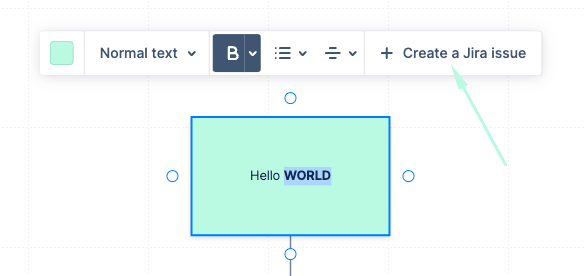
Another advantage of Confluence Whiteboards over Miro for agile teams is that it is much easier to create tasks and Jira tickets directly from the drafts and notes in whiteboards.
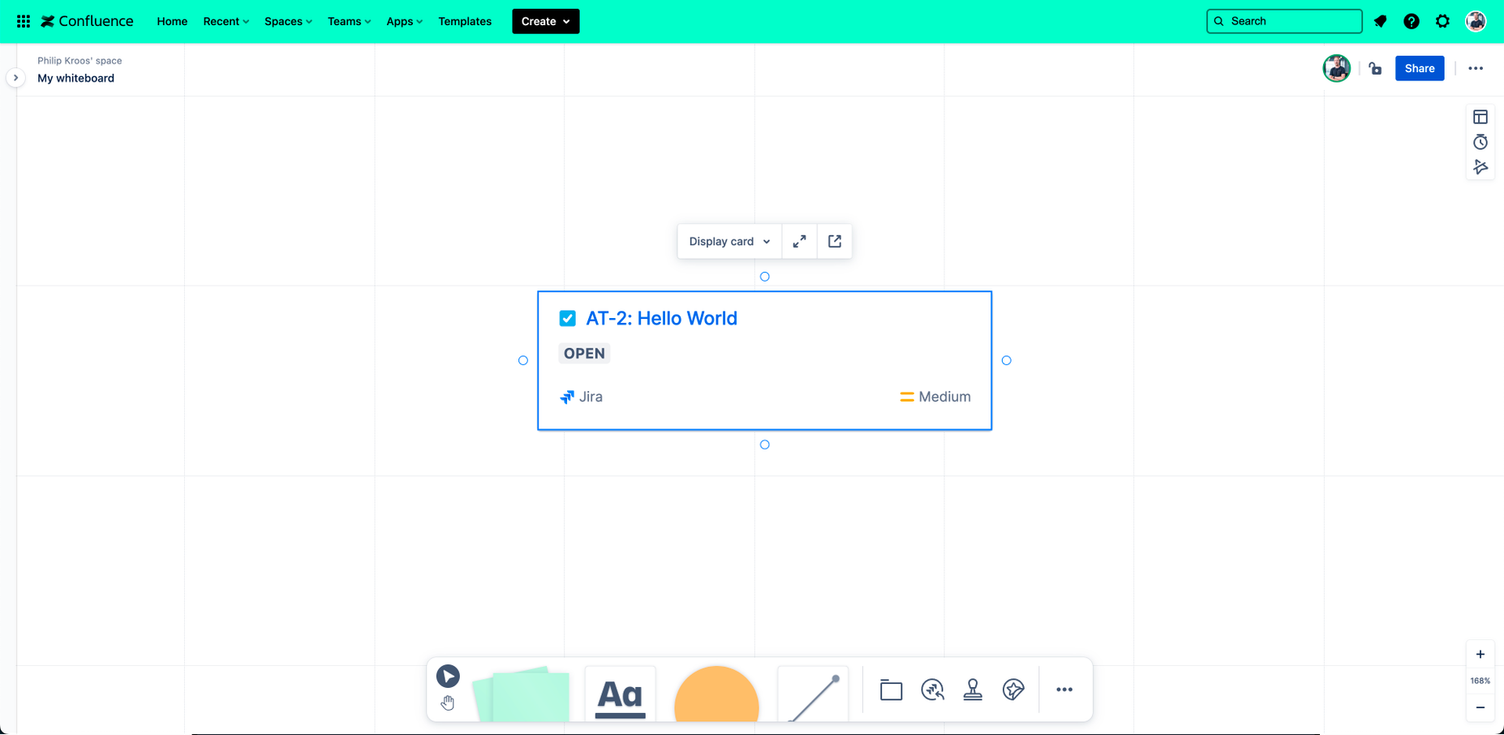
In summary, Confluence Whiteboards is a great tool that extends the capabilities of other Atlassian tools: collaboration and teamwork. It also allows you to get more out of your Atlassian licenses, thereby increasing the ROI, so to speak.
What is Miro?
Like Confluence Whiteboards, Miro is an online collaboration platform designed to bring teams together, whether they are working remotely or in the same office. It offers an intuitive, visual way to organise thoughts, brainstorm, plan projects, and much more.
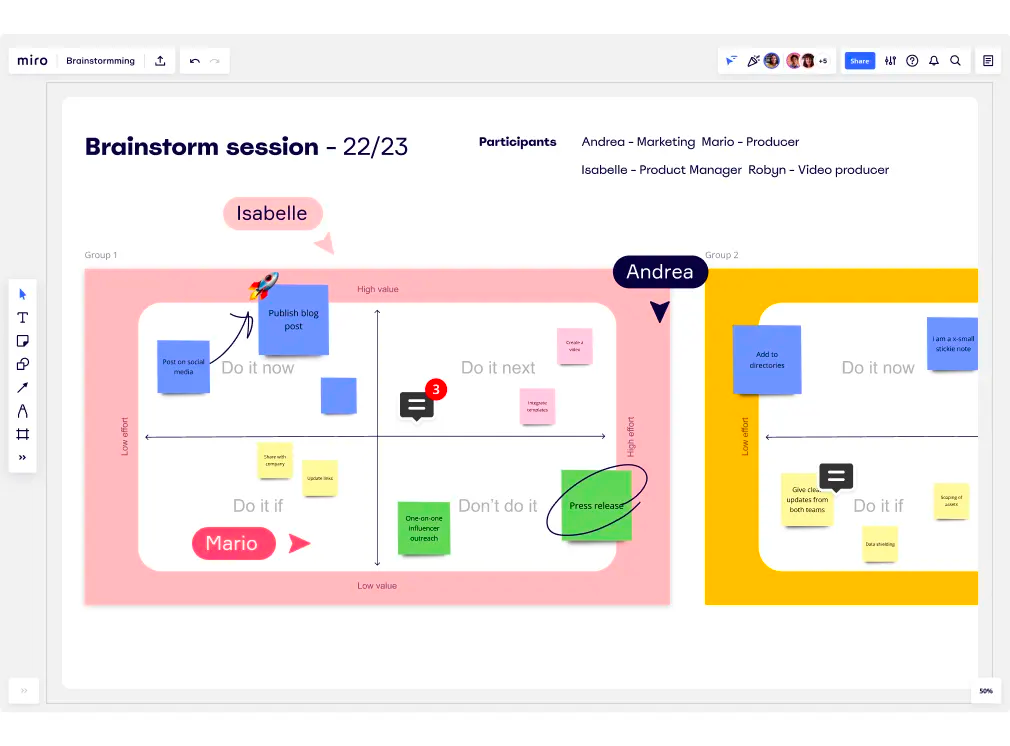
Key features
- Real-time collaboration: Multiple users can work on the same board simultaneously and see other users' changes live.
- Pre-made templates: A wide selection of ready-to-use templates for various activities such as mind mapping, project planning, SWOT analysis, and more.
- Integration with other tools: Seamless integration with popular platforms such as Slack, Google Workspace, Microsoft Teams, and others.
- Unlimited canvas: The canvas can be expanded infinitely, providing as much space as needed for complex projects.
- Notes and comments: Team members can leave notes, comments, or feedback directly on the board.
- Security and compliance: Strong security measures and adherence to industry standards to protect sensitive information.
- Mobile accessibility: With the mobile app, you can access and edit your boards on the go.
Miro's main goal is to create an interactive and dynamic space where team members can collaborate in real time. It facilitates creativity, collaboration, and the visualisation of ideas, overcoming the barriers often associated with traditional or remote work environments.
Confluence Whiteboards vs Miro
User interface:
The user interface of Confluence Whiteboards and Miro is similar, but Miro offers more tools and options for editing your whiteboard. Confluence Whiteboards stick to the essentials, and easy access for users appears to be a priority. When using Confluence Whiteboards, we noticed some key differences compared to Miro. There is (yet) no option to select fonts in whiteboards, so any text you add to your board is always displayed in the same font.
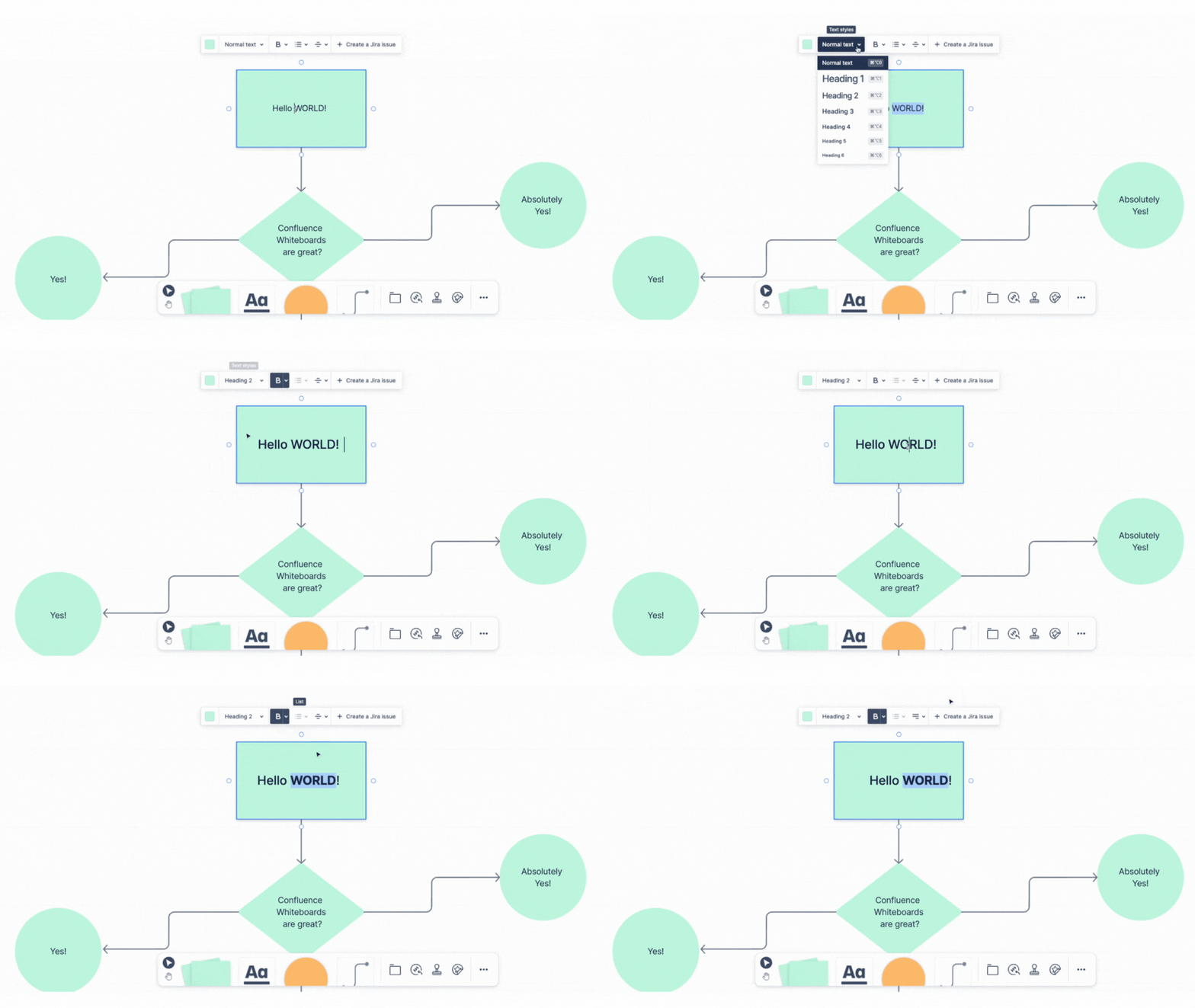
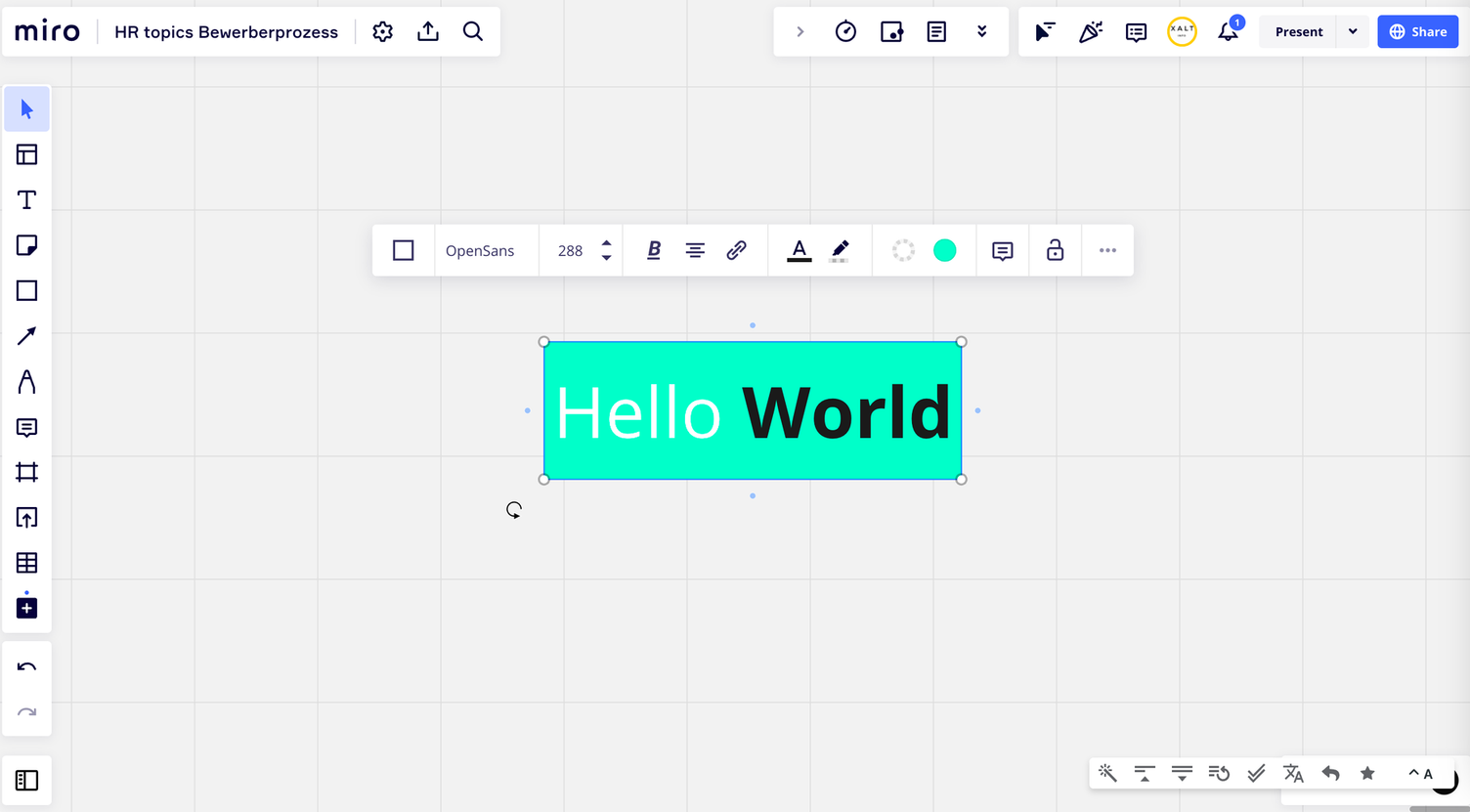
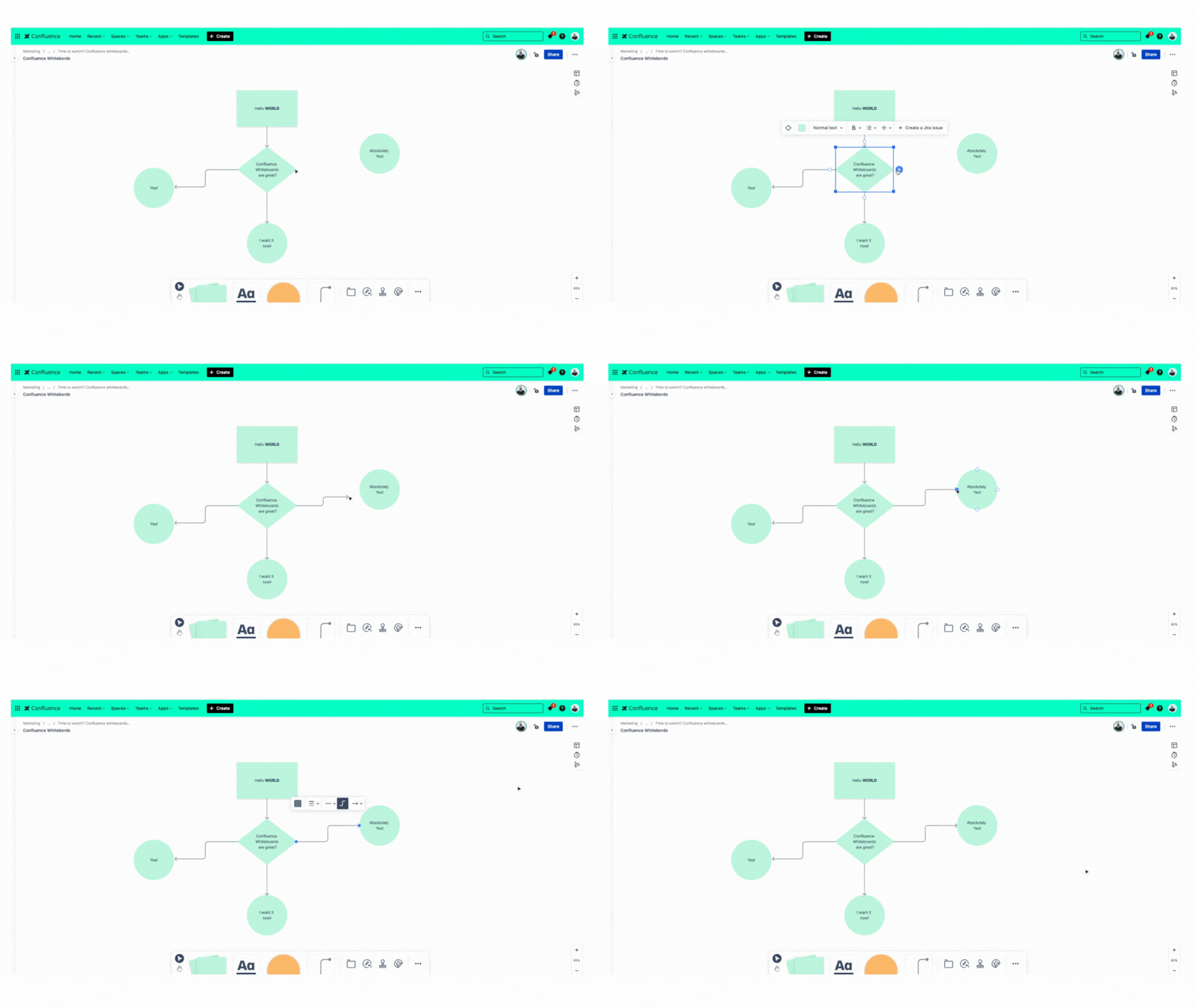
In general, the Confluence Whiteboards user interface can be described as very simple, yet helpful and easy to navigate. You can insert text boxes of different shapes, connecting lines, sticky notes, free-floating text, lines, stamps, stickers, and image attachments.
It is also very nice that you can preview Jira tickets directly on your whiteboard and change the assignee, description, status, and so on. All without having to navigate to Jira.
Integrations
- Confluence Whiteboards is integrated directly into Confluence and Jira, which is perhaps its strongest feature. It is easy to start your ideas and design collaboratively, and you can more easily stay within the Atlassian ecosystem.
- Conversely, Miro integrates well with external tools such as Slack, Zoom, and Atlassian tools. In addition, Miro allows you to embed technical diagrams from providers such as Gliffy or draw.io, which Confluence Whiteboards does not yet offer.
Collaboration features
- There is no official information on how many users can work simultaneously in Confluence Whiteboards, as it is still in the beta phase. However, our preliminary tests show that at least ten users can work on whiteboards without any problems.
- With Miro, up to 100 users can work on the same board simultaneously. Guest access is also relatively easy with Miro, and you can involve your customers in your Miro boards.
Pricing
- Confluence Whiteboards is free for all Confluence Cloud users, from the Free to the Enterprise tier.
- Miro has a free version that offers only limited features for collaborating on multiple boards and is only suitable for testing the tool. To get the full package, you must opt for the "Business" tier, which costs 20 US dollars per month and user.
Support and community
- This point goes to Confluence Whiteboards once it is officially released. The Atlassian community is larger and more demanding than Miro's, and you will have no trouble finding people who know how to use whiteboards and understand the tool's potential. However, the main advantage is that Atlassian's support and community extend far beyond whiteboards. Many Atlassian partners, such as us, focus not only on the technical aspect of a tool but on solving business challenges with the help of Atlassian tools like Confluence Whiteboards.
- Miro also has an active community forum and many resources to help you optimize your usage.
Pros and cons of Confluence Whiteboards vs. Miro
Confluence Whiteboards
Pro
- Seamless integration into the Atlassian ecosystem
- Easy to use, with a simple but functional UI
- Included in all Confluence (Cloud) versions
Con
- (Not yet) an option to import Miro boards
- Limited formatting options
- No dedicated applications or integrations
- Still in the beta phase
Miro
Pro
- Powerful, user-friendly tool for visual collaboration
- Hundreds of third-party integrations (Microsoft Teams, Google Workspace, Atlassian, Figma, Adobe CC, Sketch, etc.)
- Hundreds of free templates, API access, and developer tools for building custom applications
- Dedicated apps for desktop and mobile available
Con
- High prices for small teams
Use cases for Confluence Whiteboards & Miro
So, when should you use Miro and when should you try Confluence Whiteboards?
Confluence Whiteboards is (in its current state) best suited for teams that work intensively with Jira and Confluence and don't mind if their Miro boards can't be migrated yet. If your team is new to whiteboarding, you should try Confluence Whiteboards and see if it meets all your requirements. Especially if, as mentioned above, you are a Confluence Cloud user.
Miro is best suited for teams that take visual collaboration tools seriously and need integrations with other tools such as Gliffy, or want to do quick, rough prototyping of websites and app layouts.
Conclusion
| Confluence Whiteboards | Miro | |
| Price | Included from the free Confluence version up to the Enterprise version | Free version availablePremium version from $10/user/month |
| Integrations | Confluence, Jira | Slack, Google Workspace, Microsoft Teams, Zoom |
| Templates | A wide range of templates available | A larger selection of templates available |
| Annotations | Text, shapes, images, notes | Text, shapes, images, comments, notes, GIFs, videos |
| Collaboration | Real-time collaboration | Real-time collaboration |
| Security | Encrypted whiteboards | Encrypted whiteboards |
| Mobile version | Not yet | Mobile app |
So, is it officially time to retire your Miro boards and switch to Confluence Whiteboards? Not quite. If your team uses Miro intensively, there is currently no easy way to migrate all Miro boards to Whiteboards, which makes the switch difficult for many people. In addition, many use the official "Miro for Confluence" add-on, which allows you to easily embed Miro into your Confluence.
If you are new to visual collaboration and your team makes extensive use of Confluence and Jira, Confluence Whiteboards is the tool of your choice. All basic features are present, and more will follow (especially integrations with other tools such as Gliffy) to further expand functionality.
What do you think? Have you already tested Confluence Whiteboards, or are you interested in testing Whiteboards for Confluence yourself?
Do you want to increase the return on investment (ROI) of your Atlassian license costs through additional use cases? Contact your Atlassian experts to find out how you can unlock the full potential of your Atlassian Confluence license.