Digital collaboration tools are essential for connecting teams, organizing projects, and sharing knowledge. They are the backbone of modern business teams. Confluence, Notion, and SharePoint are among the most well-known solutions in this area. But which solution is best suited for which requirements, and which tool is suitable for whom? In this article, we compare all Confluence alternatives: Confluence vs. Notion vs. SharePoint.
Table of contents
- Confluence
- What is Confluence?
- Advantages
- Disadvantages
- Pricing
- When is Confluence the best choice?
- Who is Confluence suitable for?
- Features
- Integrations and Marketplace
- Artificial Intelligence: Atlassian Intelligence
- Enable your teams to collaborate more effectively and consolidate knowledge in one place
- Notion
- What is Notion?
- Advantages
- Disadvantages
- Pricing
- When is Notion the best choice?
- Who is Notion suitable for?
- Features
- Integrations and Marketplace
- Artificial Intelligence: Notion AI
- Further interesting information
- SharePoint
- What is SharePoint?
- Advantages
- Disadvantages
- Pricing
- When is SharePoint the best choice?
- Who is SharePoint suitable for?
- Features
- Integrations and Marketplace
- Artificial Intelligence: Microsoft AI
- Further interesting information
- Confluence Alternative: Direct Comparison
- Conclusion
Confluence
What is Confluence?
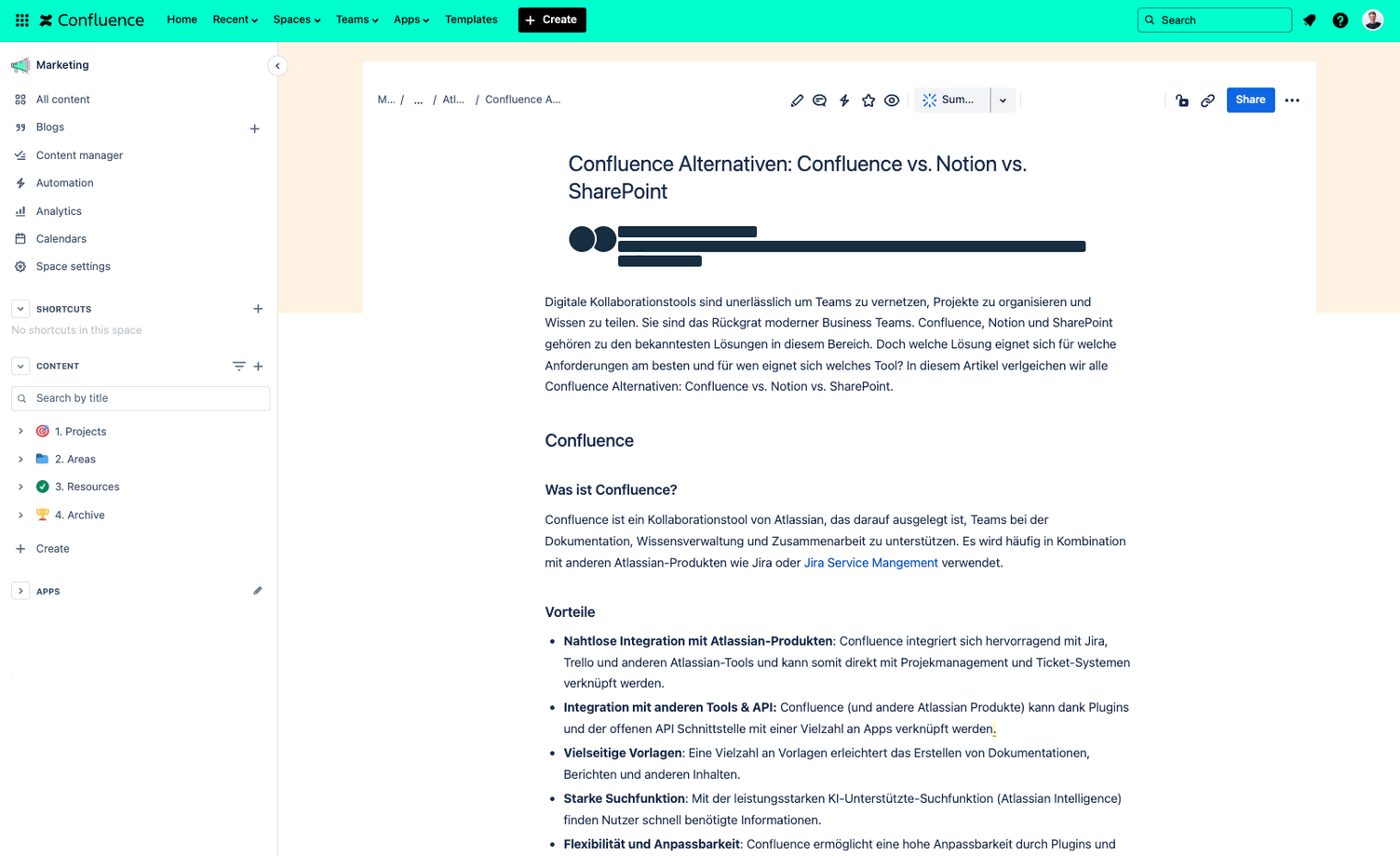
Confluence is a collaboration tool by Atlassian, designed to support teams in documentation, knowledge management, and collaboration. It is frequently used in combination with other Atlassian products such as Jira or Jira Service Mangement.
Advantages
- Seamless integration with Atlassian products: Confluence integrates excellently with Jira, Trello, and other Atlassian tools, allowing it to be linked directly with project management and ticketing systems.
- Integration with other tools & API: Confluence (and other Atlassian products) can be linked with a wide variety of apps thanks to plugins and the open API interface.
- Versatile templates: A wide range of templates makes it easier to create documentation, reports, and other content.
- Powerful search function: With the powerful AI-supported search function (Atlassian Intelligence), users can quickly find the information they need.
- Flexibility and customisability: Confluence offers high customisability through plugins and add-ons. With the right plugins and add-ons, Confluence can, for example, be used as a Intranet/Digital Workplace, customer help centre, or even as an Extranet.
- Collaboration: Real-time collaboration and social features such as a comment function, likes, tags, and share.
Disadvantages
- Complexity: For new users, getting up to speed with Confluence can take some time. However, thanks to its customisability, it is suitable for almost any use case. However, developer skills are generally rarely required to adjust functions.
- Costs: Confluence can become expensive for large teams and with many add-ons, as each add-on/plugin must be subscribed to based on the users of the instance. However, there are also countless plugins available for free (including plugins for integrating Slack, Teams, GoogleDrive, etc.)
Pricing
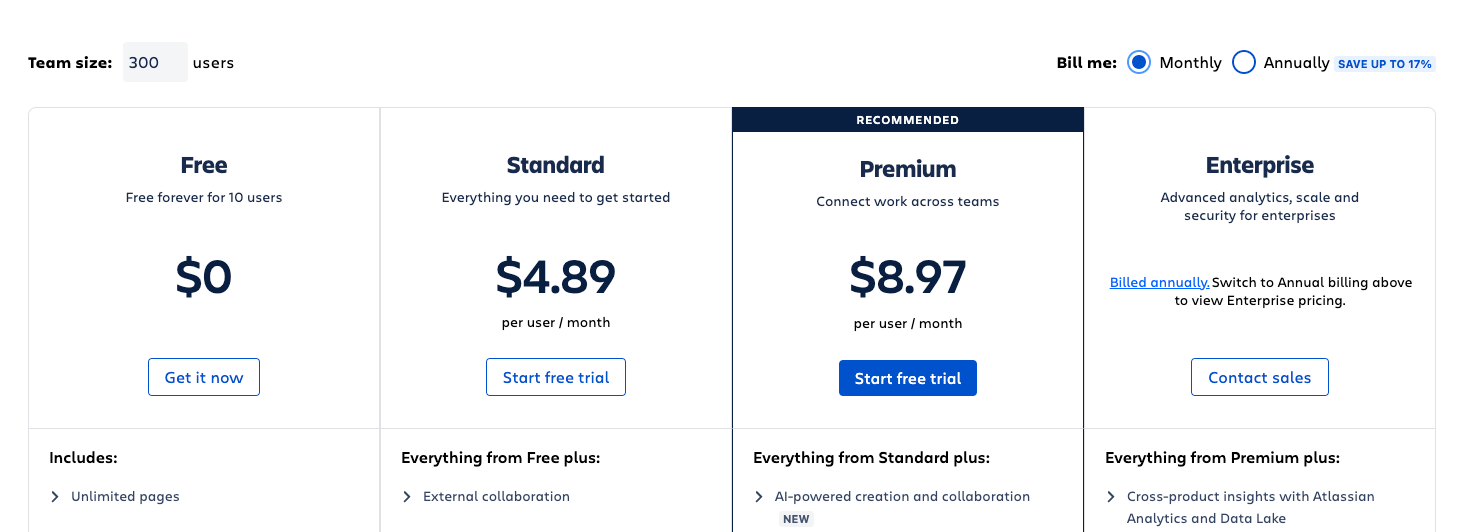
Confluence (Cloud) offers several product tiers:
- Free: Up to 10 users, limited feature set.
- Standard: $5 per user/month.
- Premium: $10 per user/month (and full feature set)
- Enterprise: Price on request. (Especially suitable for corporates with 10,000+ users and specific security requirements)
Further interesting information
You can also use Confluence directly in the Atlassian Cloud, or install it on your own Data Center (e.g., on AWS or Azure) and thus know exactly where you store your data.
When is Confluence the best choice?
Confluence is ideal for teams that already use Atlassian products and are looking for a powerful, customizable platform for documentation and knowledge management or want to collaborate with each other. Confluence is highly customizable, is suitable for almost any use case, and grows with your company.
Who is Confluence suitable for?
Confluence is suitable for medium to large enterprises where teams collaborate extensively and want to store and share knowledge. Confluence is particularly suitable for teams that need to manage complex projects and extensive documentation, as it integrates seamlessly with Jira as a project management tool and also offers important integrations with essential tools in software development.
In addition, Confluence is not limited to software development teams. It is fundamentally suitable for any team that wants to collaborate effectively and store and use knowledge. Whether marketing, support, HR, or research – Confluence offers a flexible and customizable platform that meets the needs of various departments.
Features
- Wikis and documentation: Create structured knowledge bases.
- Project management: Plan and monitor tasks and projects together with Jira.
- Real-time collaboration: Collaborative editing of documents.
- Version control: Tracking of changes and versions.
- Integrations: Integrations with a wide variety of applications.
- Templates: A wide variety of templates for quickly creating content.
- Community: The Atlassian Community
Integrations and Marketplace
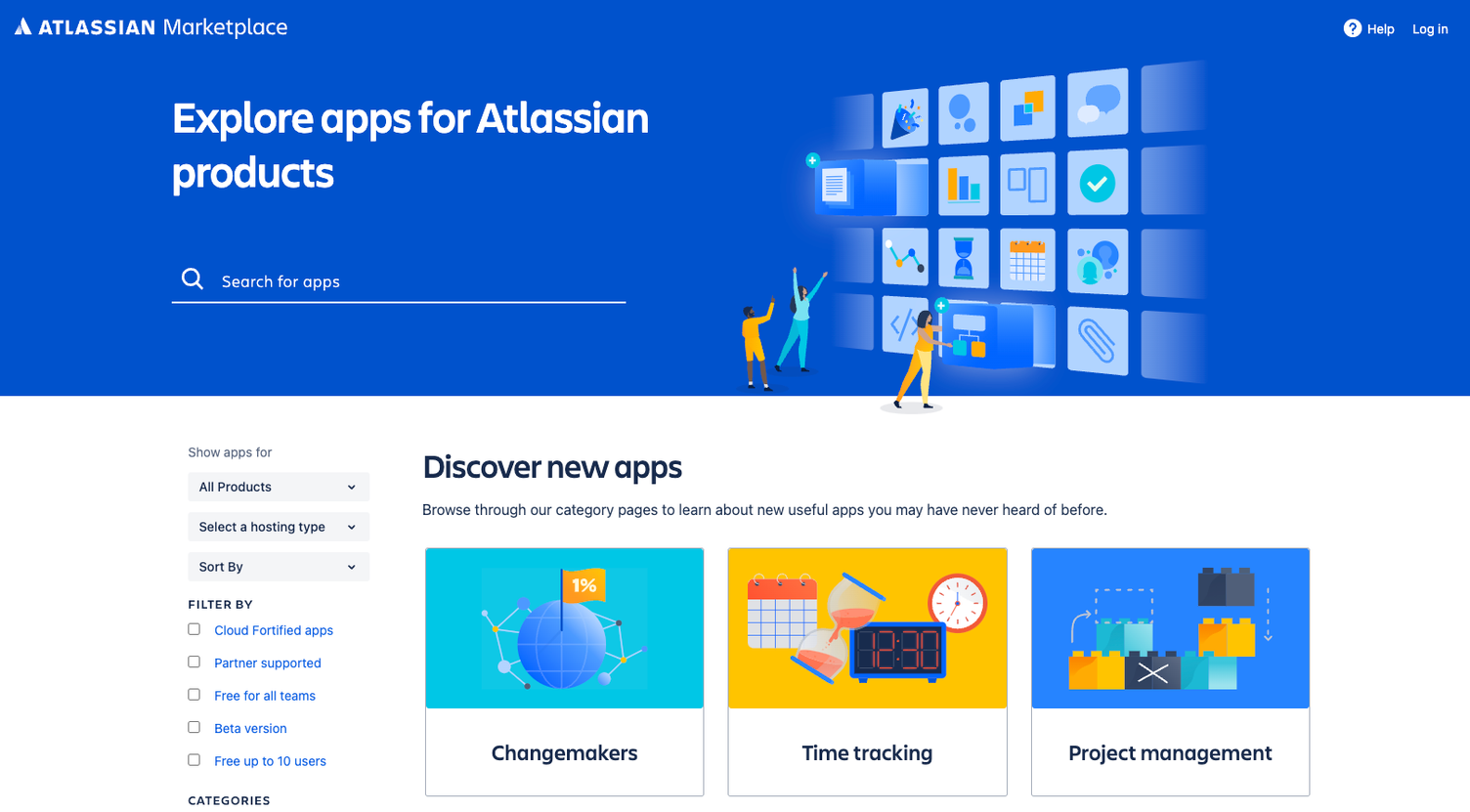
Confluence offers numerous integrations and an extensive Marketplace for add-ons and plugins, including Jira, Trello, Slack and many more.
Artificial Intelligence: Atlassian Intelligence
Atlassian Intelligence is the artificial intelligence integrated across the entire Atlassian product portfolio, including Confluence. Atlassian Intelligence helps users work more efficiently by automating recurring tasks and providing intelligent suggestions for content and projects.
Features include, among others, the automatic generation of content suggestions, intelligent search that highlights relevant information based on user queries, and the analysis of user activities to identify trends and key insights. These AI-powered features help improve productivity and collaboration within teams.
Confluence Consulting
Enable your teams to collaborate more effectively and consolidate knowledge in one place
Another Confluence alternative is Notion.
Notion
What is Notion?
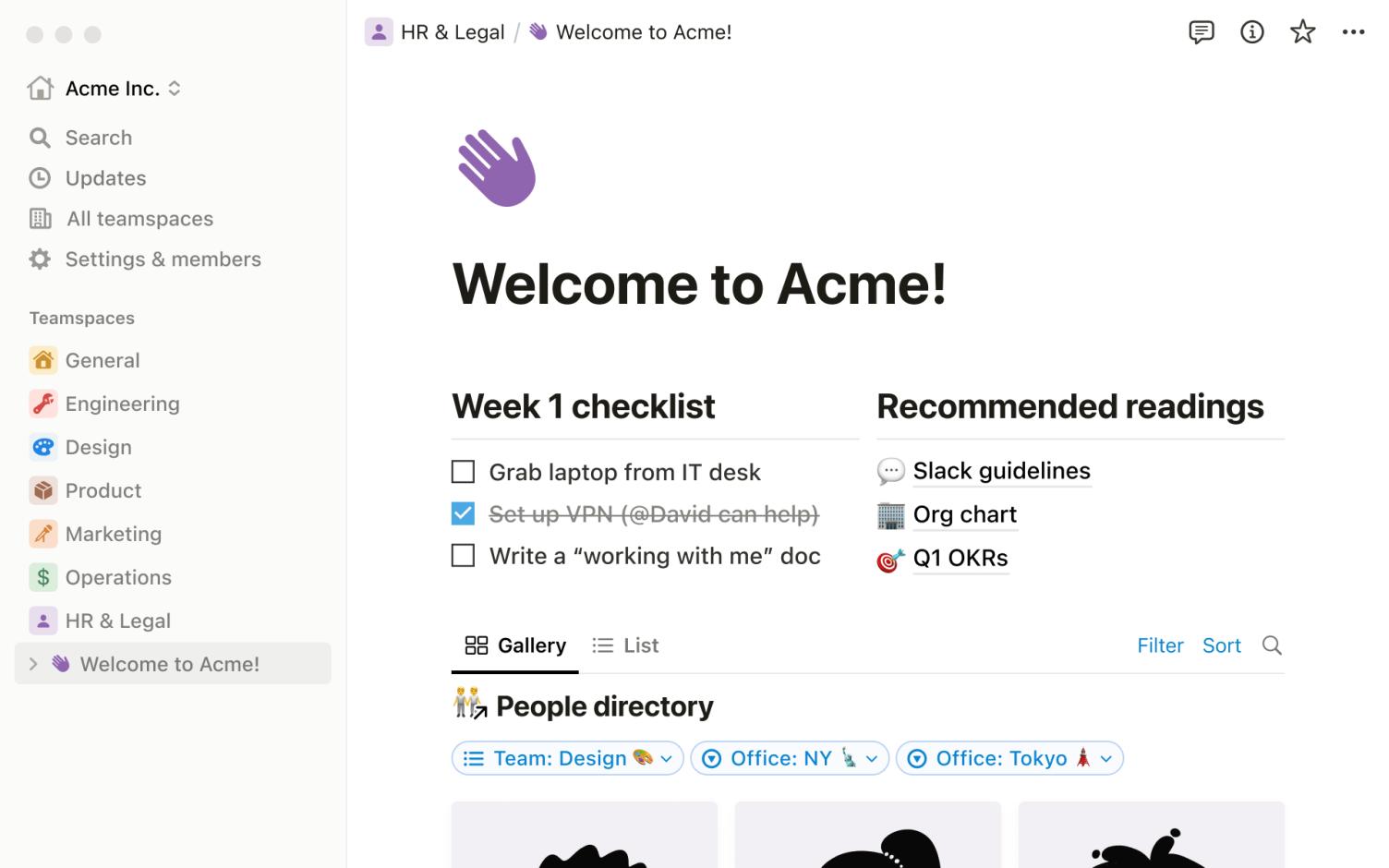
Notion is a versatile productivity and collaboration platform that combines features for notes, documentation, project management, databases and teamwork in a single application. It allows users to organise information, manage tasks, plan projects and collaborate in real time.
With customisable templates, flexible layouts and the ability to integrate other tools, Notion offers a highly adaptable environment for personal productivity and business organisation.
The platform is available on various devices (mobile, tablet, desktop) and is suitable for both individuals and teams who want to optimise their workflows and manage their information effectively.
Advantages
- User-friendliness: Notion is characterised by an intuitive user interface.
- Flexibility: Users can design pages according to their own needs.
- Integration of features: Notion combines various features such as notes, to-do lists and databases in one platform.
- Collaboration: Real-time collaboration and commenting features.
- Integrations: A wide range of integrations with other key apps such as Google, Microsoft, Slack, etc.
- Templates: Built-in templates and a marketplace for all kinds of templates that simplify users' lives and work.
- Community: Notion has a large community that supports each other and constantly publishes new templates in the marketplace.
Disadvantages
- Performance issues with large data volumes: Very large pages or databases can lead to performance problems.
- Limited integrations: Compared to Confluence or SharePoint, integration options are (still) somewhat limited.
- Steep learning curve: Due to its versatile use cases and features, learning Notion can be overwhelming.
Pricing
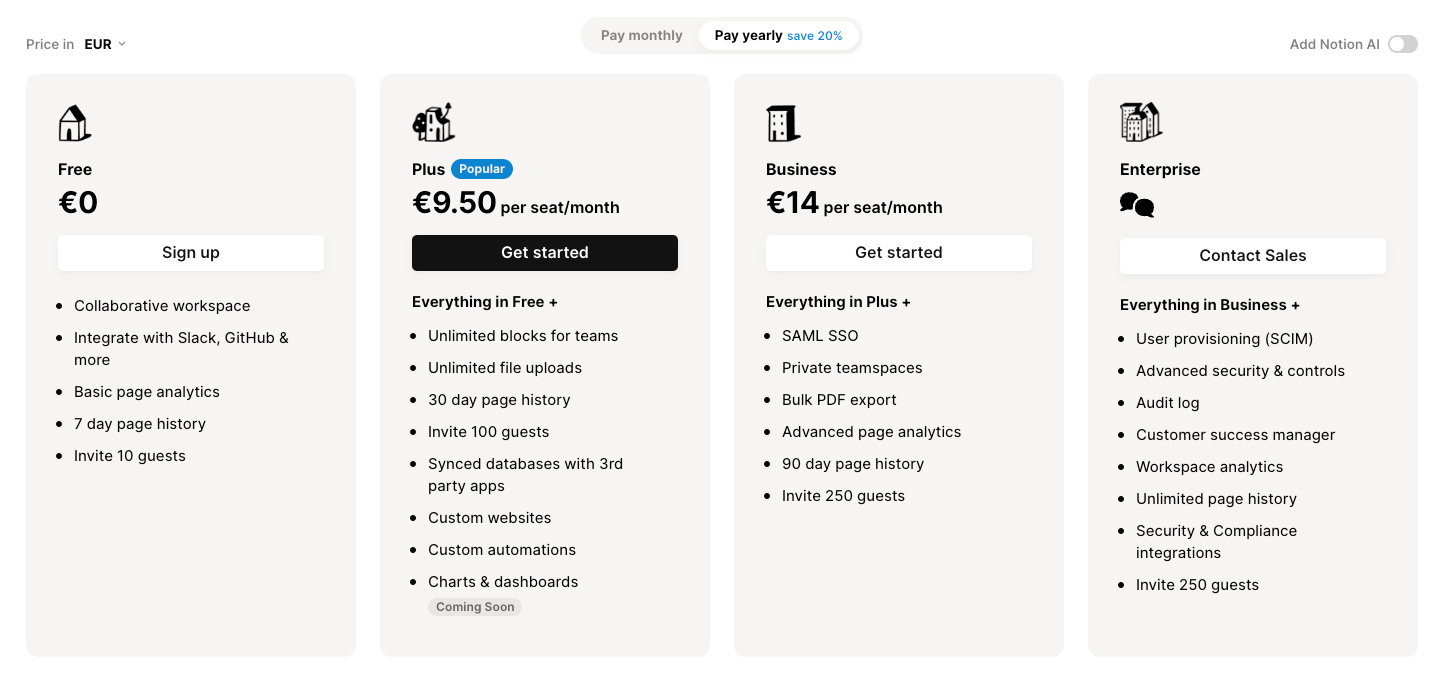
Notion offers various pricing plans:
- Free: For individual users with basic features.
- Personal Pro: $5 per month.
- Team: $10 per user/month.
- Enterprise: Price on request.
When is Notion the best choice?
Notion is ideal for small teams, startups, scale-ups, or individuals looking for a flexible and user-friendly platform for their daily tasks and projects.
Who is Notion suitable for?
Notion is suitable for freelancers, small businesses, and creative teams seeking a versatile solution for notes, project management, and knowledge bases without wanting to use multiple apps.
Features
- Notes and documents: Create structured notes and documents.
- Databases: Customisable databases for various purposes.
- Task management: To-do lists and task tracking.
- Calendar: Integration of calendar features for scheduling.
Integrations and Marketplace
Notion offers integrations with tools such as Slack, Google Drive, and Zapier, although not as extensive as Confluence.
Artificial Intelligence: Notion AI
Notion AI is an integral part of Notion and supports users in creating and managing content more quickly. With AI, users can automate tasks such as creating to-do lists, generating texts based on short instructions, and organising content. Notion AI also helps improve the search function by prioritising relevant results and making context-based suggestions.
Further interesting information
Notion offers a Web Clipper extension that allows users to save content from the web directly into Notion.
SharePoint
What is SharePoint?
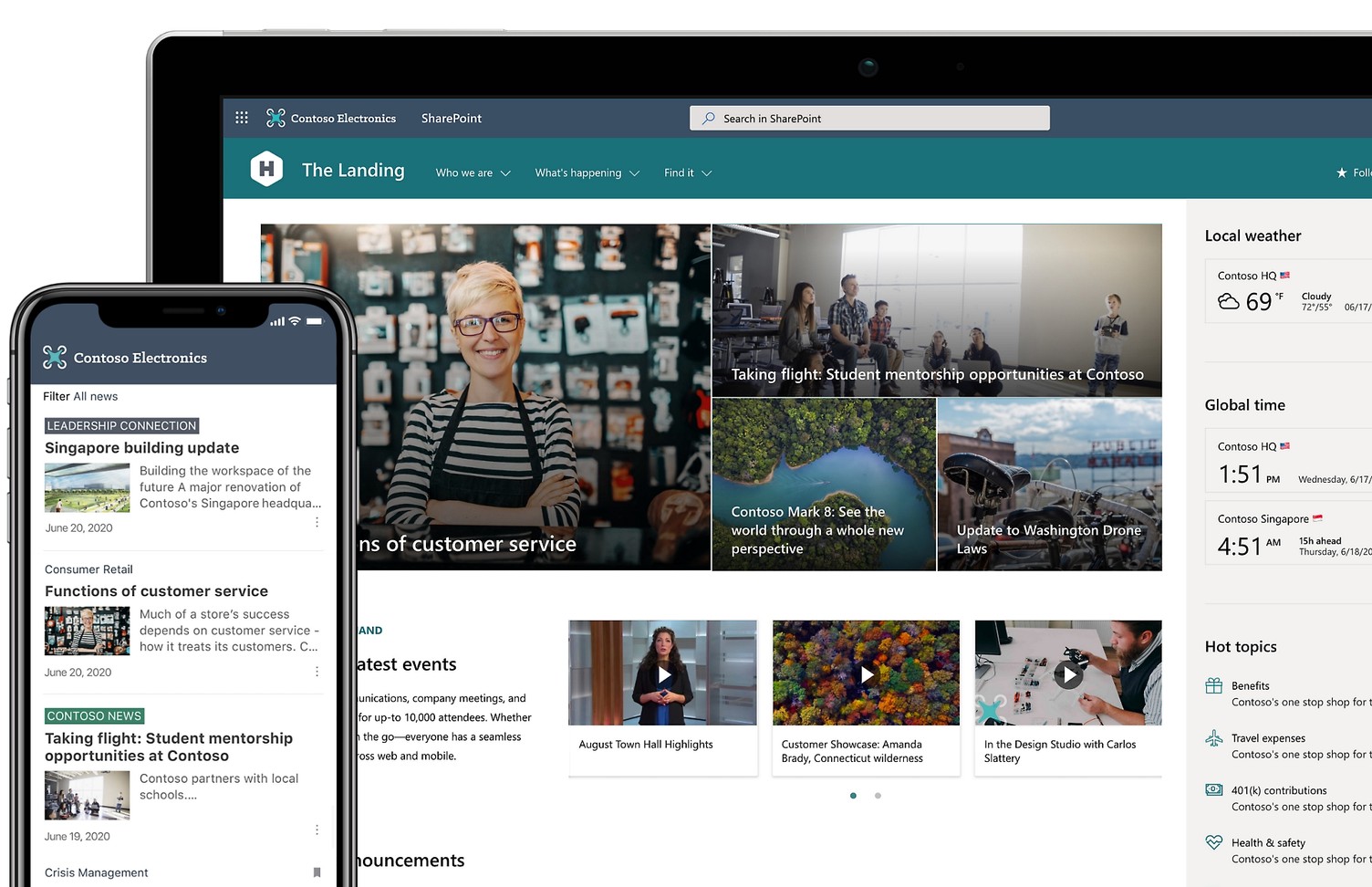
Another Confluence alternative is SharePoint. SharePoint is a platform developed by Microsoft for document management, intranet, and collaboration (only with Office365).
Advantages
- Integration with Microsoft and Microsoft Office: Seamless integration with Office 365 and other Microsoft tools.
- Comprehensive features: Powerful document management and collaboration features in conjunction with Office365.
- Customisability: High customisability and extensibility.
- Security features: Robust security and compliance features.
Disadvantages
- Complexity: SharePoint can be complex and difficult to manage.
- Costs: Licensing costs can be high, particularly for larger enterprises.
- Very old: SharePoint is a dinosaur among collaboration tools and can only partially keep up with state-of-the-art apps like Confluence or Notion.
Pricing
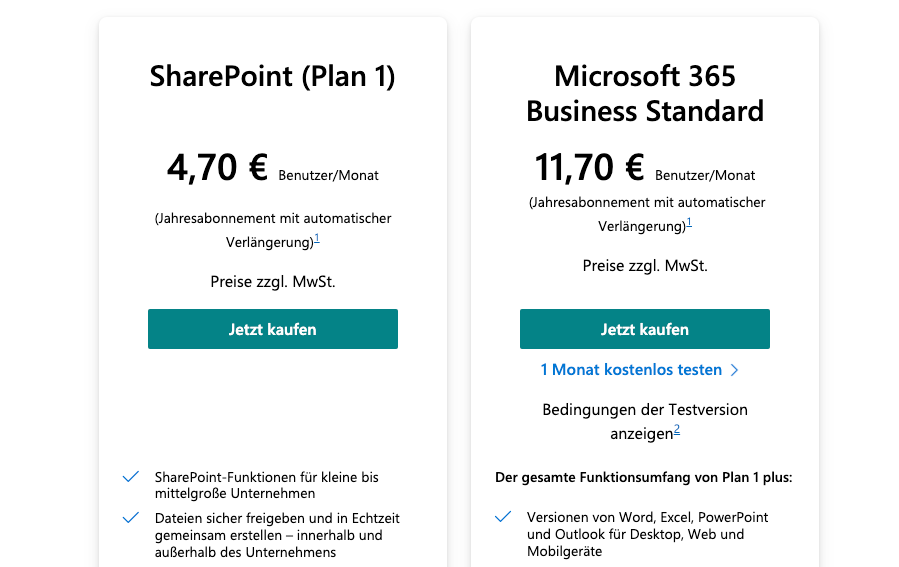
SharePoint offers various licensing models:
- SharePoint Online (Plan 1): $5 per user/month.
- SharePoint Online (Plan 2): $10 per user/month.
- Office 365 E3: $20 per user/month (including SharePoint and other Office 365 services).
When is SharePoint the best choice?
SharePoint is ideal for large enterprises looking for a powerful and integrated Microsoft platform for document management and intranets.
Who is SharePoint suitable for?
SharePoint is suitable for large enterprises and organisations that require comprehensive document management and collaboration solutions.
Features
- Document management: Centralised storage and management of documents.
- Intranets and portals: Creating corporate portals and intranets.
- Workflows: Automating business processes.
- Collaboration: Jointly editing documents and projects.
Integrations and Marketplace
SharePoint offers extensive integrations with Microsoft tools and other applications, as well as a marketplace for add-ons and extensions.
Artificial Intelligence: Microsoft AI
Microsoft AI is integrated into the SharePoint platform and offers numerous AI-powered features to improve collaboration and document management. These features include the automatic classification and tagging of documents, intelligent search functions that highlight relevant content based on user behaviour and preferences, and the use of machine learning to analyse and predict trends and patterns in corporate data.
Further interesting information
SharePoint supports both on-premises and cloud deployments, giving companies flexible deployment options.
Confluence Alternative: Direct Comparison
| Kriterium | Confluence | Notion | SharePoint |
|---|---|---|---|
| Usability | Medium | High | Medium |
| Flexibility | High | High | High |
| Integrations | Extensive (Jira, Trello, etc.) → Atlassian Marketplace | Limited (Slack, Google Drive) | Extensive (Office 365, etc.) |
| Pricing | Free up to 10 users (Standard version) from €5/user/month Cheaper for large teams/users | Free for 1 user + 10 guests from €9.50/user/month | from €4.70/user/month |
| Document management | Very good | Very good | Very good |
| Real-time collaboration | Very good | Very good | Good (only in combination with Office365) |
| Customizability | High (many add-ons) | High (customizable pages) | Very high (extensive customisations; developer knowledge required in some cases) |
| Security features | Good (dependent on product tier → Enterprise has the highest security and data protection measures) | Good (no option to choose where data is stored) | Very good (comprehensive compliance) |
| Target audience | Medium to large teams | Small teams/individuals | Large teams |
| Artificial Intelligence | Atlassian Intelligence (intelligent search, content creation, summaries) → More information on Atlassian Intelligence | Notion AI (text generation, content organisation) | Microsoft AI (document classification, intelligent search) |
Conclusion
Confluence, Notion and SharePoint each offer unique benefits and features. While Notion is ideal for smaller teams and individuals who are looking for a flexible and user-friendly platform that combines multiple tools (e.g. project management & databases), SharePoint is excellent for large enterprises that need comprehensive document management and collaboration solutions. Confluence, on the other hand, proves to be the best solution for business teams that collaborate daily and require seamless integration with other tools such as Jira, Slack, Teams. Thanks to its flexibility, extensive features and strong integration capabilities, Confluence remains the preferred choice for many companies.