In the area of cloud hosting for Atlassian software with AWS or Spinnaker, it is also advisable to have dedicated project and user management. For Kubernetes, there are several ways to handle project and user management:
- You can set up multiple EKS clusters and separate them in this way:
- This is initially a simple and clean solution, as you do not have to find a way to separate resources and permissions.
- If these clusters are to be managed independently of one another and are likely to deploy independent applications, this can be a valid approach.
- If the clusters are instead to be managed centrally, this causes a lot of administrative overhead and requires an additional logic layer to implement deployment pipelines, user rights, and other automations.
- A single EKS cluster can handle project and user management with native Kubernetes features.
- Projects can be managed in different namespaces:
- Deployments can be separated through extensive tagging.
- Kubernetes offers the ability to set up roles with dedicated permissions on Kubernetes resources that users and resources can access, enabling fine-grained rights management
- With this concept, additional clusters can of course be set up, for example for projects with deviating configurations or for Kubernetes updates.
Both options are legitimate and it depends on how you want to administer the cluster(s) in the future.
Network/DNS
The compute nodes themselves are connected to each other and to the master via a different network. For an application deployed in Kubernetes to be reachable from outside the cluster, an ingress must be provided that acts as a gateway outside the cluster.
Within the cluster, it is always possible for any pod to connect to another pod. This is because Kubernetes creates its own network in which all deployments take place. Each pod within Kubernetes receives its own IP address.
Networking within Kubernetes
How networking within Kubernetes works depends heavily on which network plugins and which ingress controller are installed. This ensures that the environment within Kubernetes can be tailored to the application's requirements.
EKS is able to spawn various types of load balancers depending on the installed ingress controller. It is recommended to use an external DNS service here to ensure that at least one pod can always be reached via this DNS name, to be as fault-tolerant as possible.
Network/DNS
The Compute Nodes themselves are connected to each other and to the Master via a separate network. For an application deployed in Kubernetes to be accessible from outside the cluster, an Ingress must be provided, which acts as a gateway outside the cluster. Within the cluster, it is always possible for any Pod to connect to another Pod. This is because Kubernetes creates its own network in which all Deployments take place. Each Pod within Kubernetes is assigned its own IP address.
How networking within Kubernetes works depends heavily on which network plugins and which ingress controller are installed. This ensures that the environment within Kubernetes can be tailored to the application's requirements.
EKS is able to spawn various types of load balancers depending on the installed ingress controller. It is recommended to use an external DNS service here to ensure that at least one pod can always be reached via this DNS name, to be as fault-tolerant as possible.
Spinnaker
Spinnaker is used for the deployment layer in this concept. Spinnaker is deployment software developed for mass and standardized deployments of containerized applications in Kubernetes.
Here, it is possible to define various input sources, create Pipelines to automate Deployments, and define rules/checks for Pipelines to increase the integrity of the entire environment.
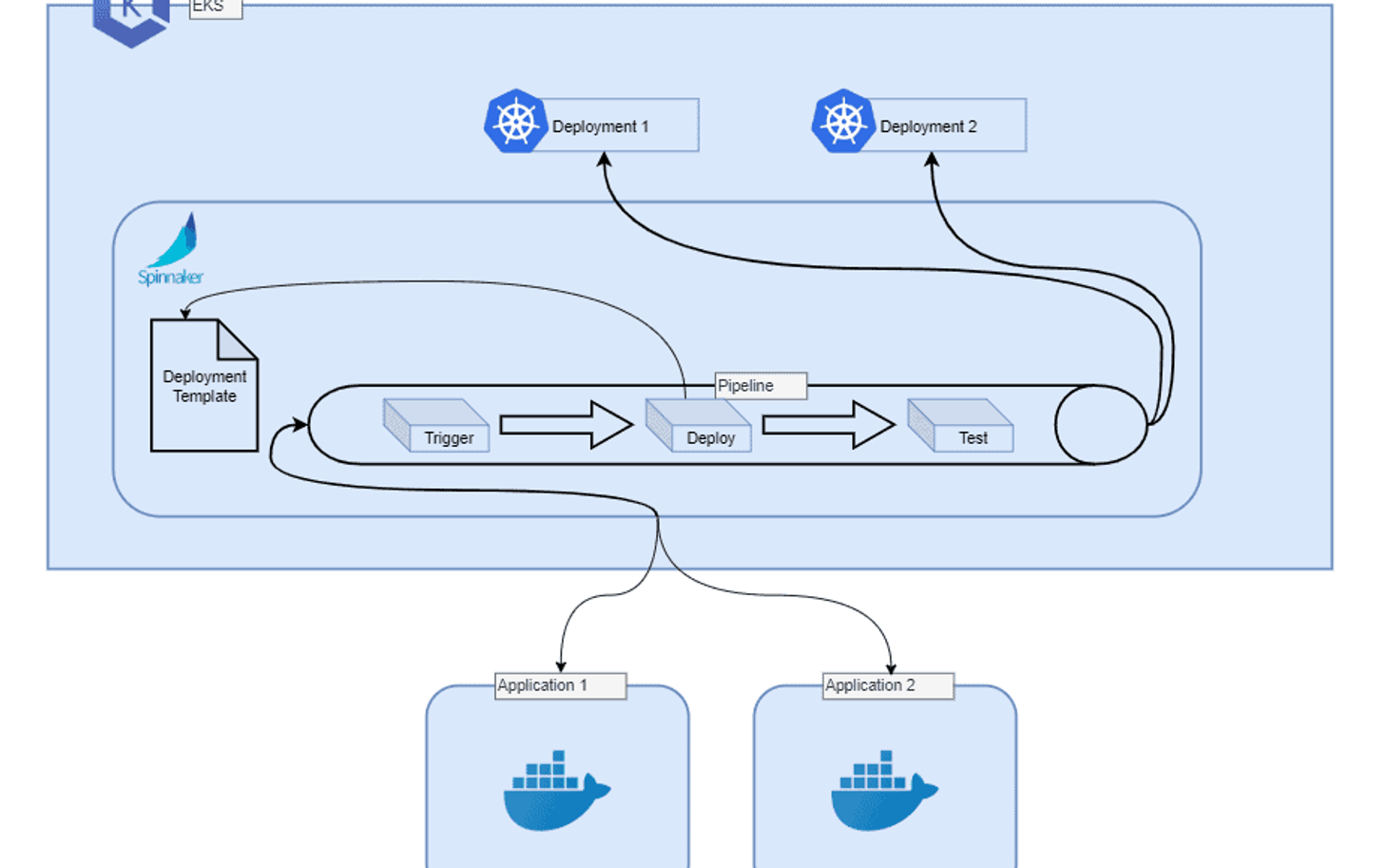
It is also possible and recommended to implement deployment fallbacks in this phase, such as Blue-Green Deployment and versioning for application Deployments. Here is a small sketch to see how Spinnaker deploys applications:
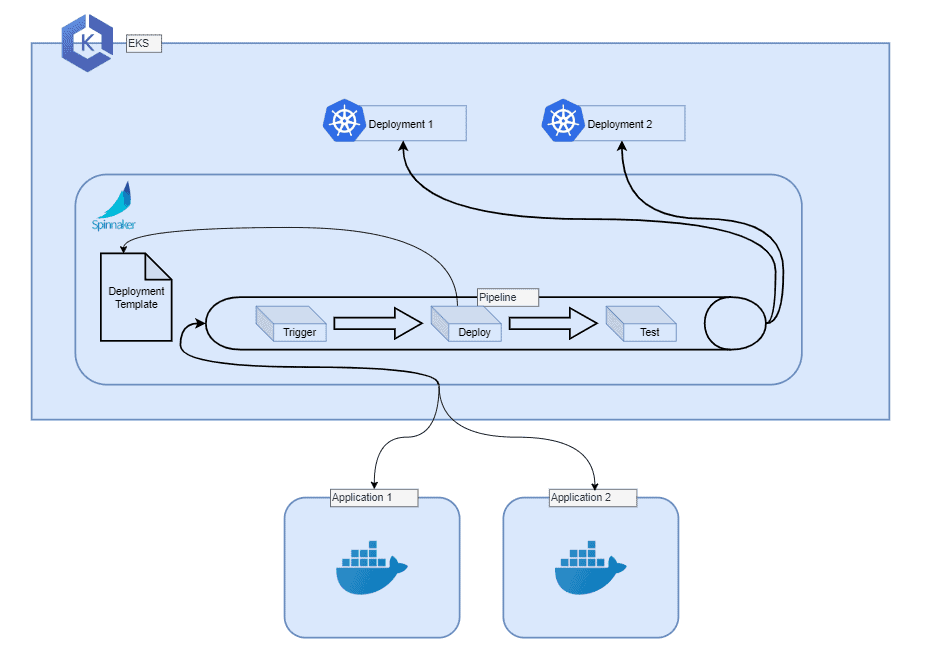
Spinnaker can, of course, do much more than just create Pipelines and Deployments. It also comes with an easy-to-use Web UI to give you a transparent overview of the various Deployments and projects in Kubernetes. With a few clicks, you can modify these.
Advantages of Spinnaker:
- Standardized.
- Future-proof.
- Fast Deployments.
- Fast Rollback.
- High Deployment throughput.
- Very high level of automation.
- Low administrative effort after implementation.
- Seamless switch to new Deployment workflows.
- Cloud provider switch possible.
Disadvantages of Spinnaker:
- The deployment workflow must be well thought out.
- High initial administrative effort.
- Several new applications and logic layers must be understood and learned by operations.
- Works only with containerized environments.